
IBO Player has become a popular choice for users who want a simple and modern way to manage IPTV services on compatible Smart TVs and streaming devices. The player itself does not provide TV channels or streaming content. Instead, it works with an IPTV service that supplies the connection details required to load your playlist.
Choosing the best IPTV for IBO Player is therefore mainly about finding a reliable service that works smoothly with the app, provides clear setup information, and offers stable performance on your preferred device.
In this guide, we explain what to look for in an IPTV service for IBO Player, how the setup process generally works, and which factors can help you choose a service that fits your needs.
Important: IBO Player is a media player and does not supply IPTV content itself. Always use IPTV services and content that you are legally authorized to access.
What Is IBO Player?
IBO Player is an IPTV media player designed to provide a convenient interface for loading and managing IPTV playlists.
Unlike a traditional television service, an IPTV player does not normally include the streaming content itself. You need a separate IPTV subscription or playlist from a provider.
Depending on the service and device, the provider may give you information such as an M3U playlist, Xtream Codes details, or another supported connection method.
This separation between the player and the IPTV service is important when searching for the best IPTV for IBO Player.
What Makes the Best IPTV for IBO Player?
Not every IPTV service provides the same setup experience. Before choosing a subscription, there are several important factors to consider.
1. Compatibility With IBO Player
The first thing to check is compatibility.
A good IPTV service should provide connection information that can be used with the setup method supported by your version of IBO Player.
Before purchasing a subscription, check whether the provider supports:
- M3U playlists
- Xtream Codes, if supported by your setup
- Clear server information
- Easy account activation
- Compatible Smart TV platforms
Compatibility can save you from unnecessary setup problems later.
2. Stable Streaming Performance
Connection stability is another important factor.
Even when an IPTV player is working correctly, streaming quality can depend on several elements, including your internet connection, the provider’s infrastructure, server performance, and the device being used.
A reliable IPTV service should provide clear information about its service and offer reasonable technical support when users experience connection problems.
3. Good Customer Support
Customer support is particularly important for IPTV beginners.
You may need help with:
- Activating your subscription
- Finding your M3U information
- Understanding Xtream Codes details
- Connecting the service to IBO Player
- Troubleshooting login problems
- Updating connection information
A provider that offers clear setup instructions can make the entire experience much easier.
4. Flexible Subscription Options
Different users have different requirements.
Some people want to test a service before committing to a longer subscription, while others prefer a monthly or longer-term option.
When comparing IPTV providers, look at the available subscription periods and make sure the pricing and renewal conditions are clearly explained.
5. Device Compatibility
Your IPTV experience also depends on the device running IBO Player.
Before subscribing, check that the service and player are compatible with your Smart TV or streaming setup.
A provider may work well on one device while requiring additional configuration on another, so compatibility information should always be checked before purchasing.
IBO Player and IPTV Services: How Do They Work Together?
The process is relatively simple.
IBO Player acts as the application used to access your IPTV playlist, while the IPTV provider supplies the connection information.
The general process looks like this:
IPTV Provider → Subscription Details → IBO Player → Streaming Device
After receiving your subscription details, you enter the required information into the appropriate setup interface.
Once the connection is accepted, the available content provided through your authorized IPTV service can appear inside the player.
How to Add IPTV to IBO Player
The exact interface can vary depending on the version of IBO Player and the device you are using, but the general process follows a few basic steps.
Step 1: Install IBO Player
Install IBO Player from the appropriate application source available for your compatible device.
Open the application after installation.
Step 2: Find Your Device Information
When you open the application, you may see information associated with your device or application installation.
Keep this information available if your IPTV provider requires it for activation.
Step 3: Get Your IPTV Subscription Details
Your IPTV provider should provide the connection information required for your setup.
Depending on the service, this may include an M3U playlist or other supported credentials.
Step 4: Add the Connection
Use the supported configuration method to add your IPTV service to IBO Player.
Carefully enter the information supplied by your provider.
A small typing mistake in a username, password, URL, or server address can prevent the playlist from loading.
Step 5: Refresh the Playlist
After adding the connection, refresh the application if necessary.
If the credentials are correct and the service is compatible, the playlist should become available inside the player.
Best IPTV for IBO Player: What Should You Check Before Buying?
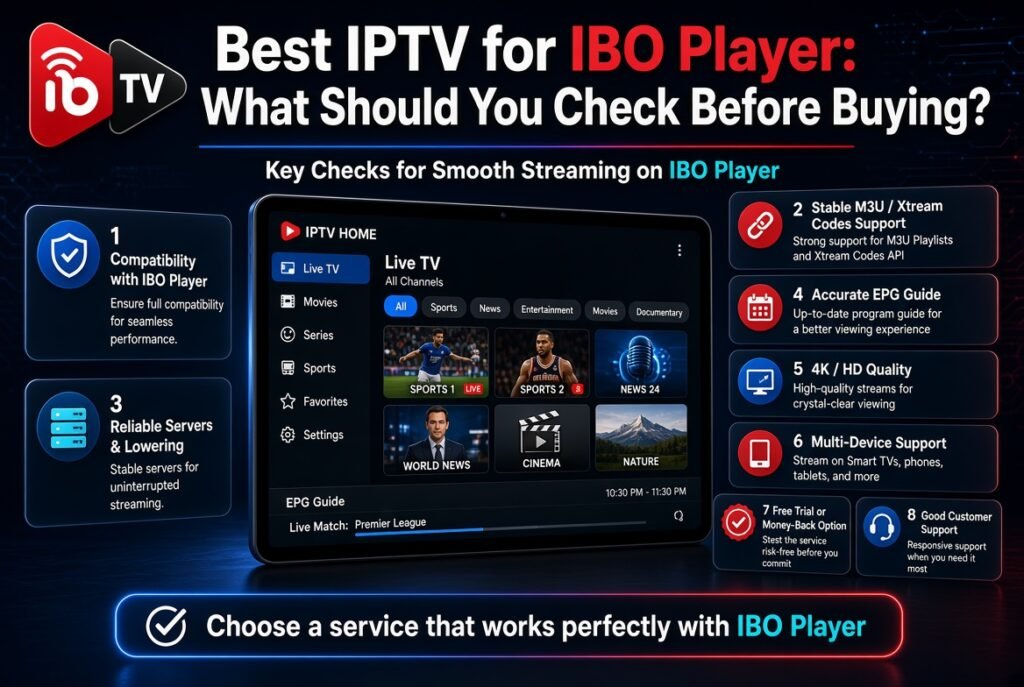
Instead of choosing a provider based only on advertising claims, take a few minutes to evaluate the service.
Here is a practical checklist:
| Feature | What to Check |
|---|---|
| IBO Player compatibility | Supported setup method |
| Connection | Reliable access |
| Setup | Clear instructions |
| Support | Responsive customer service |
| Subscription | Transparent pricing |
| Trial | Available testing option |
| Compatibility | Works with your device |
| Updates | Current connection information |
This checklist can help you compare IPTV services more objectively.
Why Use IBO Player for IPTV?
One of the main advantages of using a dedicated IPTV player is simplicity.
Instead of managing different streaming applications for different playlists, users can use one interface to manage their IPTV connection.
IBO Player can also provide a more organized viewing experience depending on the playlist and information supplied by the IPTV provider.
For users who already have a compatible Smart TV, the setup can be relatively straightforward once the correct subscription information is available.
IBO Player M3U Setup
M3U is one of the common playlist formats used by IPTV services.
An M3U playlist contains information that allows a compatible media player to access streams provided through the playlist.
If your IPTV provider gives you an M3U URL and IBO Player supports the corresponding setup method, you can use the information according to the application’s instructions.
Always copy the complete URL carefully.
If part of the URL is missing, the playlist may fail to load.
IBO Player Xtream Codes Setup
Some IPTV providers offer account information through Xtream Codes-compatible credentials.
This type of setup can use information such as:
- Username
- Password
- Server URL
Whether this method is available depends on the player version, device, and IPTV provider.
For this reason, it is useful to confirm the supported connection methods before purchasing a subscription.
Common IBO Player Problems
Even with a compatible IPTV service, users can sometimes encounter setup problems.
IPTV Playlist Is Not Loading
First, verify that the playlist URL or login information was entered correctly.
Check for:
- Missing characters
- Extra spaces
- Incorrect username
- Incorrect password
- Incorrect server URL
If everything appears correct, contact the IPTV provider to verify that the subscription is active.
Login Information Does Not Work
Make sure you are using the exact credentials supplied by the provider.
Do not manually modify the username or password.
If the credentials still do not work, ask the provider to confirm whether the account is active and compatible with your setup.
Streaming Is Buffering
Buffering does not necessarily mean that the IBO Player application is responsible.
Possible factors include:
- Internet speed
- Wi-Fi signal strength
- Network congestion
- Device performance
- Provider-side server conditions
Try restarting your router and testing the connection on your device.
If the problem continues, contact the IPTV provider for assistance.
Playlist Has Not Updated
Some IPTV playlists may require a refresh before updated information becomes visible.
Close and reopen the application, then refresh the playlist if that option is available.
If the issue remains, verify with your provider that the subscription and playlist are active.
How to Choose an IPTV Provider for IBO Player
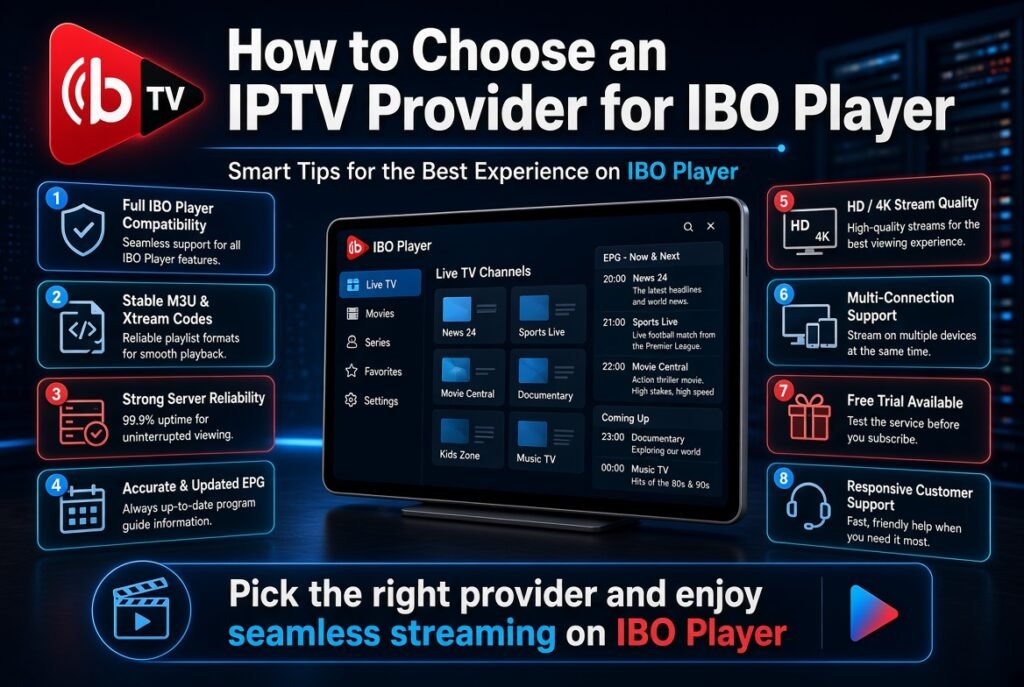
The best IPTV for IBO Player is not necessarily the service making the biggest promises.
Instead, focus on practical factors that affect your everyday experience.
Look for a provider that offers:
Clear setup instructions
You should know exactly how to connect your subscription.
Transparent pricing
The subscription cost and renewal conditions should be easy to understand.
Compatible connection methods
Make sure the provider supports the setup method you plan to use.
Technical support
Good support can save considerable time when something goes wrong.
Reliable service information
The provider should clearly explain what is included and how the service works.
Should You Test an IPTV Service Before Subscribing?
If a provider offers a legitimate trial period, testing the service before purchasing a longer subscription can be useful.
A short test allows you to verify whether the service works correctly with your internet connection, device, and preferred IPTV player.
During the test, pay attention to:
- Connection stability
- Loading speed
- Playlist compatibility
- Application performance
- Customer support
- Setup simplicity
This is often more useful than relying solely on promotional claims.
IBO Player vs IPTV Service
It is important to understand the difference between the two.
IBO Player:
The application used to manage and play compatible IPTV playlists.
IPTV Service:
The service that provides the authorized streaming connection or playlist.
You generally need both components for this type of setup.
This is why searching for the best IPTV for IBO Player is different from searching for the best IPTV player.
IBO Player is the application. Your IPTV provider is the service supplying the connection.
Is IBO Player Free?
The availability and pricing of IBO Player can depend on the platform and version.
The application itself should not be confused with an IPTV subscription.
Even if the player is installed on your device, you may still need a separate IPTV service to provide the content connection.
Always check the current application information and the provider’s subscription terms before making a purchase.
Tips for a Better IBO Player Experience
You can improve your overall setup by following a few simple practices.
Use a Stable Internet Connection
A stable connection is more important than simply having a high advertised internet speed.
Whenever possible, use a strong Wi-Fi connection or a wired connection supported by your device.
Keep Your Application Updated
Using the latest compatible version can help avoid problems caused by outdated software.
Keep Your Credentials Secure
Do not publicly share your IPTV username, password, playlist URL, or other private account information.
Choose a Provider With Support
If you are new to IPTV, technical support can be just as important as the subscription itself.
Check Compatibility Before Payment
Always confirm that the provider’s connection method works with your IBO Player setup before purchasing a subscription.
Frequently Asked Questions
What is the best IPTV for IBO Player?
The right IPTV service depends on your device, connection, preferred setup method, pricing requirements, and the level of support you need. Before subscribing, confirm that the provider supports your IBO Player setup.
Can I use any IPTV service with IBO Player?
Not necessarily. The IPTV service must provide a connection method compatible with your version of IBO Player and device. Check compatibility before purchasing.
Does IBO Player provide IPTV channels?
No. IBO Player is a media player. It does not automatically provide IPTV content. You need a separate service or playlist that you are authorized to access.
Can I use an M3U playlist with IBO Player?
If your version of IBO Player supports the relevant M3U setup method, you may be able to add an M3U playlist supplied by your IPTV provider.
Is Xtream Codes supported by IBO Player?
Support can depend on the application version and device. Check the current setup options available in your version of IBO Player and confirm the connection method with your IPTV provider.
Why is my IPTV buffering on IBO Player?
Buffering can be caused by several factors, including your internet connection, Wi-Fi quality, device performance, network congestion, or provider-side conditions. Troubleshoot each factor before assuming the player is responsible.
Do I need an IPTV subscription for IBO Player?
In most cases, yes. IBO Player is the player application, while the IPTV subscription provides the connection or playlist.
Final Thoughts
Finding the best IPTV for IBO Player is mainly about compatibility, reliability, clear setup instructions, transparent pricing, and customer support.
Before subscribing, make sure the IPTV service supports your preferred connection method and works with your device. If a legitimate trial is available, testing the service can also help you determine whether the setup works well for your needs.
Most importantly, remember that IBO Player is only the player. The quality of your experience also depends on the IPTV service, your internet connection, and your streaming device.
Choose services responsibly and use only content you are legally authorized to access.


