
OTT Navigator Review is a popular search among IPTV users looking for a powerful and customizable IPTV player. Unlike IPTV services, OTT Navigator IPTV Player does not provide channels or subscriptions. Instead, it allows you to stream content from your IPTV provider using M3U playlists, Xtream Codes, or compatible portal URLs.
In this review, we’ll cover its features, installation, pricing, supported devices, setup process, and compare it with other leading IPTV players.
Note: OTT Navigator is an IPTV player only. It does not provide TV channels, movies, series, or IPTV subscriptions. To use the app, you must have your own IPTV service that provides a valid M3U Playlist, Xtream Codes, or other supported login credentials.
What is OTT Navigator?
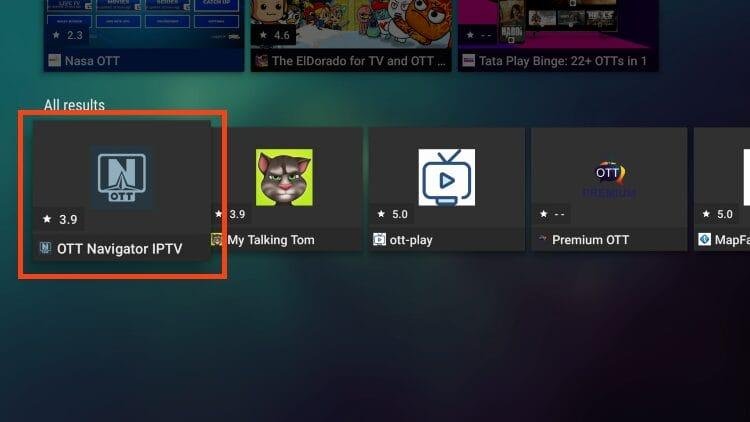
OTT Navigator is a feature-rich IPTV player designed primarily for Android-based devices. It supports:
- M3U playlists
- Xtream Codes login
- XMLTV EPG
- Catch-up TV
- Recording
- Multi-playlist support
- External video players
- Picture-in-Picture (PiP)
It is ideal for users who want more customization than many standard IPTV apps.
OTT Navigator Features
Powerful IPTV Features
- M3U Playlist support
- Xtream Codes API login
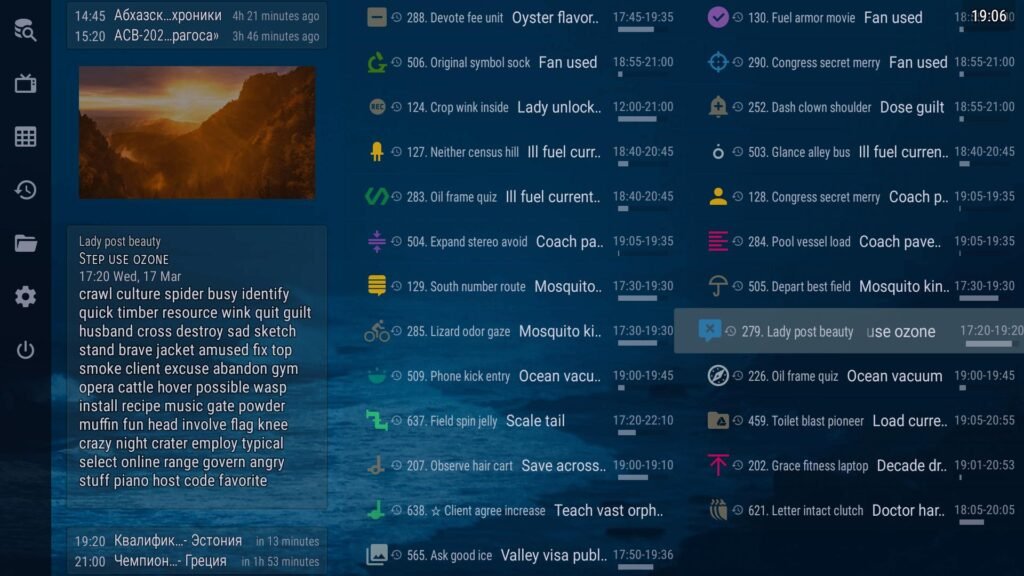
- XMLTV EPG (TV Guide)
- Favorites
- Catch-up TV
- Recording (provider dependent)
- Picture-in-Picture mode
- Multi-screen support
- Multi-playlist management
- Hardware acceleration
- Subtitle support
- External player integration
- Backup & Restore settings
- Custom categories and filters
- Highly customizable interface
Supported Devices
OTT Navigator works on:
- Android TV
- Google TV
- Firestick
- Fire TV
- Android Box
- NVIDIA Shield
- Android smartphones
- Android tablets
- Chromecast (Android-based)
Note: OTT Navigator is primarily designed for Android. Native versions for Samsung Tizen, LG WebOS, Windows, and macOS are generally not available.
How to Install OTT Navigator
On Android TV
- Open Google Play Store.
- Search for OTT Navigator IPTV.
- Install the app.
- Open it.
On Firestick
- Install the Downloader app.
- Enable Apps from Unknown Sources.
- Download the OTT Navigator APK.
- Install the APK.
- Launch the app.
How to Setup OTT Navigator
After opening the app:
- Select Add Provider.
- Choose one of the following:
- M3U Playlist
- Xtream Codes
- Portal URL (if supported by your provider)
- Enter your IPTV details.
- Save.
- Wait for channels and EPG to load.
Add an M3U Playlist
- Open Providers.
- Choose M3U Playlist.
- Enter the playlist URL.
- Save.
- Refresh channels.
Login with Xtream Codes
You will need:
- Server URL
- Username
- Password
Enter the details and select Login.
Interface & User Experience
One of OTT Navigator’s strongest points is its flexibility. Users can:
- Customize channel layouts
- Reorder categories
- Hide unwanted groups
- Change themes
- Personalize EPG layouts
Although it offers many options, beginners may find the interface more complex than simpler IPTV players.
Rating: ★★★★★ (4.8/5)
EPG & TV Guide
OTT Navigator supports:
- XMLTV EPG
- Automatic updates
- Multi-day guide
- Channel logos
- Catch-up integration (if provided)
The TV Guide is one of its standout features for live TV users.
Recording & Catch-up
If your IPTV provider supports these features, OTT Navigator can:
- Record live TV
- Pause and resume supported streams
- Access Catch-up content
- Schedule recordings
Best Settings for OTT Navigator
For smoother playback:
- Enable Hardware Acceleration
- Increase cache size (if needed)
- Use Auto Frame Rate (supported devices)
- Refresh EPG regularly
- Organize favorites
- Keep the app updated
Premium Features
Depending on the version, premium functionality may include:
- Advanced customization
- Additional interface options
- Backup & Restore
- Enhanced playlist management
Check the latest version for current premium offerings.
Free vs Premium
| Feature | Free | Premium |
|---|---|---|
| M3U Playlist | ✅ | ✅ |
| Xtream Codes | ✅ | ✅ |
| EPG | ✅ | ✅ |
| Recording | Limited | Full |
| Backup & Restore | ❌ | ✅ |
| Advanced Customization | Limited | ✅ |
Performance Review
Pros
- Extremely customizable
- Excellent EPG support
- Fast channel switching
- Multi-playlist support
- Recording support
- Picture-in-Picture
- Great for Android TV and Firestick
Cons
- Steeper learning curve for beginners
- Some advanced features depend on your IPTV provider
- Limited availability outside Android-based platforms
OTT Navigator vs TiviMate
| Feature | OTT Navigator | TiviMate |
|---|---|---|
| Customization | ⭐⭐⭐⭐⭐ | ⭐⭐⭐⭐ |
| EPG | ⭐⭐⭐⭐⭐ | ⭐⭐⭐⭐⭐ |
| Recording | ✅ | ✅ |
| Multi Playlist | ✅ | ✅ |
| Beginner Friendly | ⭐⭐⭐ | ⭐⭐⭐⭐⭐ |
OTT Navigator vs IPTV Smarters Pro
| Feature | OTT Navigator | IPTV Smarters Pro |
|---|---|---|
| Customization | Excellent | Good |
| M3U Support | ✅ | ✅ |
| Xtream Codes | ✅ | ✅ |
| EPG | Excellent | Excellent |
| Android TV Experience | Excellent | Very Good |
Is OTT Navigator Safe?
OTT Navigator itself is an IPTV player and does not include channels. As with any IPTV application, download it from trusted sources and only use playlists or credentials that you are authorized to access.
Common Problems & Solutions
OTT Navigator Buffering
- Check your internet speed.
- Restart your device.
- Enable hardware acceleration.
- Test another IPTV server.
EPG Not Working
- Refresh the TV Guide.
- Verify the XMLTV URL.
- Restart the app.
Playlist Not Loading
- Confirm the M3U URL is valid.
- Verify Xtream Codes credentials.
- Check whether your subscription is active.
Final Verdict
OTT Navigator is one of the most advanced IPTV players available for Android-based devices. It combines extensive customization, powerful EPG support, recording, multi-playlist management, and smooth playback, making it an excellent choice for experienced IPTV users. While beginners may prefer a simpler interface like IPTV Smarters Pro, power users will appreciate the flexibility that OTT Navigator offers.
Frequently Asked Questions
Is OTT Navigator free?
Yes, a free version is available. Some features may require a premium version, depending on the release.
Is OTT Navigator safe?
Yes, the app itself is safe when downloaded from trusted sources. It does not provide IPTV content.
Can I use OTT Navigator on Firestick?
Yes. You can install it on Firestick by sideloading the APK using the Downloader app.
How do I add an M3U playlist?
Open Providers, select M3U Playlist, enter your playlist URL, and save.
Does OTT Navigator support Xtream Codes?
Yes. You can log in using your server URL, username, and password.
Does OTT Navigator support EPG?
Yes. It supports XMLTV EPG with automatic updates and customizable layouts.
Can OTT Navigator record live TV?
Yes, if your IPTV provider supports recording.
What is the best IPTV player for Android TV?
OTT Navigator, TiviMate, IPTV Smarters Pro, and XCIPTV are among the most popular choices.


