
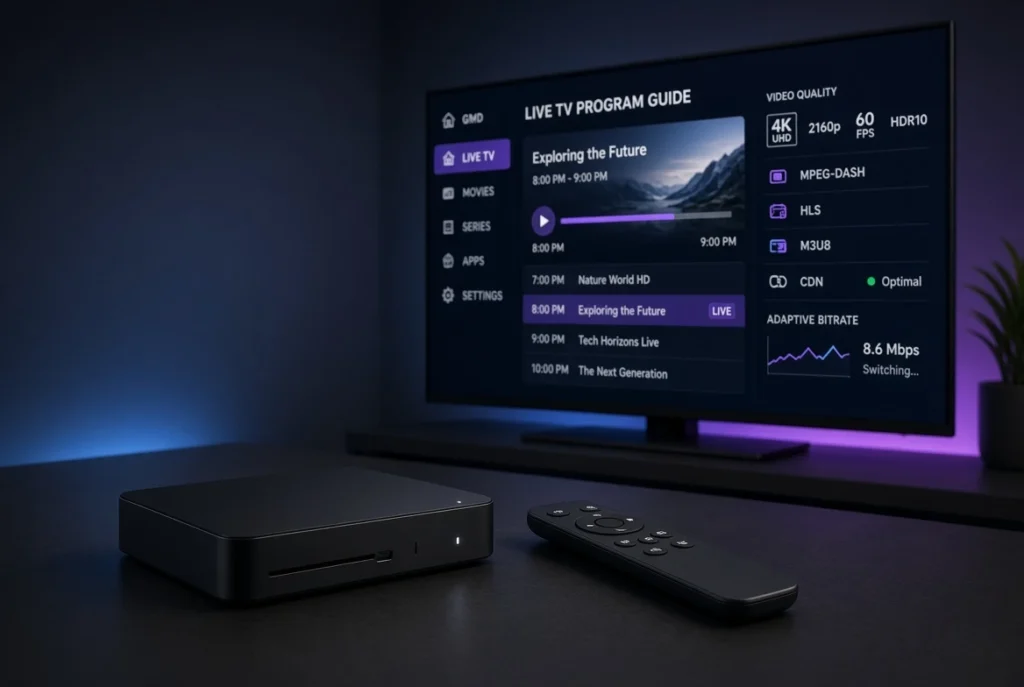
MPEG-DASH is one of the most important technologies used in modern video streaming. It is designed to deliver live and on-demand video efficiently over the internet while allowing the player to automatically adjust video quality according to available bandwidth and device performance.
For IPTV, OTT platforms, live events, sports streaming, smart TVs, and video applications, MPEG-DASH provides a flexible alternative to technologies such as HLS. Instead of relying on an M3U8 manifest, MPEG-DASH normally uses an MPD (Media Presentation Description) file to describe the available streams and media segments.
In this guide, we’ll explain what MPEG-DASH is, how MPEG-DASH works, how it is used in IPTV, the difference between MPEG-DASH and HLS, MPD files, adaptive bitrate streaming, CDN delivery, DRM, 4K streaming, and common MPEG-DASH playback problems.
Important: MPEG-DASH is a streaming technology. It does not provide IPTV channels or subscriptions by itself. You need a legitimate content provider or your own media source to use it.
What Is MPEG-DASH?

MPEG-DASH stands for Dynamic Adaptive Streaming over HTTP.
It is an international adaptive streaming standard designed to deliver video and audio over normal HTTP/HTTPS infrastructure.
The main idea behind MPEG-DASH is to divide media into small segments and provide different versions of the same content at different quality levels.
For example:
- 2160p 4K
- 1080p Full HD
- 720p HD
- 480p
- 360p
The player can select the appropriate quality based on network conditions, device capabilities, and available bandwidth.
MPEG-DASH meaning

MPEG-DASH can be summarized as:
Dynamic Adaptive Streaming over HTTP
It is commonly used for:
- IPTV
- OTT streaming
- Live TV
- Live sports
- Video-on-demand
- 4K streaming
- Smart TV applications
- Mobile video
- Web video platforms
Unlike HLS, which commonly uses an M3U8 manifest, MPEG-DASH normally uses an MPD manifest.
How Does MPEG-DASH Work?

MPEG-DASH works by dividing a video into multiple media segments.
A simplified workflow looks like this:
Video Source
     ↓
Encoder
     ↓
DASH Packager
     ↓
MPD Manifest
     ↓
Media Segments
     ↓
CDN / Edge Server
     ↓
MPEG-DASH Player
     ↓
Viewer
The content is encoded into several representations.
For example:
1080p → 6 Mbps
720p  → 3 Mbps
480p  → 1.5 Mbps
360p  → 800 Kbps
The player reads the MPD file and determines which representation should be requested.
If the user’s internet connection becomes slower, the player can move to a lower bitrate.
If the connection improves, the player can switch back to a higher-quality representation.
This process is called Adaptive Bitrate Streaming (ABR).
What Is MPEG-DASH in IPTV?
MPEG-DASH can be used as a streaming format within an IPTV or OTT infrastructure.
An IPTV application may receive information about a stream and ultimately request an MPEG-DASH manifest such as:
https://example.com/live/channel/manifest.mpdThe .mpd file provides information about the available media representations and segments.
An IPTV architecture could look like:
IPTV Source
     ↓
Encoder
     ↓
DASH Packager
     ↓
MPD Manifest
     ↓
CDN
     ↓
IPTV Player
     ↓
Smart TV / Fire TV / Android TV
MPEG-DASH can therefore be part of the media-delivery layer of an IPTV platform.
It is important to distinguish between the IPTV service, the player, and the streaming protocol:
- IPTV provider → supplies authorized content/service
- IPTV player → plays the supplied stream
- MPEG-DASH → delivers the media
- MPD → describes the DASH presentation
MPEG-DASH vs HLS: What Is the Difference?
MPEG-DASH and HLS are both adaptive streaming technologies, but they use different manifest formats and have different ecosystem strengths.
| Feature | MPEG-DASH | HLS |
|---|---|---|
| Full name | Dynamic Adaptive Streaming over HTTP | HTTP Live Streaming |
| Manifest | MPD | M3U8 |
| Adaptive bitrate | Yes | Yes |
| Live streaming | Yes | Yes |
| VOD | Yes | Yes |
| CDN support | Yes | Yes |
| DRM support | Yes | Yes |
| 4K | Yes | Yes |
| Common ecosystem | Web, Android, OTT | Apple + broad device ecosystem |
MPEG-DASH
MPEG-DASH is an open international standard and is widely used across modern streaming platforms.
HLS
HLS has particularly strong support throughout Apple’s ecosystem and is also widely supported elsewhere.
Which is better?
There is no universal winner.
The correct choice depends on:
- Target devices
- Browser support
- DRM requirements
- Streaming infrastructure
- CDN
- Latency requirements
- Encoding workflow
Many professional platforms support both HLS and MPEG-DASH.
What Is an MPEG-DASH MPD File?
An MPD file is the central manifest used by MPEG-DASH.
MPD stands for:
Media Presentation Description
The MPD file describes how the media is organized.
It can contain information about:
- Video representations
- Audio representations
- Bitrates
- Resolutions
- Codecs
- Segment locations
- Segment duration
- Adaptation sets
- Content protection
- Timing information
A simplified MPD structure might look like:
MPD
 ├── Period
 │    ├── Video AdaptationSet
 │    │    ├── 1080p Representation
 │    │    ├── 720p Representation
 │    │    └── 480p Representation
 │    │
 │    └── Audio AdaptationSet
 │         ├── English
 │         └── Other Audio
The player reads the MPD and uses this information to request the appropriate media segments.
MPD URL
An MPEG-DASH stream often starts with an MPD URL:
https://example.com/stream/manifest.mpdThe URL itself does not guarantee that the content is available indefinitely. Some services use temporary URLs, authentication, tokens, or other access controls.
MPEG-DASH IPTV Players and Compatible Devices
MPEG-DASH support depends on the specific application, operating system, browser, codecs, and DRM configuration.
MPEG-DASH can be implemented on platforms such as:
- Android
- Android TV
- Google TV
- Fire TV
- Smart TVs
- Windows
- macOS
- Linux
- Web browsers
- Mobile devices
- Streaming boxes

For developers, popular playback technologies can include browser-based DASH players and native media frameworks.
For users, the most important consideration is whether the chosen IPTV or media player explicitly supports MPEG-DASH/MPD streams.
MPEG-DASH and M3U/M3U8
MPEG-DASH and M3U/M3U8 are related to streaming playlists, but they are not identical technologies.
M3U
M3U is a playlist format commonly used to organize media or IPTV streams.
M3U8
M3U8 is an UTF-8 version of the M3U playlist format and is commonly associated with HLS.
MPEG-DASH
MPEG-DASH normally uses an MPD manifest.
The basic comparison is:
HLS
 ↓
M3U8
 ↓
Media Segments
while:
MPEG-DASH
 ↓
MPD
 ↓
Media Segments
An IPTV playlist could potentially reference different types of streams, depending on the player and service.
MPEG-DASH Adaptive Bitrate Streaming
One of the biggest strengths of MPEG-DASH is adaptive bitrate streaming.
Instead of forcing every viewer to watch the same bitrate, the streaming system provides several representations.
For example:
| Quality | Resolution | Approx. Bitrate |
|---|---|---|
| 4K | 3840×2160 | High |
| Full HD | 1920×1080 | Medium-high |
| HD | 1280×720 | Medium |
| SD | 854×480 | Lower |
These values are examples; actual bitrates depend on the encoder and content.
The player continuously evaluates network conditions.
If bandwidth decreases:
1080p → 720p → 480p
If bandwidth improves:
480p → 720p → 1080p
This helps prevent playback interruptions.
Low-Latency MPEG-DASH for Live Streaming
Traditional adaptive streaming can introduce a delay between the original broadcast and what viewers see.
For live applications, streaming operators can use low-latency MPEG-DASH techniques to reduce this delay.
Low-latency MPEG-DASH can be useful for:
- Live sports
- News
- Live events
- Interactive broadcasts
- Auctions
- Real-time applications
Reducing latency requires coordination between:
- Encoder
- Packager
- Origin server
- CDN
- Player
Lower latency can also make the streaming system more sensitive to network instability, so it requires careful configuration.
MPEG-DASH and CDN
A CDN (Content Delivery Network) is commonly used with MPEG-DASH to distribute media segments efficiently.
Instead of every viewer connecting directly to the origin server, the CDN uses geographically distributed edge servers.

A typical architecture is:
Origin Server
      ↓
     CDN
 ┌────┼─────┐
 ↓    ↓     ↓
Edge Edge  Edge
 ↓    ↓     ↓
Users Users Users
Benefits
A CDN can help with:
- Global content distribution
- Scalability
- Reduced origin-server load
- Better bandwidth utilization
- Faster segment delivery
- Improved availability
- Traffic management
For large live events, CDN infrastructure is particularly important because many viewers may request the same media segments simultaneously.
MPEG-DASH for 4K and HD Streaming
MPEG-DASH is well suited to high-resolution video delivery.
It can support:
- HD
- Full HD
- 4K
- Multiple bitrate representations
However, 4K streaming requires considerably more bandwidth and processing capacity.
Important components include:
- Encoder
- Video codec
- Bitrate
- Packager
- Origin server
- CDN
- Player
- Viewer network
Codecs such as H.264 and H.265/HEVC can be used depending on the platform and device.
For 4K streaming, HEVC can provide improved compression efficiency, but compatibility should always be checked.
MPEG-DASH DRM and Content Protection
MPEG-DASH can be used with modern digital rights management systems.
DRM can help content owners control access to protected media.
Depending on the platform, technologies can include:
- Widevine
- PlayReady
- FairPlay
DRM implementation is more complex than simply protecting an MPD URL.
A complete protected streaming system can involve:
Player
 ↓
Authentication
 ↓
License Request
 ↓
DRM License Server
 ↓
Encrypted Media
MPEG-DASH can therefore be used for premium streaming services where content protection is required.
MPEG-DASH Streaming Problems and Solutions
MPEG-DASH streams can sometimes experience playback problems.
Common issues include:
- Buffering
- MPD errors
- Playback failures
- Black screen
- Audio problems
- Missing segments
- Expired URLs
- Codec incompatibility
- Authentication failures
- CDN problems
- Network instability
The first step is identifying whether the problem originates from the player, MPD, media segments, network, CDN, or streaming server.
How to Fix MPEG-DASH Buffering and Playback Errors
If an MPEG-DASH stream is buffering, try the following troubleshooting steps.
1. Check your internet connection
Make sure your connection is stable and has sufficient bandwidth for the selected video quality.
2. Test another stream
If another stream works normally, the issue may be specific to the original stream or server.
3. Reduce video quality
If multiple representations are available, try a lower-quality stream.
4. Try another compatible player
Different players can have different levels of MPEG-DASH and codec support.
5. Check the MPD URL
Make sure the MPD URL is correct and accessible.
6. Check authentication
Some streams require authentication, tokens, or temporary credentials.
7. Check the CDN
For service operators, investigate:
- Edge-server errors
- Cache problems
- Origin connectivity
- Bandwidth capacity
- HTTP errors
8. Check codecs
A player may successfully load an MPD but fail to decode the actual video or audio codec.
MPEG-DASH vs Other Streaming Protocols
MPEG-DASH is one part of a larger streaming ecosystem.
MPEG-DASH vs HLS
Both are adaptive HTTP streaming technologies.
DASH → MPD
HLS → M3U8
Both can support live streaming, VOD, adaptive bitrate, CDN delivery, and content protection.
MPEG-DASH vs RTMP
RTMP has traditionally been used heavily for live contribution/ingestion, while MPEG-DASH is generally designed for adaptive playback.
MPEG-DASH vs WebRTC
WebRTC is designed for extremely low-latency real-time communication.
MPEG-DASH generally prioritizes scalable HTTP-based video delivery.
MPEG-DASH vs M3U8
This comparison is technically misleading because M3U8 is a playlist/manifest format, while MPEG-DASH is a streaming standard.
M3U8 is commonly associated with HLS.
MPEG-DASH FAQ
What is MPEG-DASH?
MPEG-DASH is an adaptive HTTP-based streaming standard used to deliver live and on-demand video.
What does DASH stand for?
DASH means Dynamic Adaptive Streaming over HTTP.
What is an MPD file?
An MPD file is the Media Presentation Description used by MPEG-DASH to describe available media representations and segments.
Is MPEG-DASH the same as HLS?
No. Both are adaptive streaming technologies, but they use different manifest formats and have different ecosystems.
What is an MPEG-DASH URL?
It is usually a URL pointing to an MPD manifest, often ending with:
.mpdCan IPTV use MPEG-DASH?
Yes. IPTV and OTT platforms can use MPEG-DASH to deliver live and on-demand content.
Does MPEG-DASH support 4K?
Yes. MPEG-DASH can deliver 4K content when the encoder, server, CDN, player, device, and network support the required configuration.
Does MPEG-DASH support adaptive bitrate?
Yes. Adaptive bitrate streaming is one of its main features.
Why is my MPEG-DASH stream buffering?
Possible causes include insufficient bandwidth, network instability, overloaded servers, CDN problems, high bitrate, missing segments, or player compatibility issues.
Why does my MPD file not work?
An MPD may fail because of an invalid URL, expired authentication, unavailable segments, malformed manifest information, unsupported codecs, DRM requirements, or server-side problems.
Is MPEG-DASH an IPTV service?
No. MPEG-DASH is a streaming technology, not an IPTV provider or subscription.
Final Thoughts
MPEG-DASH is a powerful and flexible technology for modern video streaming. By combining HTTP-based delivery, adaptive bitrate streaming, MPD manifests, CDN distribution, and support for modern codecs and DRM systems, it provides a strong foundation for IPTV, OTT, live TV, sports, and video-on-demand platforms.
Understanding MPEG-DASH also makes it easier to understand the broader IPTV technology ecosystem. HLS commonly uses M3U8 manifests, while MPEG-DASH uses MPD manifests. Both technologies can deliver adaptive video through CDNs, but their implementation and compatibility can differ depending on the target platform.
For IPTV users, understanding MPEG-DASH can help diagnose problems such as buffering, MPD errors, playback failures, black screens, codec issues, and streams that fail to load. For developers and streaming operators, concepts such as ABR, media segmentation, MPD manifests, CDN caching, edge delivery, low latency, codecs, authentication, and DRM are essential for building a reliable streaming infrastructure.
The key point is that MPEG-DASH is not an IPTV subscription or channel provider. It is the technology that helps deliver authorized video content efficiently over the internet. When properly configured with an encoder, packager, origin server, CDN, compatible player, and appropriate security mechanisms, MPEG-DASH can provide scalable and high-quality streaming across a wide range of devices and network conditions.


