
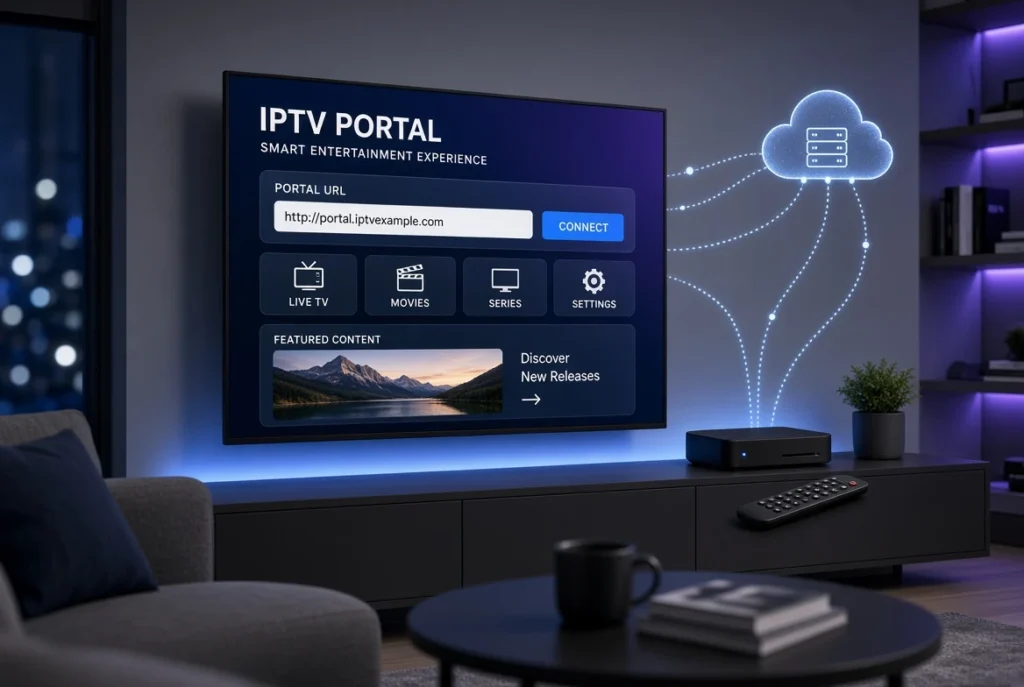
If you are setting up an IPTV service and have received a Portal URL, you may be wondering what it means, where to enter it, and how it differs from an M3U playlist or Xtream Codes login. A Portal URL is one of several IPTV connection methods, commonly associated with MAG devices and Stalker-based middleware.
In this guide, we explain what an IPTV Portal URL is, how it works, how to set it up, where to find it, common connection problems, and the differences between Portal URL, M3U, and Xtream Codes.
Note: IPTV services and content can have different licensing requirements depending on your country. Use Portal URLs only with services and content you are authorized to access.
What Is an IPTV Portal URL?

An IPTV Portal URL is a web address used by an IPTV-compatible device or application to connect to an IPTV server or middleware platform.
You may also see it described as:
- Portal URL IPTV
- IPTV Portal
- IPTV Portal Address
- IPTV Portal Link
- IPTV Portal Server
- IPTV Server URL
- Portal Address
A typical portal address may look similar to:
http://example.com:8080/c/The exact format varies depending on the IPTV platform. Do not add or remove parts of the address unless your service provider instructs you to do so.

How Does an IPTV Portal Work?
An IPTV portal acts as a connection point between your compatible device and the IPTV service’s backend.
The general process is:
IPTV Device → Portal URL → IPTV Middleware/Server → Authorized Content → Player
When the device connects to the portal, the service may authenticate the device using information such as a MAC address, depending on the system.
This is different from simply loading an M3U playlist into an IPTV player.
What Is Stalker Portal IPTV?
Stalker Portal refers to a middleware system commonly associated with IPTV set-top boxes and MAG devices.
A Stalker-based system can manage:
- Device authentication
- User access
- IPTV menus
- Live streaming
- Video-on-demand where supported
- Electronic program guides
- Account/device management
You may therefore encounter terms such as:
- Stalker Portal IPTV
- Stalker Portal URL
- Stalker IPTV Portal
- Stalker Middleware IPTV
- Stalker Middleware
- IPTV Middleware
The exact features depend on the server and service configuration.
IPTV Portal URL and MAG Devices
One of the most common environments for Portal URL configuration is the MAG family of IPTV set-top boxes.

What Is a MAG IPTV Portal?
A MAG device can connect to an IPTV service through a portal configuration. The MAG Portal URL is entered into the device’s portal settings.
Depending on the device and firmware, the menu names may vary.
How to Add a Portal URL on a MAG Bo
The general process is:
Step 1: Connect Your MAG Device
Connect the MAG box to your television and internet connection.
Step 2: Open Settings
Navigate to the device’s settings or network/portal configuration area.
Step 3: Locate Portal Settings
Look for the section where you can configure the IPTV portal.
Step 4: Enter the Portal URL
Enter the exact Portal URL provided by your authorized IPTV service.
Step 5: Save the Configuration
Save the settings and return to the main interface.
Step 6: Restart the Device
Restart the MAG box if required and allow it to connect to the portal.
The exact menu structure can differ between MAG models and software versions.
What Is a MAC Address in IPTV?
Some portal-based IPTV systems use a MAC address to identify and authorize a device.
A MAC address is a unique network identifier associated with a network interface.
In portal-based IPTV, you may be asked to provide the device’s MAC address to the service so that the service can associate your authorized subscription with the device.

Common MAC-related terms
- IPTV Portal MAC address
- MAG MAC address IPTV
- IPTV MAC address setup
- IPTV portal MAC activation
- IPTV portal MAC authentication
- MAC address IPTV portal
- IPTV portal device activation
Important: Never publish your MAC address or IPTV credentials publicly.
How to Set Up IPTV Using a Portal URL
The exact procedure depends on your device or application, but the general workflow is straightforward.

1. Obtain Your Portal Information
Get the Portal URL from the IPTV service you are authorized to use.

2. Check Your Device Compatibility
Make sure your IPTV device or application supports Portal/Stalker connections.
3. Open IPTV Settings
Find the portal, server, or middleware configuration section.
4. Enter the Portal Address
Copy the Portal URL exactly as provided.
5. Complete Authentication
If the service uses MAC-based authentication, the device may need to be registered with the service.
6. Save and Restart
Save your settings and restart the application or device if necessary.
7. Test the Connection
If everything is configured correctly, the device should connect to the IPTV portal.
Can You Use an IPTV Portal URL on Smart TV?
It depends on the IPTV application.
Not every IPTV player supports Portal or Stalker connections. Many Smart TV applications primarily support M3U playlists or Xtream Codes.

You may find Portal support on compatible applications for:
- Samsung Smart TV
- LG Smart TV
- Android TV
- Google TV
- Android devices
- Fire TV devices
- MAG devices
- Compatible IPTV set-top boxes
Before installing an application specifically for Portal URL access, check its current supported connection methods.
IPTV Portal URL vs M3U vs Xtream Codes
These are three different ways an IPTV application may connect to a service.
| Feature | Portal URL | M3U | Xtream Codes |
|---|---|---|---|
| Main connection | Portal/Middleware | Playlist | API login |
| Common with MAG | ✅ | Sometimes | Sometimes |
| Playlist URL | Not necessarily | ✅ | Generated by API |
| Username/password | Depends on system | Usually no | ✅ |
| MAC authentication | Often | No | No |
| EPG | Depends on service | Depends on playlist | Depends on service |
| Player compatibility | More limited | Very broad | Very broad |
Portal URL
Usually connects through an IPTV portal/middleware system.
M3U
An M3U playlist contains stream information that an IPTV player can load.
Xtream Codes
Usually requires:
- Server URL
- Username
- Password
The best method depends on your device, IPTV player, and the connection method supported by your service.
Portal URL vs M3U
The biggest difference is how the service is accessed.
Portal URL: generally connects the device to an IPTV middleware/server.
M3U: provides a playlist containing stream information.
Therefore, an IPTV player that accepts M3U does not automatically support Portal URLs.
Portal URL vs Xtream Codes
Xtream Codes-style access generally uses an API login containing a server address, username, and password.
Portal systems may instead identify the device through portal authentication and, in some setups, a registered MAC address.
Neither method is universally “better.” Compatibility is the most important factor.
How to Find Your IPTV Portal URL
If you are asking “How do I find my IPTV Portal URL?”, the safest answer is to obtain it from the IPTV service or system administrator that provides your authorized access.
The Portal URL is not normally something you can reliably guess.
You may receive information such as:
Portal URL:
http://example.com:8080/c/
or another server address specified by the service.
Where can you find it?
Check:
- Your service’s setup instructions
- Your account dashboard
- Your activation email
- Your provider’s official support documentation
- Your device configuration information
Common IPTV Portal URL Problems
Sometimes the portal does not connect even when the URL appears correct.
IPTV Portal URL Not Working
Possible causes include:
- Incorrect URL
- Typing error
- Server temporarily unavailable
- Device not authorized
- Network problem
- Expired access
- Incorrect device configuration
What to check
- Verify every character in the Portal URL.
- Check your internet connection.
- Restart the device.
- Confirm that your device is authorized.
- Check whether the IPTV server is online.
- Contact the service’s official support if the problem continues.
IPTV Portal Connection Failed
A connection failure can result from:
- Server downtime
- Network restrictions
- Incorrect portal address
- DNS problems
- Device authentication problems
- Expired service access
Try restarting your router and IPTV device first. If other websites work normally but the portal does not, the problem may be related to the portal server or account authorization.
IPTV Portal Keeps Loading
If the IPTV portal is loading forever, check:
- Internet speed and stability
- Wi-Fi signal
- Portal URL
- Device activation
- Server availability
- Application compatibility
Using an Ethernet connection can also help eliminate Wi-Fi instability as a possible cause.
IPTV Portal Authentication Failed
Authentication problems can occur when:
- The device has not been registered.
- The MAC address is incorrect.
- The subscription is inactive.
- The portal information is incorrect.
- The service has changed its authentication requirements.
In these situations, contact the authorized service provider rather than repeatedly changing configuration settings.
MAG Portal Not Working
If your MAG Portal is not working:
- Confirm the Portal URL.
- Check the internet connection.
- Restart the MAG device.
- Verify the device’s MAC address.
- Confirm that the device is activated.
- Check whether the portal server is available.
- Contact support if the problem remains.
The same general process applies to many Stalker Portal connection errors.
IPTV Portal URL Security
A Portal URL can contain information about the service infrastructure, so treat it as private configuration information.
Avoid:
- Sharing your Portal URL publicly.
- Posting your MAC address online.
- Sharing usernames and passwords.
- Installing unknown IPTV applications.
- Entering credentials into suspicious websites.
Only use IPTV services and streams that you are legally authorized to access.
IPTV Portal and IPTV Middleware
The technical side of a portal-based IPTV system can include several components:
Client Device → Portal → Middleware → Authentication → Streaming Server → Video Delivery
Important technical terms include:
- IPTV middleware
- Stalker middleware
- IPTV middleware server
- IPTV portal architecture
- IPTV portal authentication
- IPTV streaming portal
- IPTV server
- IPTV streaming server
- IPTV server address
- IPTV portal endpoint
- IPTV portal hostname
- IPTV portal domain
This is also where technologies such as CDN, HLS, MPEG-DASH and adaptive bitrate streaming can become relevant to the overall streaming infrastructure.
Portal URL and Other IPTV Technologies
Portal URL is only one part of the larger IPTV ecosystem.
You may also encounter:
- M3U — playlist format
- M3U8 — UTF-8 playlist commonly associated with HLS
- Xtream Codes API — IPTV API-based login method
- XMLTV — XML-based TV guide data
- EPG — Electronic Program Guide
- HLS — HTTP Live Streaming
- MPEG-DASH — adaptive streaming technology
- CDN — Content Delivery Network
Understanding these technologies makes it much easier to troubleshoot IPTV applications and choose the correct setup method.
How to Change a Portal URL
If you need to change the Portal URL on IPTV, the general process is:
- Open your IPTV device or application’s settings.
- Locate Portal or Server settings.
- Replace the old Portal URL.
- Enter the new URL exactly as provided.
- Save the configuration.
- Restart the application or device.
For a MAG box, the exact menu names depend on the model and firmware.
If you are using an STB Emulator, the application may have its own portal configuration screen.
How to Change Portal URL on STB Emulator
The general approach is:
- Open STB Emulator.
- Open the profile/settings section.
- Locate the portal configuration.
- Replace the existing Portal URL.
- Save the new configuration.
- Restart or reload the profile.
The interface can vary between application versions, so use the application’s current documentation where available.
Can You Use a Portal URL on Firestick?
A Firestick does not automatically support every IPTV Portal system.
The key factor is the IPTV application you choose. Some applications may support M3U or Xtream Codes but not Stalker/Portal connections.
Therefore, before attempting an IPTV Portal setup on Fire TV, verify that the specific application supports the required portal protocol.
IPTV Portal URL Troubleshooting Checklist
If your portal isn’t working, use this quick checklist:
- ✅ Check the Portal URL
- ✅ Check your internet connection
- ✅ Restart your IPTV device
- ✅ Verify device/MAC authorization
- ✅ Check your subscription status
- ✅ Confirm the portal server is online
- ✅ Check application compatibility
- ✅ Update the application/device
- ✅ Contact official support
Frequently Asked Questions
What is a Portal URL?
A Portal URL is a server or middleware address used by compatible IPTV devices or applications to connect to an IPTV service.
What is a Stalker Portal URL?
It is a portal address associated with a Stalker-based IPTV middleware system.
What is a MAG Portal URL?
A MAG Portal URL is the address configured on a compatible MAG IPTV set-top box to connect to an authorized IPTV portal.
Is Portal URL the same as M3U?
No. A Portal URL and an M3U playlist are different IPTV connection methods.
Is Portal URL the same as Xtream Codes?
No. Xtream Codes generally uses server, username, and password credentials, while Portal systems use a portal/middleware connection and may use device authentication.
Why is my IPTV Portal URL not working?
The most common causes are an incorrect URL, server availability problems, network issues, or device authentication problems.
Can I use Portal URL on Smart TV?
Only if the IPTV application installed on the Smart TV supports the required Portal/Stalker connection method.
Can I use a Portal URL on Firestick?
It depends on the IPTV application. Firestick itself does not guarantee Portal/Stalker compatibility.
Final Thoughts
Portal URL is an important IPTV connection method, particularly in MAG and Stalker-based IPTV systems. Understanding the difference between a Portal URL, M3U playlist, and Xtream Codes login can make IPTV setup and troubleshooting much easier.
For a complete understanding of IPTV technology, it is useful to learn how Portal URLs, IPTV middleware, M3U, M3U8, Xtream Codes, XMLTV/EPG, HLS, MPEG-DASH, and CDN work together to deliver streaming content.


