
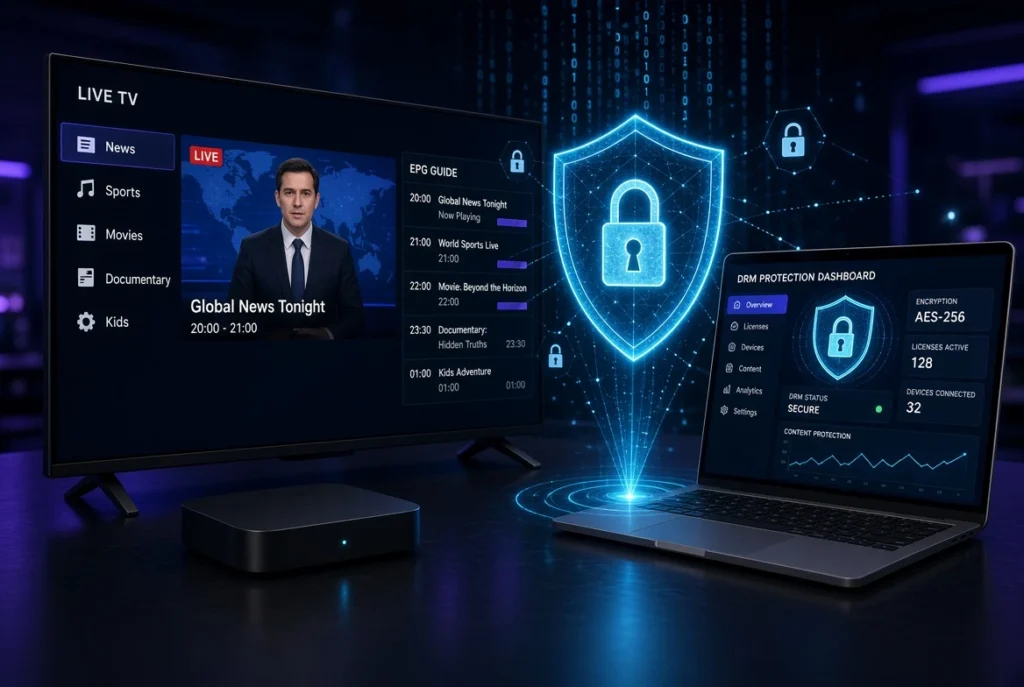
DRM (Digital Rights Management) is an important technology in modern IPTV, OTT, and video streaming. It helps content providers protect premium video content from unauthorized access, copying, and redistribution while allowing authorized users to watch content on supported devices.
If you are searching for what is DRM, DRM meaning, DRM support, or how DRM works with IPTV and streaming, this guide explains the most important concepts in simple terms.
Note: DRM is a legitimate content-protection technology. This guide focuses on how DRM works, compatibility, troubleshooting, and legal streaming. It does not cover bypassing or removing DRM protections.
What Is DRM?
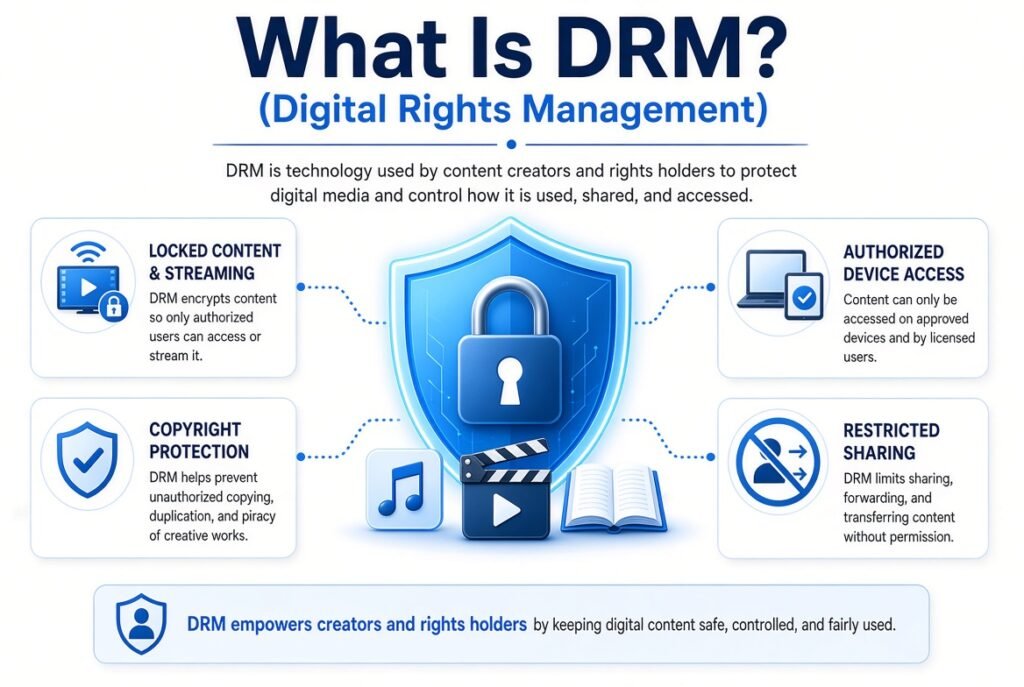
DRM stands for Digital Rights Management.
In video streaming, DRM is a collection of technologies used to control how protected digital content is accessed and played.
For IPTV and OTT platforms, DRM can help protect:
- Live streaming
- Video on Demand (VOD)
- Premium video content
- Movies and TV programs
- Sports and live events
- Subscription-based streaming
- Downloaded or offline content
Instead of simply providing a video file that anyone can access, a DRM-protected service uses encryption and authorization mechanisms to make sure that compatible users receive the necessary permission to play the content.
DRM Meaning in Simple Terms
Think of DRM as a digital lock.
The video is encrypted, and a compatible player must obtain authorization before it can decrypt and play the content.
A simplified process looks like this:
Video → Encryption → DRM System → License → Compatible Player → Playback
This is why a protected stream may work perfectly on one device but fail on another device that does not support the required DRM technology.
How Does DRM Work in IPTV?
DRM can be part of a larger IPTV streaming architecture.
A simplified workflow is:
- The video is prepared for streaming.
- The content is encrypted.
- The encrypted content is distributed through a streaming infrastructure or CDN.
- The IPTV application requests playback.
- The DRM system verifies authorization.
- A license is provided to the authorized application.
- The compatible player decrypts the content.
- Playback begins.
The important point is that the IPTV player generally does not simply receive an unprotected video file.
Instead, the player needs the appropriate DRM capabilities and authorization.
Why Is DRM Important for IPTV?
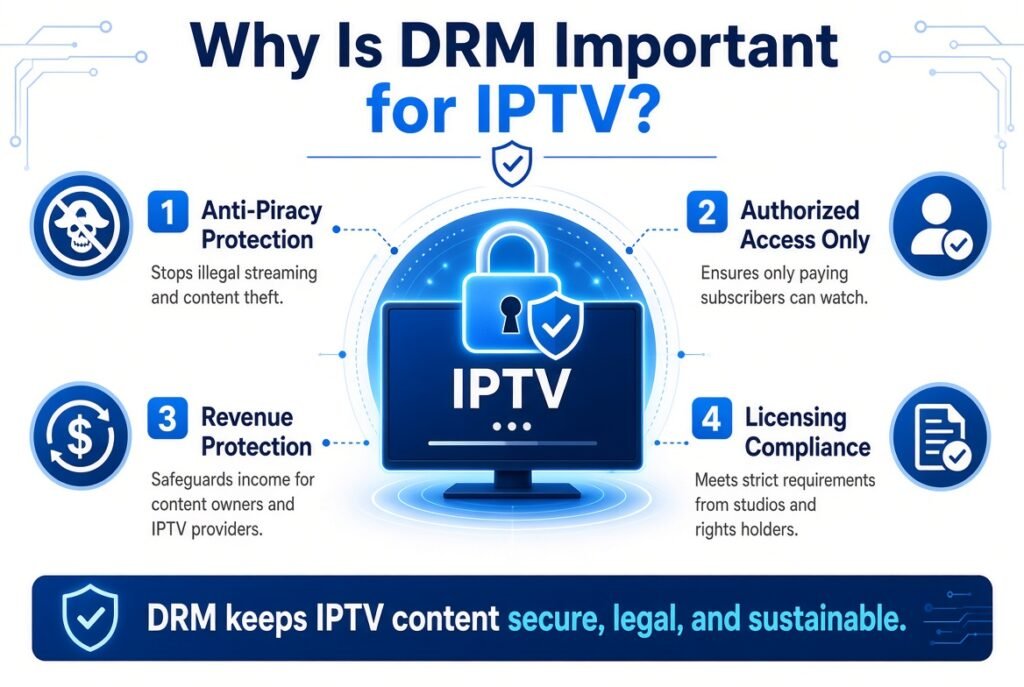
DRM is particularly important for services distributing commercially licensed content.
Without adequate content protection, unauthorized users could potentially copy, redistribute, or otherwise misuse protected media.
DRM helps providers with:
Content Protection
Encryption makes it much harder for unauthorized users to directly access protected media.
Access Control
A provider can determine which users or devices are authorized to play particular content.
Premium Streaming
Subscription-based platforms can use DRM to protect premium video libraries and live events.
Device Control
DRM systems can impose compatibility and authorization requirements depending on the platform.
Licensing Requirements
Content owners may require appropriate content-protection mechanisms before allowing their material to be distributed through a streaming service.
DRM vs Encryption
DRM and encryption are related, but they are not exactly the same thing.
Encryption protects the data by converting readable content into an encoded form.
DRM is a broader system that manages how protected content can be accessed and played.
For example:
Encryption: Protects the video.
DRM: Controls authorization and playback of the protected video.
In a professional IPTV environment, encryption and DRM can work together.
What Is DRM Support?
DRM support means that a device, operating system, browser, or IPTV application can work with the DRM technology required by a particular streaming service.
This is extremely important when choosing an IPTV player or streaming device.
A device may support:
- HLS
- MPEG-DASH
- M3U
- M3U8
- Xtream Codes
but that does not automatically mean it supports every DRM system.
DRM compatibility is a separate consideration.
Popular DRM Technologies
Several DRM technologies are commonly associated with modern streaming platforms.
Google Widevine
Widevine is widely used across Android-based devices, browsers, smart TVs, and streaming platforms.
It is particularly relevant to:
- Android TV
- Android smartphones
- Google TV
- Chrome-based environments
- Various streaming devices
Different security levels can exist depending on the device and platform.
Microsoft PlayReady
PlayReady is another major DRM technology used in digital media distribution.
It is commonly associated with Microsoft-based environments and is also supported by various smart TV and streaming platforms.
Apple FairPlay Streaming
FairPlay Streaming is Apple’s DRM technology for protected streaming.
It is particularly relevant to Apple’s ecosystem and streaming implementations using Apple’s supported technologies.
DRM and IPTV Players
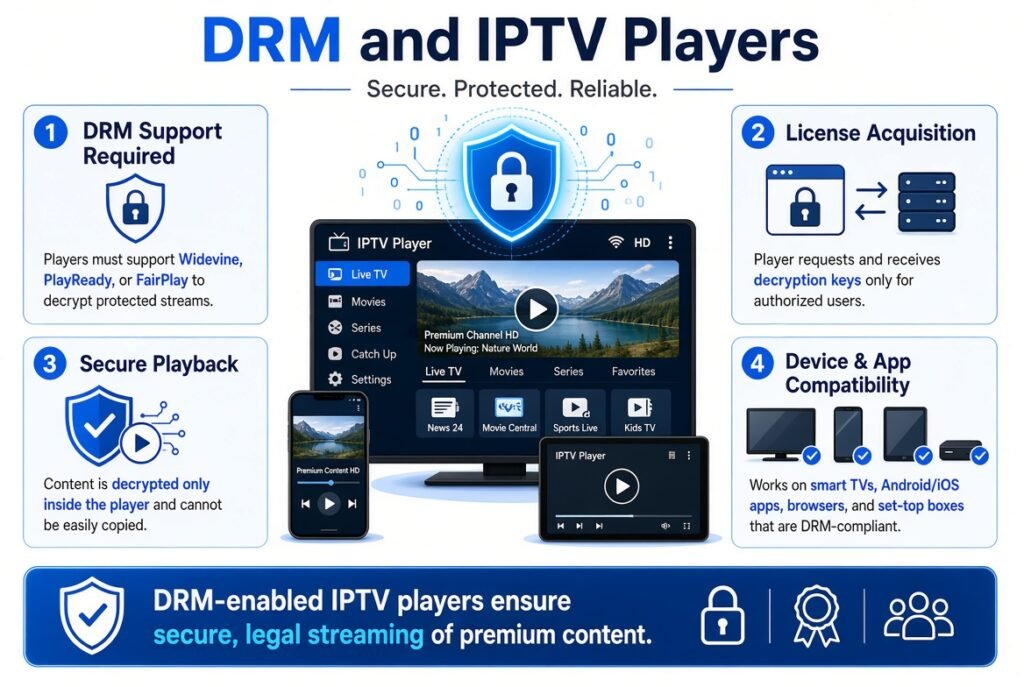
One of the most common sources of confusion is assuming that every IPTV player supports DRM.
An IPTV player can support playlist formats such as:
- M3U
- M3U8
- Xtream Codes
- XMLTV / EPG
without necessarily supporting every DRM-protected stream.
This means:
IPTV playlist compatibility ≠ DRM compatibility
A player might successfully load a playlist but fail when attempting to play a particular protected stream.
DRM and M3U / M3U8
M3U and M3U8 are playlist formats commonly used in streaming environments.
They can contain information such as:
- Stream URLs
- Channel names
- Group information
- Logos
- EPG identifiers
- Metadata
However, an M3U or M3U8 playlist itself should not be confused with DRM.
M3U
M3U is a playlist format used to organize media URLs.
M3U8
M3U8 is an UTF-8 version of the M3U playlist format and is frequently associated with HLS streaming.
DRM
DRM is a content-protection system.
Therefore:
M3U/M3U8 = playlist or manifest information
DRM = content protection and authorization
A protected HLS or DASH stream may involve DRM in addition to its streaming manifest.
DRM and HLS Streaming
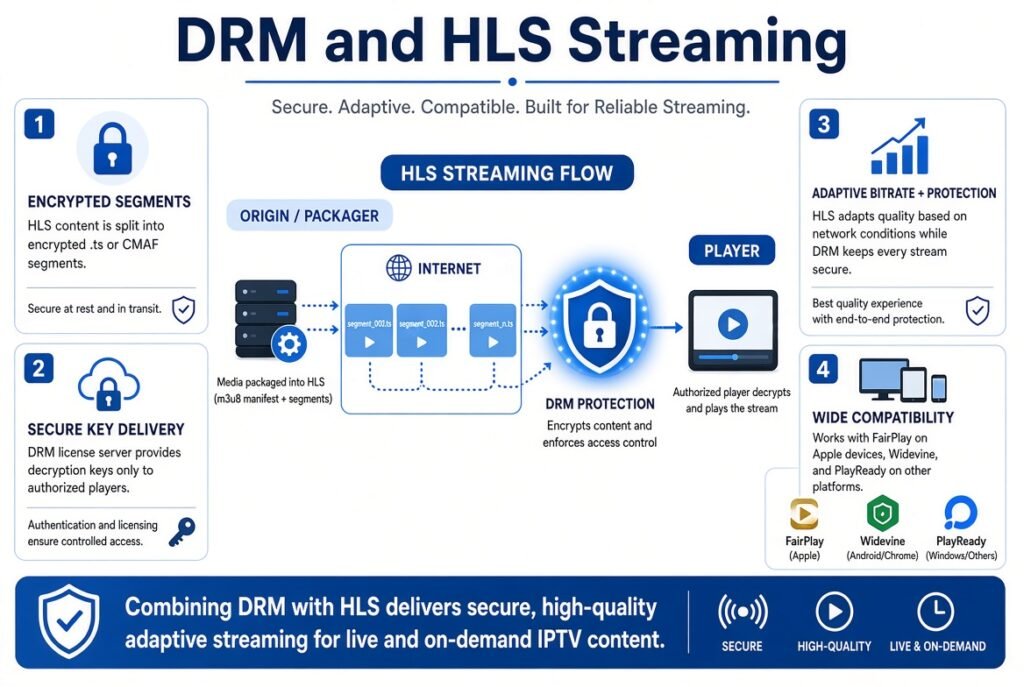
HLS (HTTP Live Streaming) is a streaming protocol originally developed by Apple.
It is widely used for:
- Live streaming
- IPTV
- OTT platforms
- Video on Demand
- Mobile streaming
- Smart TVs
HLS can be used with content-protection technologies, depending on the implementation and platform.
The general architecture can look like:
Video Source → Encoder → Encryption/DRM → HLS Packaging → CDN → IPTV Player
This allows protected video to be distributed efficiently while maintaining access controls.
DRM and MPEG-DASH
Another important technology is MPEG-DASH.
DASH uses adaptive streaming and can work with DRM systems through standardized mechanisms such as Common Encryption (CENC).
A simplified architecture is:
Video → Encoding → Encryption → DASH Packaging → CDN → Compatible Player
This is one reason DRM is often discussed alongside:
- MPEG-DASH
- HLS
- Adaptive Bitrate Streaming
- CDN
- Video Encryption
- Streaming Servers
DRM and Adaptive Bitrate Streaming
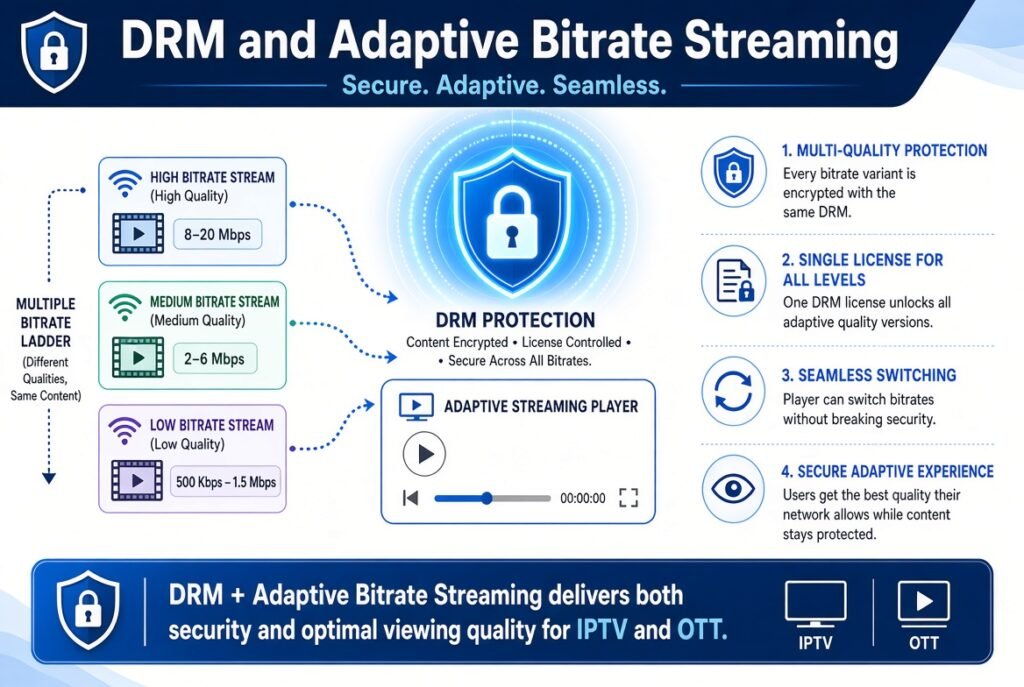
Modern IPTV and OTT services often use Adaptive Bitrate Streaming (ABR).
The same video may be encoded into several quality levels, such as:
- 480p
- 720p
- 1080p
- 1440p
- 4K
The player dynamically selects an appropriate quality based on network conditions.
When DRM is involved, the different representations can also be protected according to the streaming service’s security architecture.
The result can be:
DRM + HLS/DASH + ABR + CDN + Compatible Player
This combination forms an important part of modern streaming infrastructure.
DRM on Smart TVs
Smart TV DRM compatibility depends on:
- TV operating system
- Manufacturer
- Browser or application
- DRM technology
- Security level
- Streaming protocol
- Service requirements
For example, a Smart TV may support a particular DRM technology but still require a specific application for protected playback.
Therefore, if DRM content does not play on a Smart TV, the problem may be compatibility rather than the IPTV playlist itself.
DRM on Android TV
Android TV and Google TV devices are widely used for streaming.
Many Android-based devices support DRM technologies such as Widevine, but the exact capabilities can differ between devices.
This is particularly important when comparing:
- Certified Android TV devices
- Generic Android TV boxes
- Older devices
- Custom firmware devices
A device’s advertised resolution does not necessarily tell you its DRM capabilities.
DRM on Fire TV and Streaming Devices
Streaming devices can provide strong compatibility with modern streaming services, but DRM support can vary according to the device generation, operating system, application, and service requirements.
When choosing a streaming device for protected IPTV or OTT content, look beyond specifications such as:
4K + HDR + Wi-Fi
and also consider:
DRM compatibility + operating system + supported streaming protocols + application support.
Why Does IPTV Say “DRM Not Supported”?
A DRM-related playback message can appear for several reasons.
Common causes include:
Unsupported DRM Technology
The player may not support the DRM system required by the stream.
Unsupported Device
The device may lack the required security or certification level.
Outdated Application
An older IPTV application may have compatibility problems with newer streaming technologies.
Browser Limitation
Some browsers or operating systems may not support the required protected-media configuration.
Service-Side Configuration
The streaming provider may require specific DRM capabilities or authorization.
Incorrect System Time
Some authorization systems can be affected by incorrect device date and time settings.
How to Fix DRM Playback Problems
If you legally access a DRM-protected IPTV or streaming service and encounter a playback problem, try these general troubleshooting steps.
1. Update Your IPTV App
Install the latest legitimate version of the application.
2. Update Your Device
Check for available operating-system or firmware updates.
3. Check DRM Compatibility
Verify that your device and player support the DRM technology required by the service.
4. Restart the Device
A simple restart can resolve temporary playback or authentication problems.
5. Check Your Internet Connection
DRM does not eliminate normal streaming requirements. A poor connection can still cause:
- Buffering
- Freezing
- Playback errors
- Long loading times
6. Check Date and Time
Make sure automatic date and time are enabled.
7. Contact the Service Provider
If the device is compatible but authorization continues to fail, the provider may need to verify your account or playback permissions.
DRM vs Non-DRM IPTV Streaming
| Feature | Non-DRM Streaming | DRM-Protected Streaming |
|---|---|---|
| Encryption | May or may not use encryption | Typically protected |
| License authorization | Usually not required | Often required |
| Device compatibility | Generally broader | More dependent on platform |
| Content protection | Limited | Stronger |
| Premium content | Less suitable | Commonly used |
| Player requirements | Usually simpler | DRM-capable player may be required |
DRM is not inherently better for every stream. Its primary purpose is content protection and access control.
DRM vs IPTV Security
DRM is only one part of a broader IPTV security strategy.
Professional streaming platforms may also use:
- HTTPS
- Tokenized URLs
- Signed URLs
- User authentication
- Session management
- Geo-restrictions
- Encryption
- DRM
- CDN security
- Access-control systems
A secure streaming architecture may combine several of these technologies.
Does DRM Cause IPTV Buffering?
DRM itself is not necessarily the cause of buffering.
Buffering can result from many factors, including:
- Slow internet connection
- Network congestion
- High latency
- Poor Wi-Fi
- Server overload
- CDN problems
- Insufficient device resources
- Incorrect player configuration
However, DRM adds additional authorization and playback components to the streaming workflow, so compatibility or license-request problems can sometimes appear as playback failures.
DRM and IPTV Providers
For legitimate IPTV providers, DRM can be an important component of a professional content-delivery architecture.
A modern IPTV platform may contain:
Content Source → Encoder → Transcoder → DRM/Encryption → Streaming Server → CDN → IPTV Application → User Device
Each component has a different purpose.
For example:
- Encoder: Converts video into a suitable digital format.
- Transcoder: Creates multiple quality levels.
- DRM: Protects authorized content.
- Streaming Server: Delivers streaming media.
- CDN: Distributes content closer to users.
- IPTV Player: Provides the playback interface.
- Smart TV/Device: Displays the video.
DRM, IPTV, and VOD
DRM is especially relevant to Video on Demand (VOD).
VOD platforms can protect movies, programs, documentaries, educational content, and other licensed media.
A typical VOD architecture can look like:
VOD Library → Encoding → Encryption/DRM → Storage → CDN → IPTV/OTT App → User
This allows authorized users to access protected content while helping content owners control distribution.
Frequently Asked Questions About DRM
What does DRM stand for?
DRM stands for Digital Rights Management.
What is DRM in IPTV?
DRM in IPTV refers to technologies used to protect streaming content and control access to authorized users and compatible devices.
Is DRM the same as encryption?
No. Encryption protects data, while DRM is a broader system for managing access and playback rights.
Does every IPTV player support DRM?
No. DRM support depends on the application, operating system, device, and DRM technology required by the service.
Does M3U support DRM?
M3U is primarily a playlist format. DRM is a separate content-protection mechanism that can be used with compatible streaming technologies.
What is DRM support?
DRM support means that a device or application can work with the required DRM system for protected content.
Why does my IPTV player say DRM is not supported?
The player or device may not support the required DRM technology, security level, streaming format, or authorization mechanism.
Can DRM be used with HLS?
Yes. HLS can be implemented with content-protection technologies depending on the platform and streaming architecture.
Can DRM be used with MPEG-DASH?
Yes. MPEG-DASH is commonly used with DRM through standardized encryption and playback mechanisms.
Final Thoughts
DRM is an essential technology in modern IPTV, OTT, and video streaming, particularly when platforms distribute premium or licensed content.
Understanding DRM also makes it easier to understand how different IPTV technologies work together:
M3U/M3U8 → HLS → MPEG-DASH → Adaptive Bitrate → Encryption → DRM → CDN → IPTV Player → Smart TV
For users, the most important point is simple: DRM compatibility depends on the device, operating system, IPTV application, streaming format, and service requirements.
For IPTV technology enthusiasts and website readers, learning about DRM, HLS, MPEG-DASH, CDN, Adaptive Bitrate Streaming, M3U8, IPTV players, and streaming servers provides a much clearer picture of how modern internet television systems deliver protected video content.


