
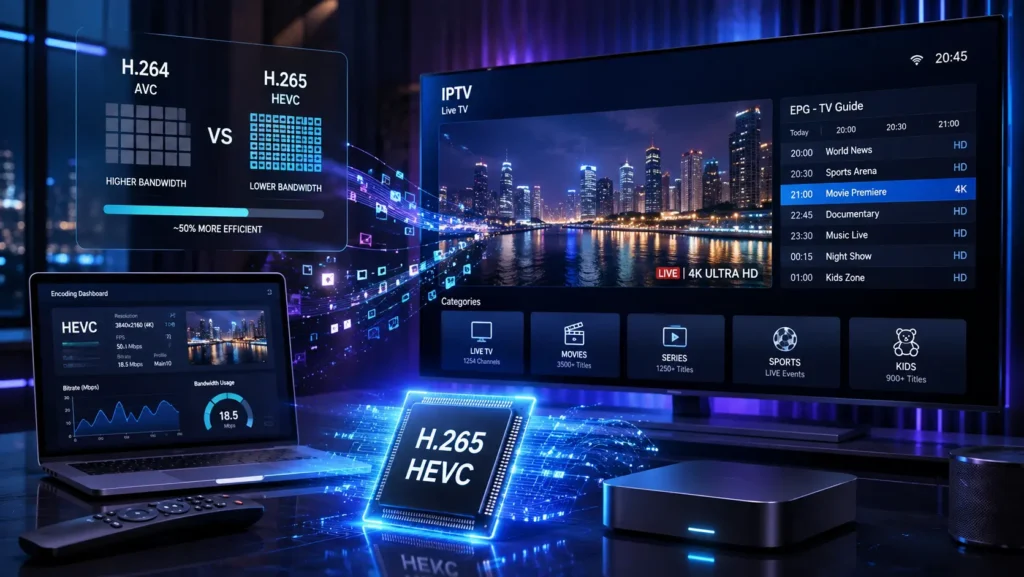
If you watch IPTV in HD or 4K, you may have come across the terms H.265 or HEVC. But what exactly do they mean, and why are they so important for modern IPTV streaming?
H.265 (HEVC) is a video compression technology designed to deliver high-quality video while using bandwidth more efficiently than older codecs such as H.264. This makes it especially relevant to 4K IPTV, UHD streaming, live TV, and high-quality video playback.
In this complete guide, we’ll explain what H.265 (HEVC) is, how it works, why IPTV services use it, and how it compares with H.264. We’ll also look at H.265 IPTV bandwidth requirements, 4K streaming, device compatibility, hardware decoding, IPTV players, and common HEVC playback problems.
Whether you are an IPTV user trying to understand why some streams require HEVC or simply want to learn more about H.265 IPTV streaming, this guide will help you understand the technology and choose the right setup for smooth, high-quality playback.
Important: H.265 (HEVC) is a video codec, not an IPTV service, IPTV provider, or IPTV subscription. It is simply the technology used to compress and encode video content. Whether an IPTV stream uses H.265 depends on how the content has been encoded and delivered.
What Is H.265 (HEVC)?
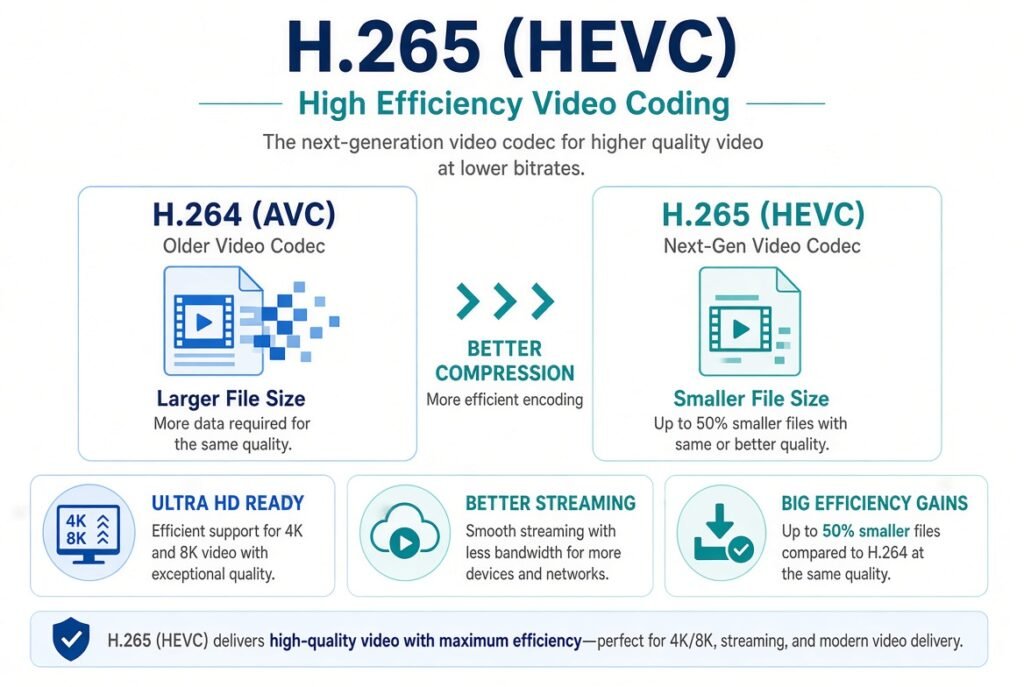
H.265, also known as HEVC (High Efficiency Video Coding), is a modern video compression standard designed to deliver high-quality video while using less bandwidth than older codecs such as H.264.
In the IPTV world, H.265 is particularly important because IPTV services increasingly deliver HD, Full HD, 4K, and Ultra HD content over internet connections.
The main advantage of H.265 is its improved compression efficiency. This means video can maintain excellent quality while requiring less data than an equivalent H.264 stream.
For IPTV users, this can mean:
- Better 4K streaming efficiency
- Lower bandwidth requirements
- Improved video quality at similar bitrates
- More efficient IPTV delivery
- Better use of internet bandwidth
What Does HEVC Mean?
HEVC stands for High Efficiency Video Coding.
H.265 is the name commonly used for the video codec, while HEVC is the official name of the standard.
You will therefore often see these terms used interchangeably:
- H.265
- HEVC
- H.265/HEVC
- HEVC codec
- H.265 codec
When an IPTV stream is labeled HEVC, it generally means the video has been encoded using the H.265 compression standard.
Why Is H.265 Important for IPTV?
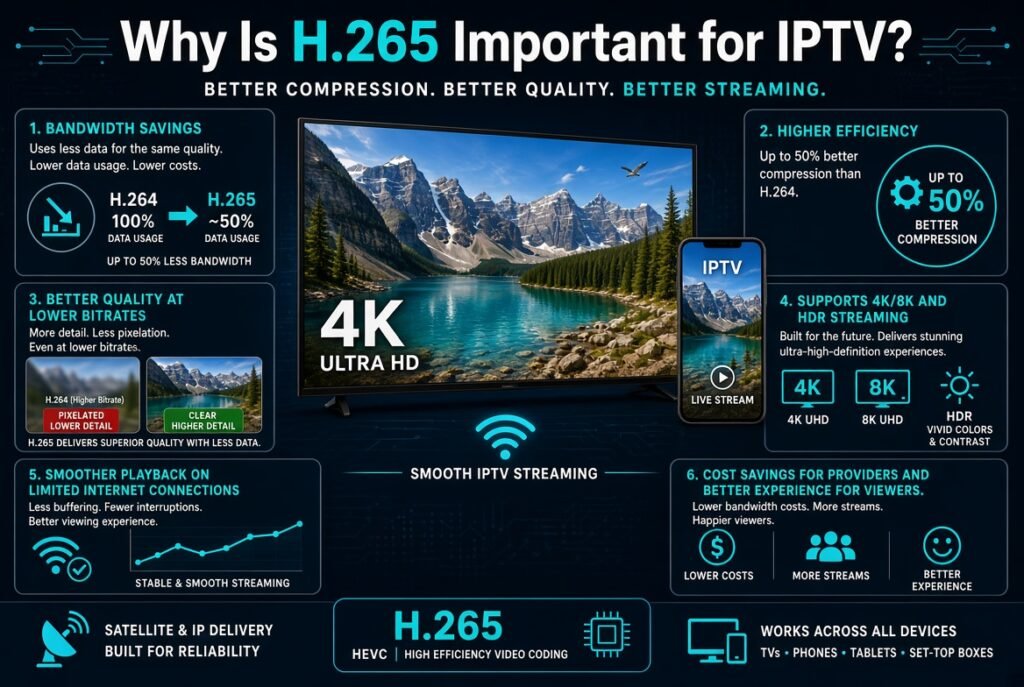
IPTV depends heavily on internet bandwidth. Unlike traditional television broadcasting, IPTV delivers video through an internet connection.
The higher the video quality, the more data the stream can require.
This becomes especially important with 4K IPTV.
A 4K video contains significantly more information than Full HD video. Without efficient compression, streaming high-resolution content would require substantial bandwidth.
H.265 helps solve this problem by compressing video more efficiently.
This makes HEVC particularly useful for:
- 4K IPTV
- UHD streaming
- Live IPTV
- Video-on-demand
- Sports streaming
- High-resolution television
- Internet-based broadcasting
How Does H.265 Work?
H.265 works by analyzing video frames and identifying information that can be compressed without significantly affecting perceived image quality.
Instead of treating every frame as completely independent, the codec can identify similarities between frames and efficiently represent changes.
This reduces the amount of data that needs to be transmitted.
The process involves advanced techniques such as:
- Motion compensation
- Prediction
- Transform coding
- Quantization
- Entropy coding
- Larger coding tree units
- Inter-frame compression
The result is a highly compressed video stream that can maintain impressive visual quality.
H.265 vs H.264 for IPTV
One of the most common questions is whether H.265 is better than H.264 for IPTV.
In terms of compression efficiency, H.265 is generally more efficient than H.264.
| Feature | H.264 | H.265 (HEVC) |
|---|---|---|
| Compression efficiency | Good | Better |
| 4K suitability | Good | Excellent |
| Bandwidth efficiency | Good | Better |
| File size | Larger | Smaller |
| Hardware requirements | Lower | Higher |
| Device compatibility | Very high | Increasing |
| IPTV 4K | Supported | Excellent choice |
H.264 remains extremely popular because of its broad compatibility.
However, H.265 is particularly attractive for high-resolution IPTV streaming, especially 4K.
H.265 vs H.264: Which Is Better for IPTV?
There is no single answer for every IPTV user.
If your priority is maximum compatibility, H.264 may still be preferable.
If your priority is 4K streaming and bandwidth efficiency, H.265 is usually the more attractive option.
For example, an IPTV provider delivering a large amount of 4K content can benefit from HEVC because its improved compression efficiency can reduce the amount of data needed to deliver high-resolution video.
H.265 and 4K IPTV
One of the strongest applications for H.265 is 4K IPTV.
4K video has a resolution of approximately 3840 × 2160 pixels, providing four times the pixel count of Full HD.
This creates a much larger amount of video data.
Using an efficient codec becomes extremely important.
H.265 can compress 4K video more efficiently than H.264, making it well suited for:
4K IPTV → HEVC encoding → efficient compression → internet delivery → compatible IPTV device → 4K playback
This is one reason why the terms 4K IPTV and HEVC IPTV are frequently associated with each other.
Does IPTV Use H.265?
Yes. IPTV platforms and video streaming systems can use H.265/HEVC to encode and deliver video content.
However, not every IPTV stream uses H.265.
Depending on the provider, device, source, and stream configuration, you may encounter:
- H.264
- H.265/HEVC
- MPEG-2
- VP9
- AV1
The actual codec depends on how the video has been encoded and distributed.
H.265 IPTV Bandwidth Requirements
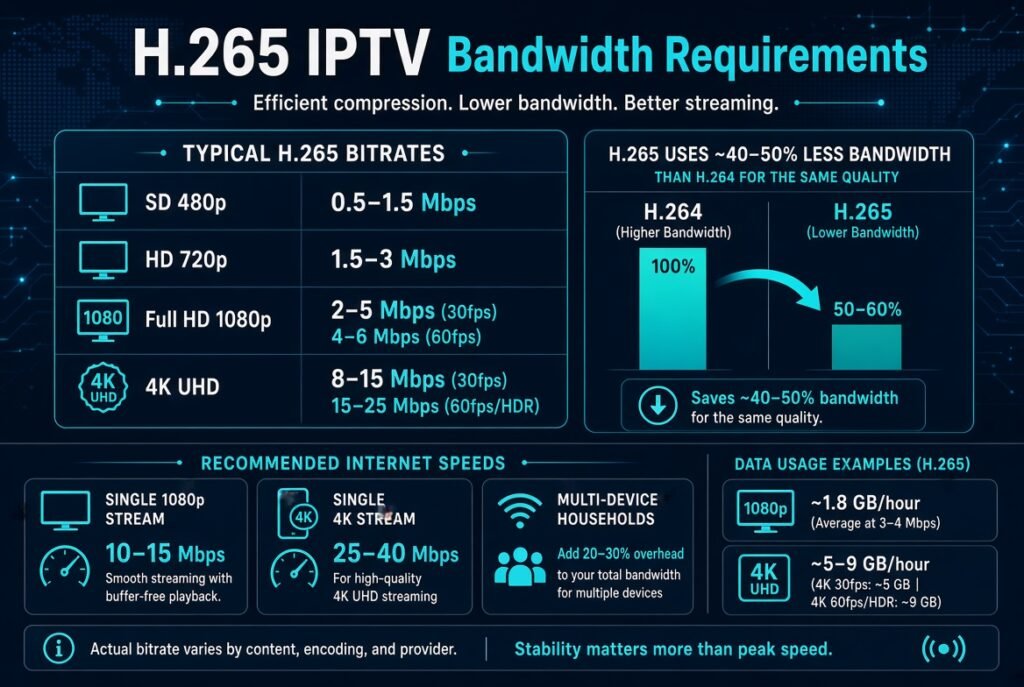
Bandwidth is one of the most important factors when watching IPTV.
The required bandwidth depends on several variables, including:
- Resolution
- Frame rate
- Bitrate
- Codec
- Video complexity
- Compression settings
- Audio bitrate
HEVC can help reduce bandwidth requirements compared with H.264 at similar quality levels, but it does not eliminate the need for a fast and stable internet connection.
For IPTV users, connection stability can sometimes be more important than simply having a high download speed.
H.265 Bitrate and IPTV
Bitrate refers to the amount of data transmitted or processed per second.
It is commonly expressed in:
- Mbps
- Kbps
For example, a video stream with a bitrate of 10 Mbps continuously requires substantially more data than a stream operating at 5 Mbps.
H.265 allows broadcasters and streaming platforms to achieve good image quality with efficient bitrate management.
However, there is no universal bitrate that applies to every H.265 IPTV stream.
The optimal bitrate depends on:
- Resolution
- Frame rate
- Content complexity
- Encoder settings
- Quality target
- HDR requirements
H.265 IPTV and Internet Speed
Having a fast internet connection is helpful, but IPTV performance depends on more than download speed.
A good IPTV setup should ideally have:
- Stable internet connectivity
- Low network congestion
- Low latency
- Reliable Wi-Fi or Ethernet
- Sufficient available bandwidth
- A compatible decoding device
For 4K IPTV, Ethernet or a strong 5 GHz Wi-Fi connection can often provide a more reliable experience than a weak wireless connection.
H.265 IPTV Compatibility
One important disadvantage of H.265 is that not every device supports HEVC equally well.
Modern devices increasingly include hardware support for HEVC decoding, but older hardware may struggle with H.265 playback.
Compatibility can depend on:
- TV model
- Operating system
- IPTV player
- Hardware decoder
- Processor
- GPU
- Firmware
- Streaming format
Before choosing an H.265 IPTV stream, make sure your device supports HEVC decoding.
H.265 IPTV on Smart TVs
Many modern Smart TVs support H.265/HEVC decoding.
This can make them suitable for:
- HEVC IPTV
- 4K IPTV
- UHD streaming
- H.265 video playback
However, compatibility varies by model and generation.
If an IPTV stream works correctly with H.264 but produces a black screen or playback error with H.265, the problem may be related to codec support.
H.265 IPTV on Firestick
Modern Fire TV devices can support HEVC depending on the specific model and hardware generation.
When using an IPTV player on a Fire TV device, playback can depend on whether the application is able to use the device’s hardware decoder.
If HEVC playback is available through hardware decoding, the device can handle H.265 streams more efficiently.
H.265 IPTV on Android TV
Android TV devices are widely used for IPTV.
Many modern Android TV boxes and televisions support HEVC hardware decoding.
However, inexpensive or older Android boxes may have limited codec support.
Before purchasing an Android TV box specifically for 4K IPTV, check its:
- HEVC support
- 4K decoding capabilities
- Processor
- RAM
- GPU
- HDMI version
- Hardware decoding support
H.265 IPTV Players
The IPTV player itself can also affect playback.
Popular IPTV applications may rely on the device’s built-in decoder or an integrated media engine.
When troubleshooting HEVC playback, check both:
IPTV player + device hardware
A player may support IPTV playlists while the underlying hardware may not support the required video codec.
This distinction is important.
An IPTV player does not automatically guarantee that every video codec will play correctly.
H.265 Hardware Decoding vs Software Decoding
There are two major approaches to decoding H.265 video.
Hardware Decoding
Hardware decoding uses dedicated hardware within the device to decode video.
Advantages include:
- Lower CPU usage
- Better performance
- Lower power consumption
- Smoother 4K playback
- Better performance on supported devices
Software Decoding
Software decoding relies primarily on the CPU.
This can work on sufficiently powerful hardware, but demanding HEVC streams—especially 4K—can place significant load on the processor.
If you experience stuttering during H.265 IPTV playback, hardware decoding is worth checking.
Why Is My H.265 IPTV Buffering?
If an HEVC IPTV stream keeps buffering, H.265 itself may not necessarily be the problem.
Possible causes include:
Slow Internet Connection
Your available bandwidth may not be sufficient for the stream’s bitrate.
Wi-Fi Problems
Weak Wi-Fi signals or interference can cause packet loss and interruptions.
IPTV Server Issues
The streaming server may be overloaded or experiencing connectivity problems.
Device Performance
Older hardware may struggle to decode HEVC smoothly.
IPTV Player Problems
The player may have compatibility or configuration issues.
Network Congestion
Other devices using the same connection can reduce the bandwidth available to IPTV.
How to Fix H.265 IPTV Playback Problems
If your H.265 IPTV stream is freezing, buffering, or displaying a black screen, try the following:
- Check your internet connection.
- Restart your router.
- Use Ethernet if possible.
- Test another IPTV stream.
- Update your IPTV player.
- Update your TV or streaming device.
- Check whether your device supports HEVC.
- Enable hardware decoding when available.
- Reduce other network activity.
- Test the same stream on another compatible device.
If H.264 streams work normally but HEVC streams consistently fail, codec compatibility is one of the first things to investigate.
H.265 and IPTV Data Usage
Video resolution and bitrate strongly influence how much data IPTV consumes.
Because HEVC can deliver video more efficiently, it can potentially reduce data usage compared with an equivalent-quality H.264 stream.
However, switching to HEVC does not automatically mean that every IPTV stream will consume less data.
A high-bitrate 4K HEVC stream can still use significantly more data than a low-bitrate HD stream.
H.265 for 4K vs Full HD IPTV
H.265 is useful for both Full HD and 4K, but its advantages become particularly valuable as video resolution increases.
For example:
Full HD IPTV
- Lower resolution
- Lower bitrate requirements
- H.264 is often sufficient
- H.265 can improve efficiency
4K IPTV
- Much higher resolution
- Higher data requirements
- HEVC provides efficient compression
- Hardware decoding becomes more important
This makes HEVC particularly relevant to modern 4K IPTV systems.
H.265 vs AV1 for IPTV
AV1 is another modern video codec designed for high compression efficiency.
Therefore, users may encounter comparisons such as:
H.265 vs AV1
AV1 can provide excellent compression efficiency, but H.265 has a major advantage in the form of widespread hardware and ecosystem support across many TVs, streaming devices, and video systems.
For IPTV, codec selection depends on:
- Device compatibility
- Encoding infrastructure
- Licensing considerations
- Streaming platform
- Hardware support
- Target resolution
Is H.265 Good for IPTV?
Yes.
H.265/HEVC is particularly useful for IPTV because it combines high video quality with efficient compression.
Its strongest use cases include:
- 4K IPTV
- UHD streaming
- High-quality live streaming
- Bandwidth-conscious streaming
- Video-on-demand
- Modern Smart TVs
- Modern streaming devices
However, the best codec depends on the complete IPTV ecosystem, not just the codec itself.
H.265 IPTV: Pros and Cons
Advantages
- Excellent compression efficiency
- Suitable for 4K video
- Efficient bandwidth usage
- High-quality streaming
- Good fit for modern IPTV platforms
- Supported by many modern devices
Disadvantages
- Higher decoding requirements
- Older devices may not support it
- Hardware decoding is important for demanding streams
- Compatibility varies between devices
- Encoding can require more processing power
Final Verdict: Is H.265 the Future of IPTV?
H.265 (HEVC) has become an important technology for modern IPTV and high-resolution streaming.
As users demand better image quality, especially 4K and UHD, efficient video compression becomes increasingly important.
H.265 helps IPTV platforms deliver high-quality video while making more efficient use of available bandwidth.
For viewers, the most important factors are not just the codec itself but the combination of:
HEVC support + compatible IPTV player + capable hardware + stable internet connection.
If your device supports hardware HEVC decoding, H.265 can be an excellent choice for high-quality IPTV streaming, particularly when watching 4K content.


