
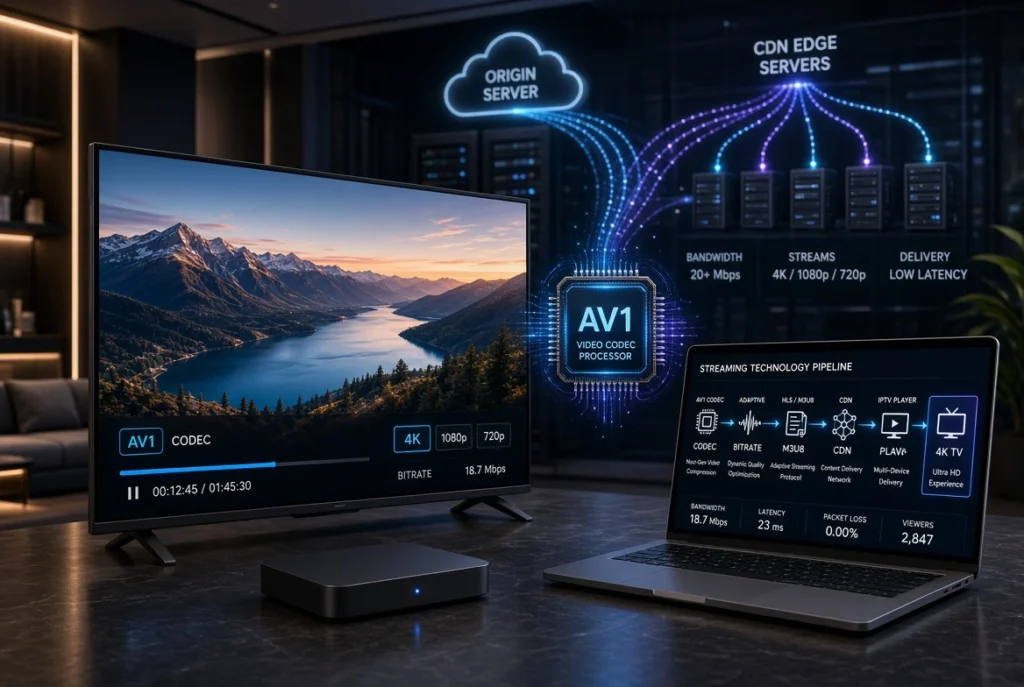
AV1 is becoming an increasingly important video codec for modern streaming. It was designed to deliver high-quality video while using less bandwidth than many older codecs, making it particularly interesting for 4K IPTV, OTT streaming, live video, and adaptive bitrate streaming.
But what exactly is AV1, how does it work with IPTV, and is it really better than HEVC (H.265) or H.264?
This guide explains everything in simple terms—from AV1 compression and hardware decoding to HLS, M3U8, MPEG-DASH, CDN, 4K streaming, IPTV players, and compatible devices.
What Is AV1?

AV1 is a modern, open video codec developed by the Alliance for Open Media (AOMedia). Its main purpose is to provide efficient video compression while maintaining high visual quality.
In simple terms:
AV1 allows video to maintain good quality while requiring less data than many traditional codecs.
This is especially useful for streaming because video consumes a large amount of bandwidth.
For IPTV, AV1 can be relevant to:
- 4K IPTV streaming
- UHD video
- Live streaming
- VOD
- OTT platforms
- Adaptive bitrate streaming
- HLS and MPEG-DASH
- Cloud video delivery
- CDN-based streaming
However, using AV1 does not automatically make an IPTV stream better. The encoder, bitrate, network, server, CDN, player, and playback device all influence the final experience.
Why Is AV1 Important for IPTV?

Traditional high-resolution video can consume significant bandwidth.
For example, a provider delivering large amounts of 4K video needs infrastructure capable of handling substantial traffic. Better compression efficiency can help reduce the amount of data required to deliver comparable visual quality.
This is where AV1 becomes interesting.
A simplified streaming chain looks like this:
Video Source → AV1 Encoder → Streaming Server → CDN → Internet → IPTV Player → Smart TV
With a properly designed system, AV1 can help improve bandwidth efficiency while maintaining high video quality.
How Does AV1 Work?

AV1 uses advanced compression techniques to reduce redundant information in video.
Instead of transmitting every frame as completely independent information, video codecs analyze relationships between frames and encode only the information necessary to reconstruct the video.
The process can be simplified into:
- Video is captured or stored.
- The video is encoded using AV1.
- The encoder compresses the video.
- Different bitrate versions may be created.
- The video is packaged for streaming.
- A server or CDN delivers the stream.
- The IPTV player decodes the AV1 video.
- The Smart TV or streaming device displays it.
The important point is that encoding and decoding are two different processes.
The provider needs an AV1 encoder, while the viewer’s device needs a compatible AV1 decoder.
AV1 Encoding vs AV1 Decoding
AV1 Encoding
AV1 encoding converts raw or previously compressed video into the AV1 format.
Encoding can be computationally demanding, particularly at high resolutions.
A streaming platform may therefore use dedicated hardware or powerful servers for large-scale AV1 encoding.
AV1 Decoding
AV1 decoding happens on the viewer’s device.
The IPTV player receives the AV1 stream and converts it into frames that the display can show.
This is why AV1 hardware decoding is so important.
If a device has hardware AV1 decoding, playback can generally be handled more efficiently than relying entirely on the CPU.
AV1 Hardware Decoding
One of the most important concepts when discussing AV1 IPTV is hardware support.
A device can technically support a codec in software, but that doesn’t necessarily mean it will provide a smooth experience for demanding 4K video.
Hardware decoding can reduce the workload placed on the main processor.
This is particularly important for:
- 4K IPTV
- HDR video
- High-bitrate streams
- Long streaming sessions
- Android TV devices
- Smart TVs
- Streaming sticks
- TV boxes
Before choosing an IPTV device for AV1, check its actual codec specifications rather than assuming that every recent device supports AV1.
AV1 and 4K IPTV Streaming
4K video contains substantially more visual information than Full HD.
This creates an obvious challenge:
Higher resolution → More data → More bandwidth
AV1’s compression efficiency makes it attractive for high-resolution streaming.
For IPTV users, AV1 can be particularly interesting when watching:
- 4K content
- UHD video
- HDR content
- High-motion video
- Live events
- VOD
- High-quality streaming
But remember that codec efficiency isn’t the only factor affecting IPTV quality.
A poorly configured server or unstable internet connection can still cause buffering even when the stream uses AV1.
AV1 and Adaptive Bitrate Streaming
AV1 works particularly well within modern adaptive bitrate streaming architectures.
Adaptive bitrate streaming allows a service to provide several versions of the same video.
For example:
| Quality | Example Bitrate |
|---|---|
| 480p | Low |
| 720p | Medium |
| 1080p | High |
| 1440p | Higher |
| 4K | Very High |
The player continuously monitors the connection and selects an appropriate version.
A simplified process is:
Fast connection → Higher quality
Slow connection → Lower quality
This can reduce interruptions and make streaming more resilient to changing network conditions.

AV1 With HLS and M3U8
HLS (HTTP Live Streaming) is one of the most widely used technologies for delivering internet video.
HLS commonly uses M3U8 playlists to describe the available media segments and streams.
AV1 can be incorporated into modern streaming workflows where the player and playback environment support the required codec and packaging configuration.
A simplified architecture can look like:
AV1 Video → HLS Packaging → M3U8 Playlist → CDN → IPTV Player
However, simply having an M3U8 URL does not mean that the stream is AV1.
The actual video codec needs to be identified from the stream’s media information.
AV1 and MPEG-DASH
Another important streaming technology is MPEG-DASH.
Like HLS, MPEG-DASH can deliver adaptive bitrate video using multiple representations.
An AV1-based workflow can therefore involve:
AV1 Encoding → DASH Packaging → CDN → Compatible Player
This is especially relevant to modern OTT and streaming infrastructure.
For an IPTV technology website, it is useful to understand the relationship between:
AV1 + HLS + M3U8 + MPEG-DASH + ABR + CDN
because these technologies work at different layers of the streaming ecosystem.
AV1 vs HEVC vs H.264
One of the most important questions is how AV1 compares with existing codecs.
AV1 vs HEVC (H.265)
Both AV1 and HEVC are designed for efficient video compression.
AV1 is newer and was designed with modern internet video delivery in mind. HEVC, however, has been widely deployed across televisions, mobile devices, cameras, and streaming hardware.
For IPTV, compatibility can therefore be just as important as compression efficiency.
AV1 vs H.264
H.264 remains extremely common because of its broad compatibility.
Almost every modern streaming environment can handle H.264.
However, H.264 generally requires more bandwidth than newer codecs when targeting similar visual quality.
AV1 vs H.265 for IPTV
There isn’t a universal winner.
The better choice depends on:
- Device compatibility
- Hardware decoding
- Encoding resources
- Target resolution
- Bitrate
- CDN costs
- Streaming infrastructure
- Player support
- Licensing considerations
For a modern IPTV platform, supporting multiple codecs can be more practical than relying exclusively on one.

Does AV1 Reduce IPTV Bandwidth?
Potentially, yes.
One of AV1’s major advantages is its compression efficiency.
When properly encoded, AV1 can deliver high-quality video at relatively efficient bitrates.
For IPTV infrastructure, reduced bitrate can potentially mean:
- Lower bandwidth consumption
- More efficient video delivery
- Better scalability
- Reduced network load
- More efficient CDN usage
But this should not be interpreted as a guarantee that every AV1 stream will use less bandwidth.
Encoding settings and video content matter significantly.
A fast-moving sports scene, for example, can require considerably more data than a static interview even at the same resolution.
AV1 and IPTV Buffering
Many users associate IPTV buffering with the internet connection alone.
In reality, buffering can have many causes:
- Weak Wi-Fi
- Network congestion
- High stream bitrate
- Server overload
- CDN problems
- Packet loss
- Poor routing
- Player limitations
- Insufficient device hardware
- Unsupported codec
- Incorrect stream configuration
AV1 can help with bandwidth efficiency, but it cannot fix every buffering problem.
If an IPTV player doesn’t properly support AV1 hardware decoding, forcing AV1 may actually create playback problems.
How to Check if Your IPTV Device Supports AV1
Before using AV1 streams, check the specifications of your device.
Look specifically for:
AV1 Decode
or
AV1 Hardware Decoding
or
AV1 Hardware Acceleration
You should also check the supported resolution.
A device might support AV1 but only under certain conditions.
For example, codec support may differ between:
- 1080p and 4K
- SDR and HDR
- Hardware and software decoding
- Different operating-system versions
AV1 on Firestick and Fire TV
Fire TV devices are commonly used for IPTV and streaming applications.
However, AV1 support varies between device generations and models.
Therefore, don’t simply search for “Firestick IPTV” and assume that every Fire TV Stick supports AV1.
Instead, verify the specifications of the exact model you own.
This is especially important when looking for:
best Firestick for AV1 IPTV
or
AV1 Fire TV Stick 4K
AV1 on Android TV
Android TV and Google TV devices are another important category.
Some modern Android TV boxes support AV1 hardware decoding, while older or lower-cost devices may not.
When buying an Android TV box for AV1 IPTV, look for:
- AV1 decoding
- 4K support
- Hardware acceleration
- HEVC support
- H.264 support
- HDR support
- Sufficient RAM
- Stable Wi-Fi or Ethernet
AV1 on Smart TVs
Modern Smart TVs increasingly support newer video codecs, but support varies significantly by manufacturer and model.
Before purchasing a TV specifically for AV1 IPTV, check the manufacturer’s technical specifications.
Important terms include:
- AV1 codec support
- AV1 decoding
- 4K AV1
- AV1 hardware decoding
- HDR support
Don’t rely solely on the TV’s year of release.
Two televisions released in the same year can have completely different chipset and codec capabilities.
AV1 IPTV Players
The IPTV player is responsible for receiving and playing the stream.
Whether AV1 works correctly depends on several components:
IPTV Provider → Stream → Player → Device Decoder → Display
A player may support M3U, M3U8, Xtream Codes, HLS, or other IPTV technologies while still having limitations with particular codecs.
Therefore, IPTV player support and device hardware support should be considered separately.
AV1 and CDN Streaming
A CDN (Content Delivery Network) distributes streaming content through geographically distributed servers.
For large-scale IPTV or OTT streaming, the architecture can look like:
Origin Server → CDN → Edge Server → IPTV Player
AV1 can fit into this architecture as the video codec used for the delivered media.
The CDN itself doesn’t necessarily determine whether the video is AV1.
The codec is part of the media stream, while the CDN is responsible for efficient content delivery.
AV1 Encoding for IPTV Providers
From the provider’s infrastructure perspective, AV1 introduces additional considerations.
A provider needs to consider:
Encoding Cost
AV1 encoding can require significant processing resources depending on the encoder settings and desired quality.
Transcoding
If a service supports multiple devices, it may need to create different versions of the same content.
For example:
AV1 + HEVC + H.264
This allows compatible devices to receive an appropriate version.
Storage
Multiple resolutions and codecs increase storage requirements.
CDN Delivery
The service must efficiently distribute the resulting streams to users.
Device Compatibility
Not every customer will own an AV1-compatible device.
This is why multi-codec delivery can be useful.
AV1 IPTV: Main Advantages
AV1 can provide several potential advantages:
- Efficient video compression
- Strong 4K streaming potential
- Reduced bitrate requirements
- Better bandwidth efficiency
- Modern codec technology
- Suitable for adaptive bitrate streaming
- Useful for OTT platforms
- Support in an increasing number of modern devices
AV1 IPTV: Potential Disadvantages
AV1 also has limitations:
- Not every device supports AV1
- Older IPTV players may have compatibility problems
- Software decoding can be demanding
- Encoding can require significant processing power
- Device support varies by model
- Some streaming workflows may still rely heavily on H.264 or HEVC
Therefore, AV1 isn’t automatically the best option for every IPTV user.
AV1 vs HEVC: Which Is Better for IPTV?
The answer depends on your priorities.
If your priority is modern compression efficiency, AV1 can be very attractive.
If your priority is broad compatibility across existing hardware, HEVC or H.264 may still be more practical.
For IPTV users, the best codec is ultimately the one that provides:
Good quality + stable playback + compatible hardware + appropriate bitrate
rather than simply choosing the newest codec.
Is AV1 Good for IPTV?
Yes, AV1 can be an excellent codec for IPTV, particularly for modern 4K and high-quality streaming environments.
However, three things should always be checked:
- Does the stream use AV1 correctly?
- Does the IPTV player support the stream?
- Does the playback device have AV1 hardware decoding?
If all three work together, AV1 can provide an excellent streaming experience.
Common AV1 IPTV Problems
AV1 IPTV Not Playing
Check whether your device supports AV1 decoding.
AV1 IPTV Buffering
Check your connection, stream bitrate, server performance, and whether the device is using hardware decoding.
AV1 IPTV Black Screen
A black screen can indicate codec, player, DRM, stream, or compatibility problems.
AV1 IPTV High CPU Usage
This may happen when AV1 is being decoded through software instead of dedicated hardware.
AV1 IPTV Audio but No Video
The player may support the audio codec but not the video codec.
Try a player or device with proper AV1 support.
Frequently Asked Questions
What is AV1?
AV1 is a modern video codec designed to provide efficient compression and high-quality video delivery.
Is AV1 better than H.265?
AV1 can provide strong compression efficiency, but HEVC often has broader hardware compatibility. The best option depends on the specific streaming environment.
Is AV1 good for 4K IPTV?
Yes. AV1 is particularly interesting for 4K IPTV because efficient compression can help reduce the bandwidth required for high-resolution video.
Does AV1 reduce IPTV buffering?
It can potentially reduce bandwidth requirements, but buffering also depends on the network, server, CDN, player, device, and stream configuration.
Does every IPTV player support AV1?
No. AV1 support varies between players and devices.
Does Firestick support AV1?
AV1 support depends on the specific Fire TV/Fire TV Stick model. Always check the specifications of the exact device.
Does Android TV support AV1?
Some Android TV and Google TV devices support AV1 hardware decoding, but support varies by device.
What is AV1 hardware decoding?
It is the process of decoding AV1 video using dedicated hardware rather than relying entirely on the CPU.
Is AV1 better than HEVC for IPTV?
Not necessarily in every situation. AV1 may offer strong compression efficiency, while HEVC can provide excellent compatibility across many existing devices.
Final Verdict: Is AV1 the Future of IPTV Streaming?
AV1 is an important development in modern video streaming, and its relevance to IPTV is likely to continue growing as more televisions, streaming devices, processors, and players add hardware support.
Its biggest attraction is the combination of high-quality video and efficient compression, particularly for demanding applications such as 4K IPTV, HDR, adaptive bitrate streaming, and OTT video delivery.
But IPTV is an ecosystem, not just a codec.
A successful streaming experience depends on the complete chain:
AV1 Encoder → HLS/M3U8 or MPEG-DASH → Streaming Server → CDN → Internet → IPTV Player → Hardware Decoder → Smart TV
If every component is properly configured and compatible, AV1 can help create a modern, efficient, high-quality IPTV streaming experience.


