
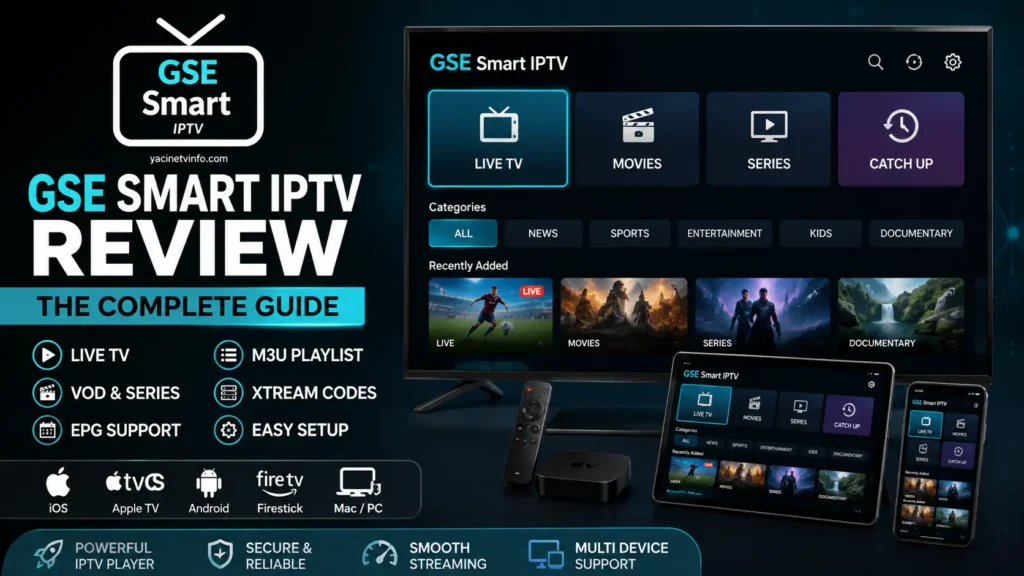
If you are looking for a flexible IPTV player that can handle M3U playlists, Xtream Codes, EPG data, live streaming, and VOD, GSE Smart IPTV is one of the applications worth considering.
Unlike an IPTV provider, GSE Smart IPTV is a media player and playlist management application. It does not supply TV channels or IPTV subscriptions. You provide your own legally obtained IPTV content or playlist and use the app to organize and play it. The current Google Play listing specifically states that users must provide their own content.
In this guide, we will explain what GSE Smart IPTV is, how it works, its main features, M3U and Xtream Codes setup, EPG support, supported devices, common problems, and whether it is a good IPTV player for your needs.
Important: Only use IPTV playlists and streaming services that you are authorized to access.
What Is GSE Smart IPTV?
GSE Smart IPTV is an advanced IPTV player designed to play live and non-live streaming content from user-provided playlists.
The application supports several IPTV formats and technologies, including M3U playlists, Xtream Codes API, XMLTV EPG, M3U8, HTTP, RTSP and RTMP, depending on the platform and player configuration.
The important distinction is:
GSE Smart IPTV = IPTV player
IPTV provider = supplies the streaming service/content
You therefore do not need to search for channels inside GSE Smart IPTV itself. Instead, you add your own compatible playlist or account credentials.
This makes the application particularly useful for users who want more control over how their IPTV playlists are organized.
Why Is GSE Smart IPTV Popular?
One of the biggest advantages of GSE Smart IPTV is its combination of playlist management and playback features.
Depending on the version and platform, the application supports:
- M3U playlists
- Remote playlists
- Xtream Codes API
- XMLTV EPG
- Live TV
- VOD
- Playlist management
- Automatic stream reconnection
- Chromecast
- AirPlay on supported versions
- Parental controls
- Multiple themes
- Subtitles
- Built-in video player
- Multiple streaming formats
- Web-based playlist management
The current Android listing confirms support for Xtream Codes API, XMLTV EPG, M3U content, automatic reconnection, subtitles, parental controls and Chromecast.
The App Store listing also describes M3U and JSON playlist support, playlist management, EPG Timeline, recording, AirPlay and Chromecast support.
GSE Smart IPTV Features
M3U Playlist Support
One of the most important features is GSE Smart IPTV M3U support.
An M3U playlist contains information that tells an IPTV player where streaming resources are located and how they should be organized.
GSE Smart IPTV supports both local and remote playlists on supported versions. The App Store listing describes local M3U playlists, remote playlists, playlist management and M3U export functionality.
This gives users several ways to manage their IPTV content.
What You Can Do With M3U
Depending on your platform and app version, you can:
- Import an M3U file
- Add an M3U URL
- Manage playlists
- Organize favorites
- Download a remote playlist locally
- Edit playlist information
- Export playlists
This is especially useful if you regularly switch between different legitimate IPTV sources.
GSE Smart IPTV Xtream Codes Support
Another major feature is GSE Smart IPTV Xtream Codes API support.
Instead of manually entering a large M3U URL, users can often connect through their IPTV provider’s Xtream Codes credentials.
Typically, these credentials include:
- Server/portal URL
- Username
- Password
The current Google Play listing confirms Xtream-Codes API support, including automatic Live and VOD playlists with EPG and movie information.
How Xtream Codes Can Make Setup Easier
For compatible services, Xtream Codes can automatically organize information such as:
Live TV → Categories → VOD → Series → EPG
This can be considerably easier than manually managing a very large playlist.
How to Set Up GSE Smart IPTV With Xtream Codes
The exact menu names can vary between versions and devices, but the general process is straightforward.
Step 1: Install GSE Smart IPTV
Install the appropriate version from the official app store or the developer’s official website.
Step 2: Open the Application
Launch GSE Smart IPTV and locate the playlist or IPTV management section.
Step 3: Choose Xtream Codes API
Select the option related to Xtream Codes API.
Step 4: Enter Your Credentials
Enter the details supplied by your authorized IPTV provider:
- Playlist name
- Server URL
- Username
- Password
Step 5: Save the Playlist
Save the information and allow the application to retrieve the available data.
Step 6: Open Your Content
Once successfully loaded, compatible services may display sections such as:
- Live TV
- VOD
- Series
- EPG
Never use someone else’s credentials or unauthorized streaming access.
How to Add an M3U Playlist to GSE Smart IPTV
If your IPTV service provides an M3U playlist, you can use the M3U method instead of Xtream Codes.
The exact interface differs by version, but the workflow is generally:
GSE Smart IPTV → Playlist Manager → Add Playlist → M3U → Enter URL/File → Save
For a remote playlist, you normally enter the M3U URL supplied by your provider.
For a local playlist, you select the M3U file stored on your device.
The official iOS listing confirms support for both local and remote M3U playlists.
GSE Smart IPTV EPG Support
An EPG (Electronic Program Guide) displays program information and schedules.
GSE Smart IPTV supports XMLTV EPG, including local and remote XMLTV sources. The Android listing indicates support for XML, ZIP and GZ EPG formats.
The App Store listing also advertises an EPG Timeline.
An EPG can make IPTV much easier to navigate because instead of simply seeing a list of streams, you can see information such as:
- Current program
- Next program
- Program title
- Schedule
- Program description
Why EPG Matters
Without EPG:
Channel → Start streaming
With EPG:
Channel → Current program → Next program → Schedule
For users with large playlists, this can significantly improve the viewing experience.
GSE Smart IPTV on iPhone and iPad
GSE Smart IPTV is available for Apple’s mobile ecosystem, with the current App Store listing supporting iPhone and iPad.
The iOS version includes features such as:
- M3U playlist support
- Xtream Codes API
- EPG
- Playlist management
- Favorites
- Recording
- Chromecast
- AirPlay
- Parental controls
- Automatic stream reconnection
Feature availability can differ between versions, so it is always best to check the current store listing before installing.
GSE Smart IPTV on Apple TV
Apple TV users are another important audience for GSE Smart IPTV.
The developer’s website currently describes GSE Smart IPTV as a cross-platform IPTV solution covering iOS, Apple TV, Android and macOS.
This makes GSE particularly interesting for users who want to manage IPTV content across Apple’s ecosystem.
GSE Smart IPTV on Android
The Android version is available through Google Play as GSE SMART IPTV PRO.
The current listing shows support for:
- Xtream Codes API
- M3U content
- XMLTV EPG
- VOD
- Live streaming
- Chromecast
- Automatic stream reconnection
- Subtitles
- Parental control
- Multiple themes
It also states that the application does not include IPTV playlists other than sample playlists and that users must provide their own content.
GSE Smart IPTV on Firestick
If you want to use GSE Smart IPTV on Firestick, compatibility can depend on the specific Fire TV device, Android version, application version and availability of the app through the relevant store.
The safest approach is to check the current availability for your device rather than relying on an old installation method.
If the application is not directly available through your device’s official store, avoid downloading modified APK files from unknown websites.
This is important because unofficial APK files can introduce security and privacy risks.
GSE Smart IPTV on Mac
The developer’s website lists macOS among the supported platforms.
This can be useful if you want to manage or test your IPTV playlists on a computer before using them on a television or mobile device.
GSE Smart IPTV and Chromecast
Chromecast support is listed in the current Google Play description and the App Store listing.
However, there have also been App Store user reports questioning Chromecast availability in particular versions.
Therefore, treat Chromecast support as version/platform dependent, rather than assuming every current build behaves identically.
GSE Smart IPTV and AirPlay
The App Store listing advertises AirPlay full-screen external display support.
This can be useful for users who want to send compatible playback from an Apple device to another supported display.
GSE Smart IPTV Automatic Reconnection
Buffering and temporary network interruptions can happen with any streaming application.
GSE Smart IPTV includes an automatic live-stream reconnection feature according to its current Android and App Store descriptions.
This does not guarantee that buffering will disappear.
Your overall streaming experience still depends on:
- Internet connection
- Wi-Fi quality
- Server performance
- Network congestion
- Video bitrate
- Device hardware
- Streaming source
GSE Smart IPTV Player
One of GSE’s biggest advantages is its built-in player.
The Android listing says the built-in player supports many popular video formats and live-stream protocols, including HTTP, HLS, M3U8, MMS and RTSP, with RTMP support as well.
This means many users don’t need to install a separate video player for basic supported playback.
GSE Smart IPTV Subtitles
Subtitle support is another useful feature.
The current Android listing mentions both embedded and external subtitles, including SRT, along with several embedded subtitle formats.
For users watching multilingual content, this can be particularly useful.
GSE Smart IPTV Parental Controls
GSE Smart IPTV also includes parental control functionality according to its current store descriptions.
This can be useful for households where multiple people use the same IPTV application.
GSE Smart IPTV Troubleshooting
Even a good IPTV player can experience problems.
Here are some of the most common issues.
GSE Smart IPTV Not Working
First check:
- Is your internet connection working?
- Is the playlist URL correct?
- Are your Xtream Codes credentials correct?
- Is the IPTV server online?
- Is the playlist still valid?
- Is the app updated?
- Does the same playlist work on another device?
If the same playlist fails across multiple players, the problem may be the streaming source rather than GSE Smart IPTV.
GSE Smart IPTV Buffering
Buffering can have many causes.
Try:
- Testing your internet speed
- Switching from Wi-Fi to Ethernet where possible
- Restarting your router
- Testing another stream
- Lowering video quality when available
- Checking whether the server is overloaded
- Updating the application
Remember that an IPTV player cannot repair an overloaded or unreliable streaming server.
GSE Smart IPTV M3U Not Loading
If an M3U playlist does not load:
Check the URL → Check internet → Test URL → Re-add playlist → Update application
Also make sure the playlist has not expired.
If the M3U works in another compatible player but not GSE, the issue may be related to playlist formatting or application compatibility.
GSE Smart IPTV Xtream Codes Not Working
Check the following:
- Server URL
- Username
- Password
- Internet connection
- Account expiration
- Provider-side server status
Avoid adding extra spaces when copying credentials.
If your provider gives you a separate portal URL and Xtream Codes credentials, make sure you are using the correct login method.
GSE Smart IPTV Pros and Cons
Pros
- Supports M3U playlists
- Xtream Codes API support
- XMLTV EPG support
- Built-in player
- Live TV support
- VOD support
- Playlist management
- Automatic stream reconnection
- Subtitle support
- Parental controls
- Multiple platform options
- Chromecast/AirPlay support depending on platform/version
These features are documented across the current Google Play, App Store and developer listings.
Cons
- Does not provide IPTV subscriptions
- Users must provide their own content
- Features can vary between platforms
- Some features may require the Pro version
- Interface can feel more technical for beginners
- Compatibility can vary depending on device and app version
GSE Smart IPTV vs TiviMate
Both applications can be useful IPTV players, but they target somewhat different users.
GSE Smart IPTV stands out for its broad playlist management, M3U support, Xtream Codes API, XMLTV EPG and cross-platform availability.
TiviMate, on the other hand, is particularly popular among Android TV and streaming-device users who want a TV-focused interface.
Your choice should depend on your device and how you prefer to manage playlists.
GSE Smart IPTV vs IPTV Smarters
GSE Smart IPTV and IPTV Smarters are both IPTV player applications, but the user experience and supported features vary by platform and version.
If you primarily use iPhone, iPad, Apple TV or Mac, GSE Smart IPTV can be an interesting option because of its Apple ecosystem support.
If your priority is a particular Android TV interface, you may prefer another IPTV player.
Is GSE Smart IPTV a Good IPTV Player?
For users who want a feature-rich IPTV player rather than an IPTV provider, GSE Smart IPTV is a strong option to consider.
Its biggest strengths are its support for M3U playlists, Xtream Codes API, XMLTV EPG, built-in playback, playlist management and multiple platforms.
It is particularly attractive if you want to manage your own playlists instead of using a player tied to a single content service.
However, beginners should understand that GSE Smart IPTV does not magically provide IPTV channels. You need your own authorized IPTV source.
Frequently Asked Questions
What is GSE Smart IPTV?
GSE Smart IPTV is an IPTV player and playlist management application for playing user-provided live and non-live streaming content.
Does GSE Smart IPTV provide IPTV channels?
No. The application does not provide IPTV subscriptions or unauthorized channel access. Users must provide their own content.
Does GSE Smart IPTV support M3U?
Yes. GSE Smart IPTV supports M3U playlists, including local and remote playlist functionality on supported versions.
Does GSE Smart IPTV support Xtream Codes?
Yes. The current Android and App Store listings advertise Xtream Codes API support.
Does GSE Smart IPTV support EPG?
Yes. GSE Smart IPTV supports XMLTV EPG, including local and remote sources on supported versions.
Can I use GSE Smart IPTV on iPhone?
Yes. The current App Store listing supports iPhone and iPad.
Does GSE Smart IPTV work on Apple TV?
The developer lists Apple TV among its supported platforms.
Does GSE Smart IPTV work on Android?
Yes. GSE SMART IPTV PRO is currently listed on Google Play.
Is GSE Smart IPTV free?
The pricing and available features depend on the platform and version. The current Google Play listing shows GSE SMART IPTV PRO as a paid app, while the App Store listing also shows a paid Pro version.
Is GSE Smart IPTV an IPTV provider?
No. GSE Smart IPTV is a player, not an IPTV service provider.
Final Verdict
GSE Smart IPTV is a versatile IPTV player for users who want control over their own playlists and streaming setup.
Its strongest points are M3U support, Xtream Codes API, XMLTV EPG, playlist management, built-in playback and multi-platform availability.
For beginners, the most important thing to understand is simple:
GSE Smart IPTV does not supply IPTV content. It provides the player and tools; you provide your own authorized IPTV source.
If you already have a legitimate IPTV playlist or service supporting M3U or Xtream Codes, GSE Smart IPTV can provide a convenient way to organize and play that content.
Quick Rating
| Category | Rating |
|---|---|
| Ease of Use | ⭐⭐⭐⭐☆ |
| M3U Support | ⭐⭐⭐⭐⭐ |
| Xtream Codes | ⭐⭐⭐⭐⭐ |
| EPG Support | ⭐⭐⭐⭐⭐ |
| Playlist Management | ⭐⭐⭐⭐⭐ |
| Device Support | ⭐⭐⭐⭐☆ |
| Built-in Player | ⭐⭐⭐⭐⭐ |
| Beginner Friendly | ⭐⭐⭐⭐☆ |
| Overall | 4.5/5 |
Bottom line: If you are searching for a flexible GSE Smart IPTV player with M3U, Xtream Codes and EPG support, it is definitely worth considering—especially if playlist management and cross-platform use are important to you.


