
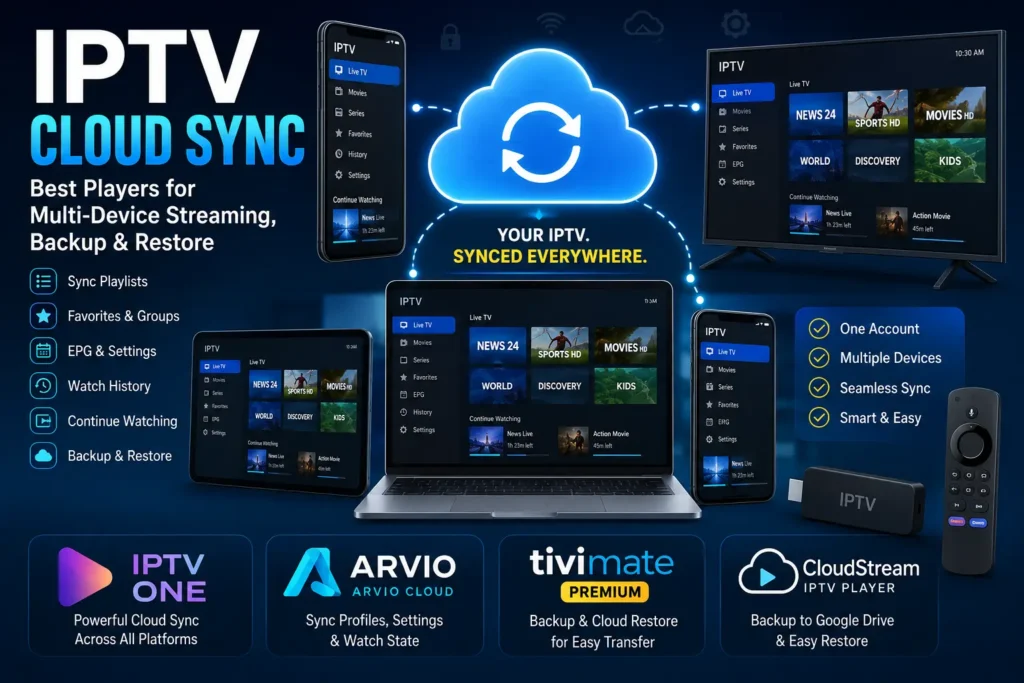
IPTV Cloud Sync is becoming an increasingly useful feature for people who use IPTV across multiple devices. Instead of manually adding the same M3U playlist, favorites, EPG settings, and preferences every time you install an IPTV player on a new device, cloud synchronization can keep supported data available across your devices.
For example, you might configure an IPTV player on your Android phone and later want to use the same setup on Android TV, Fire TV, Apple TV, Windows, Mac, or another supported platform. With a true cloud-sync system, the goal is to reduce repetitive setup and provide a more consistent experience.
Several modern IPTV players now offer either true cloud synchronization, optional cloud services, or backup and restore features. Among the applications worth examining are IPTV One, ARVIO, TiviMate, and CloudStream.
In this guide, we’ll explain what IPTV Cloud Sync means, how it works, why it matters, the difference between cloud sync and backup, and which IPTV players are worth considering for multi-device use.
Important: IPTV players do not automatically provide television channels or IPTV subscriptions. You should only add playlists, streams, and services that you are legally authorized to access.
What Is IPTV Cloud Sync?
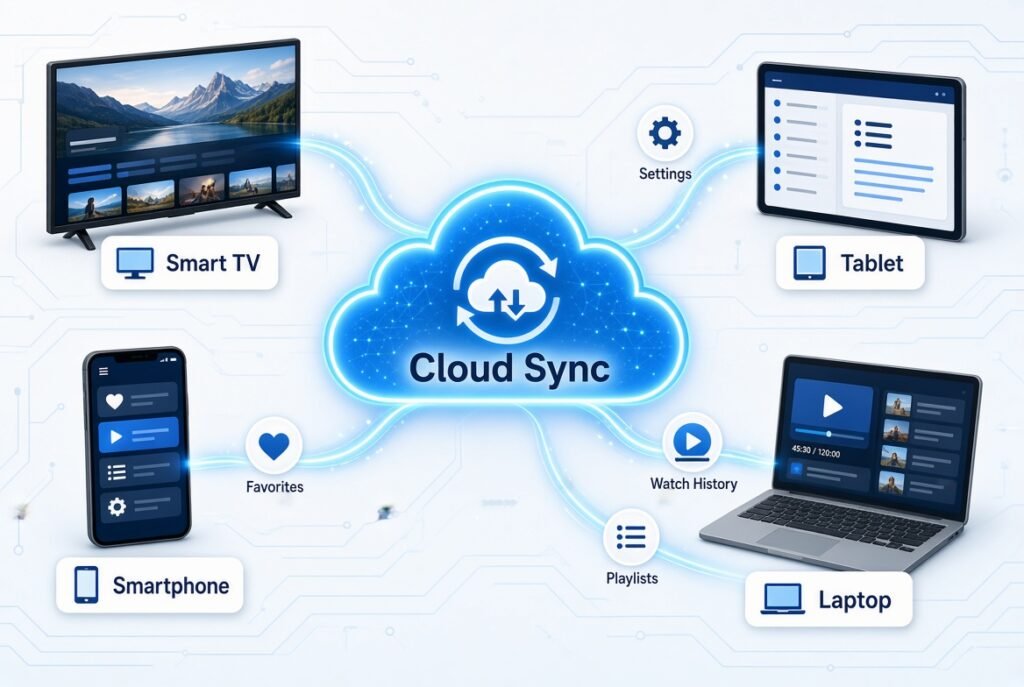
IPTV Cloud Sync is a feature that allows supported IPTV player data to be synchronized through an online account or cloud service.
Instead of storing everything exclusively on one device, supported information can be associated with your account and synchronized between compatible devices.
Depending on the application, synchronized information may include:
- IPTV playlists
- M3U URLs
- Xtream Codes configuration
- Favorites
- Custom channel groups
- EPG configuration
- Playback preferences
- Watch history
- Continue Watching information
- Playback position
- User profiles
- App settings
The exact data synchronized depends on the IPTV player.
This distinction is important because cloud sync is not the same as cloud backup.
How Does IPTV Cloud Sync Work?
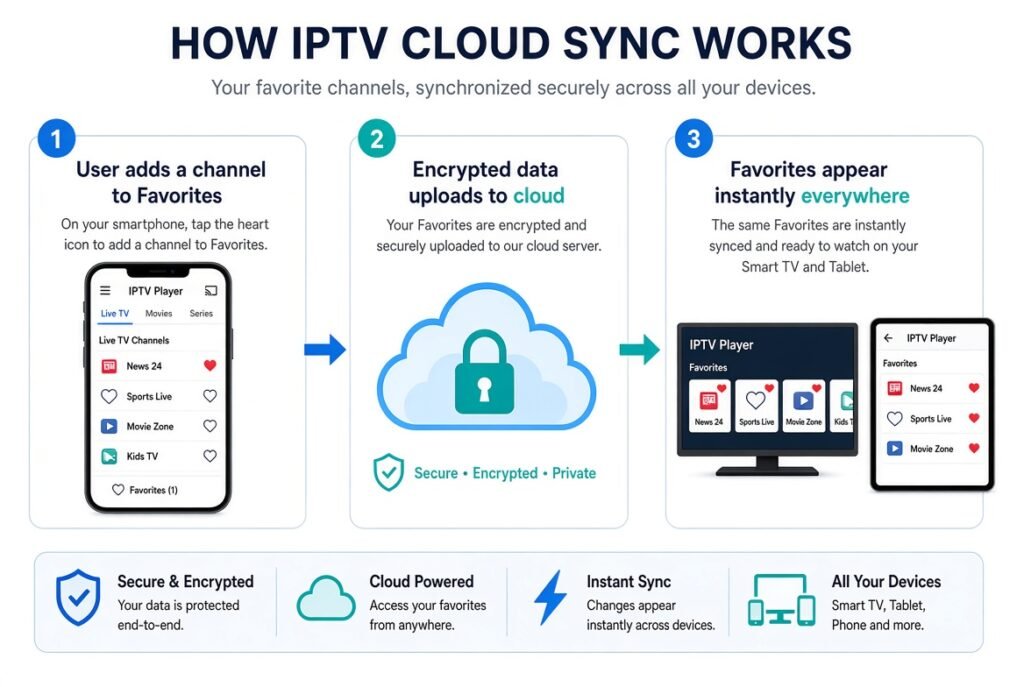
The basic concept is relatively simple.
You configure your IPTV player on one device and sign into the same account on another supported device. The application communicates with its cloud service and retrieves the information associated with your account.
A simplified workflow looks like this:
Device A → Cloud Account → Device B → Synchronized IPTV Data
For example:
- Add an IPTV playlist on your Android phone.
- Add channels to your favorites.
- Customize your EPG or player settings.
- Sign into the same IPTV player account on another supported device.
- The application retrieves supported synchronized data.
- Your second device becomes much easier to configure.
Some applications synchronize changes automatically, while others use a manual backup-and-restore process.
IPTV Cloud Sync vs IPTV Cloud Backup
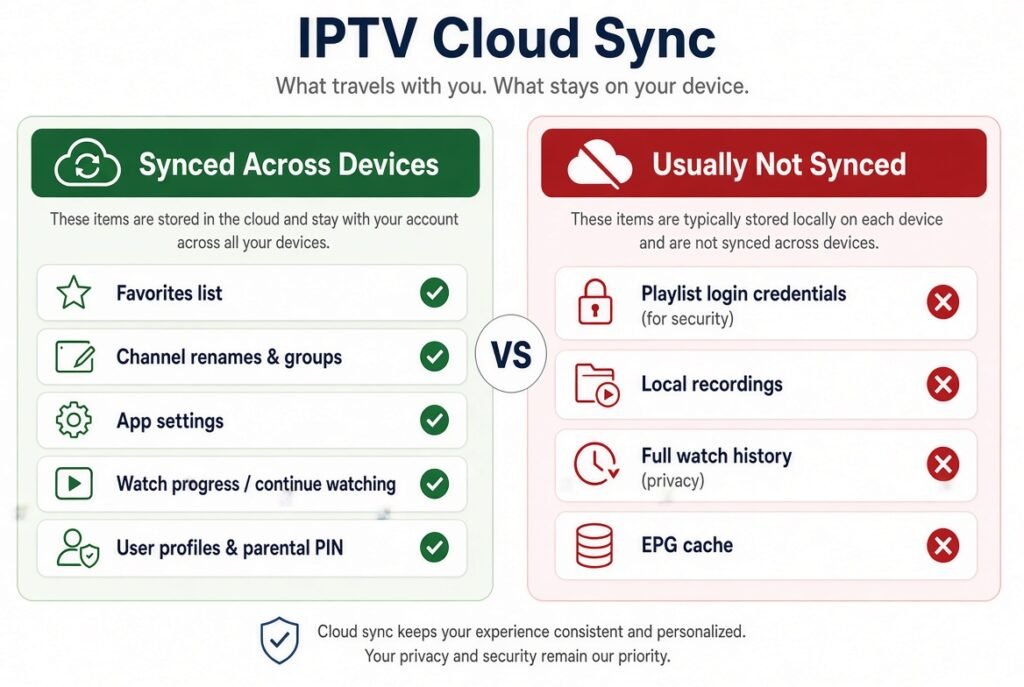
This is one of the most important distinctions to understand.
What Is Cloud Sync?
Cloud synchronization is designed to keep supported data aligned between devices.
If you change a supported setting on one device, the change can potentially appear on your other devices automatically or after synchronization.
For example:
Phone → Change Favorite → Cloud → TV
What Is Cloud Backup?
Cloud backup is primarily designed to save a copy of your configuration so that you can restore it later.
For example:
Device → Backup → Cloud Storage → New Device → Restore
A backup system may therefore require you to manually initiate restoration.
Which Is Better?
For daily multi-device use, true cloud sync is generally more convenient.
For disaster recovery or moving to a new device, cloud backup and restore can be extremely useful.
The ideal IPTV application can offer both.
Why Is Cloud Sync Important for IPTV?
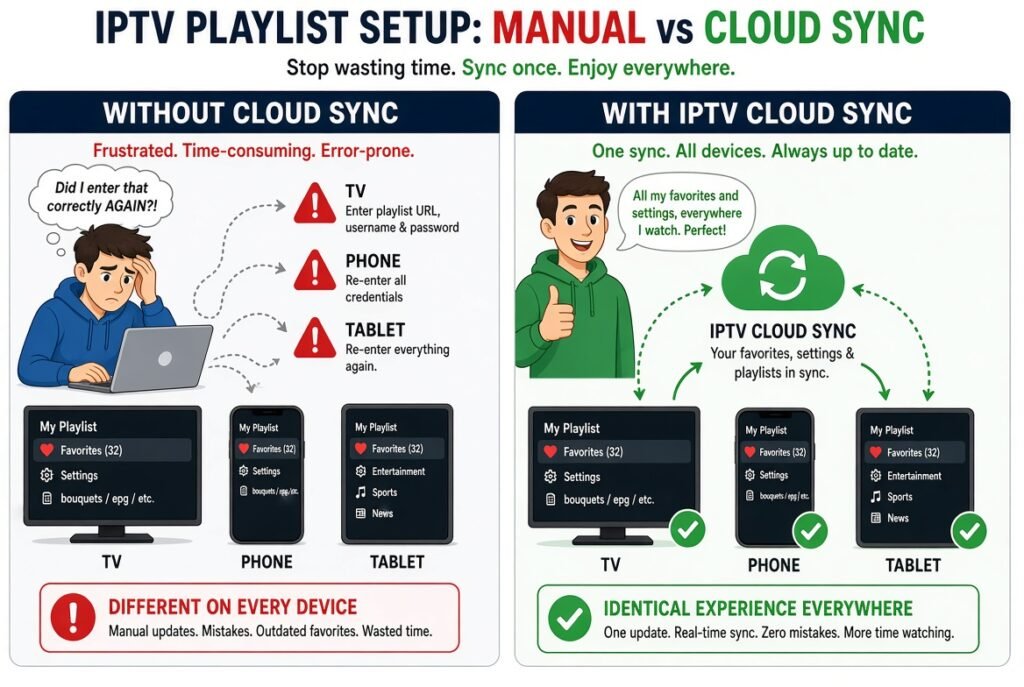
Traditional IPTV setup can become repetitive when you use several devices.
Imagine setting up IPTV on:
- Android phone
- Android TV
- Fire TV
- Tablet
- Apple TV
- Windows PC
Without synchronization, you may have to repeatedly enter playlists, reorganize channels, configure EPG settings, and recreate favorites.
Cloud synchronization attempts to solve this problem.
One Setup Across Multiple Devices
The biggest advantage is convenience.
Instead of treating every device as a completely separate installation, a cloud-enabled IPTV player can maintain a shared configuration.
Easier Device Replacement
If your Android TV device stops working, restoring your IPTV environment can be much easier when your configuration is backed up or synchronized.
Favorites Stay Available
If favorites are supported by the cloud system, your preferred channels can follow you between devices.
Watch Progress Can Follow You
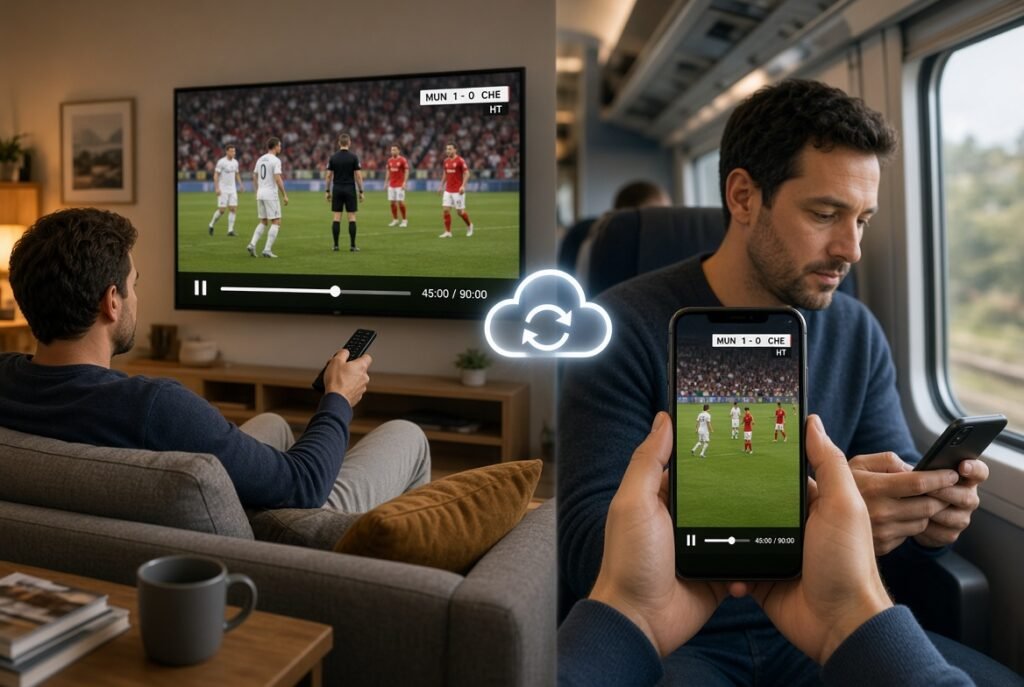
Some applications can synchronize watch state or playback position, allowing you to continue supported content from another device.
Less Manual Configuration
This is perhaps the biggest practical advantage.
The less information you have to re-enter manually, the easier IPTV management becomes.
Best IPTV Players With Cloud Sync
Not every IPTV player offers the same synchronization system.
For this article, four applications deserve particular attention:
- IPTV One
- ARVIO
- TiviMate
- CloudStream IPTV Player
They are not identical, however. Some focus on real-time cloud synchronization, while others provide backup and restore functionality.
IPTV One
IPTV One is one of the strongest examples of an IPTV player built around multi-device synchronization.
Its official website states that the application supports Android, Android TV, Fire TV, iOS, Windows, macOS, Linux, and Apple TV, with a single account designed to synchronize supported information across devices.
The platform advertises synchronization for information such as playlists, favorites, history, playback position, EPG configuration, and settings.
Why Is IPTV One Good for Cloud Sync?
The biggest strength of IPTV One is its cross-platform approach.
Instead of focusing exclusively on Android TV or Fire TV, it aims to provide the same account-based experience across several operating systems.
This can be especially useful if your household uses a mixture of:
- Android
- iPhone
- Android TV
- Fire TV
- Apple TV
- Windows
- Mac
- Linux
The ability to use a common account across these environments makes IPTV One particularly interesting for users searching for an IPTV player for multiple devices.
IPTV One Playlist Sync
IPTV One also supports multiple playlist formats, including M3U, Xtream Codes, and Stalker Portal according to its current documentation.
This means users can manage compatible IPTV sources from a central environment instead of repeatedly configuring each device.
IPTV One Favorites and Watch History
Another major advantage is synchronization beyond playlists.
The service advertises support for synchronized favorites, custom groups, watch history, playback position, and EPG-related configuration.
For users who frequently move between devices, this can make a noticeable difference.
ARVIO Cloud
ARVIO takes a slightly different approach.
ARVIO is an Android TV-oriented media hub that also supports IPTV through compatible M3U and Xtream sources. Its optional ARVIO Cloud service is designed to synchronize supported profiles, settings, catalogs, IPTV state, and watch-related information across devices.
How ARVIO Cloud Works
ARVIO’s documentation describes an account-based cloud pairing process, including QR pairing.
Once ARVIO Cloud is connected, supported profile and IPTV information can follow the user between compatible environments.
Its current documentation also indicates that ARVIO Web can be used on desktop and mobile browsers, with supported information synchronized through ARVIO Cloud.
What Does ARVIO Cloud Sync?
According to ARVIO’s current project documentation, synchronization can include:
- Profiles
- Settings
- Catalogs
- IPTV configuration
- IPTV state
- Watch state
- Profile information
- Supported preferences
This makes ARVIO particularly interesting for users who want more than a basic IPTV player.
ARVIO IPTV and EPG
ARVIO supports IPTV playlists and EPG functionality, making it possible to combine live-TV organization with its broader media-hub interface.
Its development history also shows continued work on IPTV, EPG, and cloud synchronization functionality.
TiviMate
TiviMate is one of the best-known IPTV players in the Android TV ecosystem, but it should be treated differently when discussing IPTV Cloud Sync.
TiviMate has traditionally emphasized local configuration and provides backup and restore functionality rather than being a straightforward cross-platform cloud-sync solution.
This distinction is important.
TiviMate Backup and Restore
A backup can be extremely useful when you want to move your configuration to another Android-based device.
Instead of manually recreating everything, you can save your configuration and restore it on the new installation.
Depending on your setup and version, this can help preserve information such as:
- Playlists
- Favorites
- Channel organization
- Settings
- Other application configuration
However, backup and restore should not automatically be described as real-time cloud synchronization.
Is TiviMate Good for Multiple Devices?
TiviMate can be a strong choice for users primarily inside the Android/Android TV ecosystem.
However, if your main requirement is automatic IPTV synchronization between completely different platforms, you should compare it carefully with applications specifically designed around cross-platform cloud sync.
That is where IPTV One and ARVIO become particularly interesting.
CloudStream IPTV Player
The current CloudStream IPTV Player also deserves attention because it combines IPTV playback with backup and restore functionality.
Its current Google Play listing states that CloudStream supports M3U and M3U8 playlists as well as Xtream Codes-compatible playlists. It also advertises backup and restore functionality, including optional Google Drive backup.
CloudStream IPTV Cloud Backup
CloudStream’s backup approach is particularly useful for users who want a convenient way to preserve their IPTV configuration.
The application supports:
- M3U playlists
- M3U8 playlists
- Xtream Codes
- EPG
- Backup and restore
- Optional Google Drive backup
- QR pairing
- Playlist synchronization features
Why Choose CloudStream?
CloudStream is particularly interesting for Android and Android TV users who want a modern interface while retaining access to their own IPTV sources.
Its current listing describes it as a player rather than an IPTV provider and explicitly states that users must supply their own valid playlist.
IPTV Cloud Sync Comparison
The following table provides a simplified overview of how these approaches differ.
| Feature | IPTV One | ARVIO | TiviMate | CloudStream |
|---|---|---|---|---|
| Cloud Sync | Yes | Optional ARVIO Cloud | Primarily backup/restore | Backup/restore + sync features |
| Multi-device focus | Excellent | Excellent | Moderate | Good |
| M3U | Yes | Yes | Yes | Yes |
| Xtream Codes | Yes | Yes | Yes | Yes |
| EPG | Yes | Yes | Yes | Yes |
| Favorites | Sync supported | Sync supported | Backup/restore | Supported |
| Watch State | Supported | Supported | Available locally/through backup | Supported features |
| Cloud Backup | Yes | Yes | Backup-focused | Google Drive option |
| Cross-platform | Excellent | Web + Android ecosystem | Android ecosystem | Android-focused |
| Best for | Multi-platform users | Android TV/media hub users | Android TV users | Android IPTV users |
Feature availability can vary by version, subscription level, platform, and current app implementation.
IPTV Cloud Sync for M3U Playlists
One of the most useful applications of cloud synchronization is IPTV M3U sync.
M3U playlists are widely used to organize IPTV streams.
Without synchronization, adding an M3U playlist to a new device may require manually copying the URL or file.
With a supported cloud system, the playlist configuration can potentially be associated with your account.
This creates a simpler workflow:
Add M3U → Sync → Sign In on Another Device → Playlist Available
However, users should understand that synchronization does not magically repair an expired or unavailable playlist.
If the original IPTV source stops working, synchronizing the playlist will simply synchronize the same broken configuration.
IPTV Playlist Sync Across Devices
IPTV playlist sync is particularly valuable for households with several screens.
For example, you could have:
- Living room TV
- Bedroom TV
- Fire TV
- Smartphone
- Tablet
Instead of configuring each installation independently, a supported IPTV player can keep the playlist configuration synchronized.
This is one of the strongest reasons to look for an IPTV player with cloud sync.
IPTV Favorites Sync
Favorites are another feature that becomes much more useful when synchronized.
Imagine creating a custom list of your preferred channels on your TV.
If the IPTV application supports cloud synchronization for favorites, those preferences can become available on another supported device.
This eliminates the need to recreate your favorite channel list manually.
IPTV Watch History Sync
Watch history synchronization can be especially useful for users who consume VOD or other supported on-demand content.
For example:
Device A: Watch part of a program.
Cloud: Saves supported watch state.
Device B: Continue from the saved position.
Not every IPTV player supports this in the same way, so it is important to verify exactly what each application synchronizes.
IPTV EPG Sync
The Electronic Program Guide (EPG) is another area where synchronization can improve usability.
An EPG can contain program schedules and guide information associated with your IPTV playlist.
If the application supports EPG synchronization, your configuration can potentially follow your account across devices.
This can include information such as:
- EPG source
- Channel mapping
- Guide preferences
- Program data configuration
However, EPG synchronization does not necessarily mean that the guide data itself is permanently stored in the cloud. The application may synchronize configuration while retrieving current guide data from the relevant source.
IPTV Settings Sync
Advanced IPTV players can contain many settings.
Examples include:
- Playback preferences
- Audio preferences
- Subtitle settings
- Interface configuration
- Channel organization
- EPG settings
- Custom groups
- Player preferences
Having these settings synchronized can make a new device feel much more familiar.
IPTV Multi-Device Sync
The term IPTV multi-device sync generally refers to keeping supported IPTV information consistent across several devices.
This is especially useful in households where people use different operating systems.
For example:
Android Phone → Fire TV → Windows PC → Apple TV
The more devices you use, the more valuable synchronization becomes.
Cloud Sync vs Manual Setup
Without cloud synchronization:
Device 1: Configure IPTV
Device 2: Configure IPTV again
Device 3: Configure IPTV again
With cloud synchronization:
Device 1: Configure IPTV
Cloud: Store/synchronize supported information
Device 2: Sign in
Device 3: Sign in
This doesn’t eliminate every setup step, but it can dramatically reduce repetitive configuration.
Cloud Sync vs Local Backup
Both technologies have their place.
Local Backup
A local backup gives you a file or stored configuration that you can restore later.
Advantages include:
- Greater user control
- Easy offline storage
- Useful for device migration
Disadvantages include:
- You must manage the backup
- You can forget where it is stored
- It may become outdated
Cloud Sync
Cloud sync is designed around keeping supported information available across devices.
Advantages include:
- Convenient multi-device access
- Less manual configuration
- Automatic or semi-automatic updates
- Easier device switching
Disadvantages include:
- Requires internet access
- Requires trust in the cloud provider
- Availability depends on the service
- Privacy considerations become more important
Is IPTV Cloud Sync Safe?
Cloud synchronization can be convenient, but it introduces an important privacy consideration.
An IPTV configuration may contain sensitive information such as playlist URLs, usernames, passwords, tokens, or account identifiers.
Before enabling cloud synchronization, check the application’s privacy policy and understand what information is stored remotely.
Good practices include:
- Use strong passwords.
- Avoid sharing IPTV credentials.
- Don’t publish M3U URLs publicly.
- Use official versions of applications.
- Review cloud permissions.
- Understand what information is synchronized.
- Remove old accounts or devices when appropriate.
- Avoid suspicious third-party applications.
The fact that an application offers cloud sync does not automatically mean every piece of your data is synchronized or stored in the same way.
What Should You Look for in an IPTV Cloud Sync App?
If you’re choosing an IPTV player specifically because of cloud synchronization, don’t focus only on the words “Cloud Sync.”
Look at what is actually synchronized.
1. Playlist Sync
Can the application synchronize M3U or Xtream configuration?
2. Favorites Sync
Will your favorite channels follow you?
3. Watch State Sync
Can you continue supported content from another device?
4. EPG Sync
Does the application synchronize EPG configuration?
5. Settings Sync
Are playback and interface preferences preserved?
6. Platform Support
Does it support all the devices you actually use?
7. Backup and Restore
Can you manually create a backup in case synchronization fails?
8. Privacy
What data is sent to the cloud?
Best IPTV Player for Multiple Devices
There isn’t one universal answer because users have different requirements.
If your priority is cross-platform cloud synchronization, IPTV One is particularly interesting because its current offering is explicitly designed around a single account and synchronization across multiple platforms.
If you prefer an Android TV media hub with optional cloud synchronization, ARVIO is a strong option to investigate. Its current documentation specifically describes ARVIO Cloud synchronization for profiles, settings, catalogs, IPTV state, and watch state.
If you’re primarily an Android TV user who wants a mature IPTV player with backup and restore, TiviMate remains worth considering, although backup should be distinguished from full cross-platform cloud synchronization.
If you want M3U/Xtream support combined with backup and restore, CloudStream is another interesting option, including its optional Google Drive backup functionality.
How to Choose the Right IPTV Cloud Sync Player
Your choice should depend on your devices.
If You Use Many Different Platforms
Prioritize:
- Cross-platform support
- Account-based synchronization
- Playlist sync
- Favorites sync
- Watch-state synchronization
If You Mainly Use Android TV
Prioritize:
- Remote-friendly interface
- EPG
- M3U support
- Xtream Codes
- Backup and restore
- Performance
If You Frequently Replace Devices
Prioritize:
- Cloud backup
- Easy restore
- Account-based configuration
- Playlist backup
If Privacy Is Your Priority
Prioritize:
- Clear privacy documentation
- Transparent cloud architecture
- Secure connections
- Control over synchronized information
Common IPTV Cloud Sync Problems
Even the best synchronization system can experience problems.
IPTV Playlist Not Syncing
Check that you are logged into the same account on both devices and that the playlist is supported by the synchronization system.
IPTV Favorites Not Syncing
Verify that favorites are included in the application’s cloud-sync features.
IPTV Settings Not Syncing
Some settings may intentionally remain local. Check which settings the application supports.
IPTV Cloud Backup Not Working
Check your internet connection, cloud account, available storage, and application permissions.
IPTV Cloud Restore Failed
Make sure the backup belongs to the same application and compatible version.
Device Doesn’t Appear
Check that the device is signed into the correct account and that synchronization is enabled.
How to Avoid Losing Your IPTV Setup
Cloud synchronization is useful, but it should not be your only strategy.
A good approach is to maintain a backup of important configuration information where appropriate.
You can:
- Keep a secure record of your legitimate playlist information.
- Use the application’s official backup feature.
- Enable cloud sync when appropriate.
- Keep your account credentials secure.
- Test restoration before you actually need it.
- Remove outdated devices from your account.
Never publish private M3U URLs, passwords, or IPTV credentials in screenshots, forums, or public websites.
The Future of IPTV Cloud Sync
The direction of IPTV applications is increasingly focused on convenience.
As users move between smartphones, smart TVs, streaming devices, tablets, and computers, manually configuring every device becomes less attractive.
This creates opportunities for IPTV players to offer:
- Automatic playlist synchronization
- Cloud-based favorites
- Cross-device watch history
- Shared EPG configuration
- Multi-profile support
- Cloud backup
- QR device pairing
- Cross-platform accounts
The most useful implementations will likely be those that combine convenience, security, privacy, and genuine cross-platform compatibility.
Frequently Asked Questions
What is IPTV Cloud Sync?
IPTV Cloud Sync is a feature that synchronizes supported IPTV player data between devices using an online account or cloud service.
What can IPTV Cloud Sync synchronize?
Depending on the application, it may synchronize playlists, favorites, EPG configuration, settings, watch history, playback position, profiles, or other supported data.
Is IPTV Cloud Sync the same as backup?
No. Cloud sync is intended to keep supported data aligned across devices, while backup creates a copy that can be restored later.
What is the best IPTV player with cloud sync?
For users prioritizing broad cross-platform synchronization, IPTV One is one of the strongest options to consider. ARVIO is also notable for its optional ARVIO Cloud synchronization, while other players focus more heavily on backup and restore.
Does IPTV One support cloud sync?
Yes. IPTV One currently advertises account-based cloud synchronization across multiple platforms, including Android, iOS, Windows, macOS, Linux, Android TV, Fire TV, and Apple TV.
Does ARVIO have cloud sync?
Yes. ARVIO offers an optional ARVIO Cloud system that can synchronize supported profiles, settings, catalogs, IPTV state, and watch-related information across devices.
Does TiviMate have cloud sync?
TiviMate should be distinguished from IPTV players built around full cross-platform cloud synchronization. Its backup-and-restore functionality is useful for transferring configurations, but backup is not necessarily the same thing as automatic real-time cloud synchronization.
Does CloudStream support cloud backup?
Yes. The current CloudStream IPTV Player listing describes backup and restore functionality and an optional Google Drive backup option.
Can I sync an M3U playlist between devices?
Yes, if the IPTV player specifically supports playlist synchronization. Some applications synchronize playlist configuration through an account, while others require you to manually back up and restore the playlist.
Can IPTV favorites sync across devices?
Some IPTV players support synchronized favorites. However, you should check the specific application’s current feature set because not every IPTV player synchronizes favorites.
Can IPTV EPG settings sync?
Some modern IPTV players can synchronize EPG-related configuration. However, synchronizing EPG settings is different from storing all EPG data permanently in the cloud.
Is IPTV Cloud Sync safe?
It can be safe when implemented securely, but users should understand what information the application stores remotely. Always review the application’s privacy policy and protect your account credentials.
Does Cloud Sync provide IPTV channels?
No. Cloud synchronization is a software feature. It does not provide IPTV channels or subscriptions.
Can Cloud Sync fix IPTV buffering?
No. Cloud synchronization does not improve an unstable IPTV server or internet connection. It mainly simplifies configuration and data management between devices.
Final Verdict
IPTV Cloud Sync is becoming an important feature for users who rely on IPTV across multiple screens. Instead of repeatedly configuring every device, a well-designed synchronization system can make playlists, favorites, settings, EPG configuration, and supported watch data easier to manage.
Among the applications discussed, IPTV One stands out for users who prioritize broad cross-platform synchronization, while ARVIO is particularly interesting for users looking for an Android TV-focused media hub with optional cloud functionality. TiviMate remains useful for Android TV users who value its IPTV-focused environment and backup/restore capabilities, while CloudStream offers a modern IPTV player with M3U, M3U8, Xtream Codes, and backup/restore functionality, including an optional Google Drive backup.
The key lesson is simple: don’t choose an IPTV player merely because it says “Cloud Sync.” Check exactly what it synchronizes, which devices it supports, whether synchronization is automatic or backup-based, and how your data is handled.
For people using several devices, the right IPTV player with cloud sync can turn IPTV setup from a repetitive process into a much smoother multi-device experience.


