
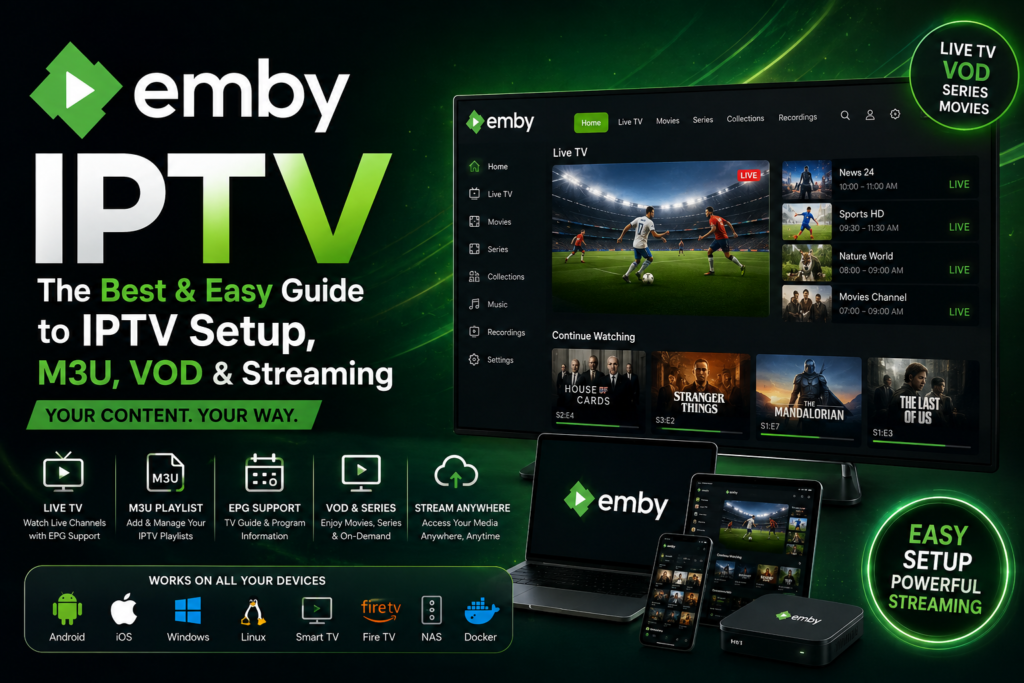
If you are looking for a way to combine IPTV, Live TV, VOD, and your personal media library in one place, Emby is a platform worth understanding. Unlike a traditional IPTV player, Emby is built around a personal media server that can organize and stream your own content while also supporting Live TV sources.
One of the most important things to understand is that Emby is not an IPTV provider. Emby does not sell TV channels or IPTV subscriptions. Instead, it provides the server and client software needed to manage and stream your own media and supported Live TV sources.
In this guide, we will explain what Emby is, how Emby works, how to add IPTV to Emby, how Emby IPTV M3U works, how to connect to an Emby Server remotely, how to use Emby on Firestick and Roku, how much Emby Premiere costs, and how Emby compares with Jellyfin and Plex.
Important: Always use IPTV and media sources that you are legally authorized to access. Emby itself does not provide copyrighted television content.
What Is Emby?

Emby is a personal media server platform that allows you to organize, manage, and stream your own media across different devices.
Instead of keeping your movies, TV shows, music, photos, and other media separated across different devices, an Emby Server can organize them into a centralized library.
You can then connect compatible Emby apps to the server and stream your content from devices such as:
- Smart TVs
- Fire TV and Firestick
- Roku
- Android TV
- Apple TV
- Smartphones
- Tablets
- Computers
- Web browsers
Emby also includes Live TV functionality, allowing supported TV tuners and M3U-based sources to be configured through the Live TV section.
Is Emby an IPTV Player?
This is where many users become confused.
Emby can be used for IPTV/Live TV, but it is fundamentally different from a simple IPTV player.
A traditional IPTV player is generally designed to take a playlist or login information and play television streams.
Emby, on the other hand, revolves around a server-client architecture:
Media/IPTV Source → Emby Server → Emby Client → TV/Device
This makes Emby particularly interesting for users who want to combine Live TV with their personal media collection.
Is Emby an IPTV Provider?
No.
Emby does not provide an IPTV subscription, channels, or a catalog of television streams. Its official documentation explicitly states that Emby is a personal media server and does not provide content.
Therefore, these are three separate things:
| Service | Purpose |
|---|---|
| IPTV Provider | Provides authorized Live TV streams/content |
| IPTV Player | Plays IPTV streams |
| Emby | Personal media server and streaming platform |
Understanding this difference will prevent many common Emby IPTV setup problems.
How Does Emby Work?
How does Emby work?
Emby works by installing Emby Server on a computer, NAS, or another compatible system.
The server becomes the central point where your media and supported Live TV sources are managed.
Your devices then connect to that server using an Emby application or web interface.
A basic setup looks like this:
Your Media / Live TV Source
↓
Emby Server
↓
Network / Internet
↓
Emby App
↓
Firestick / Roku / Smart TV / Mobile / Computer
The server can handle several important tasks, including:
- Media organization
- Metadata
- User management
- Streaming
- Live TV
- DVR functionality
- Transcoding when necessary
- Remote access
Emby’s Live TV system supports both hardware tuner sources and M3U-based IPTV sources.
What Is an Emby Server?
The Emby Server is the core component of the platform.
You install it on a device that remains available when you want to stream.
For example, your server could be:
- Windows PC
- Linux computer
- Mac
- NAS
- Home server
- Other supported platforms
The server stores or accesses your media and makes it available to your Emby clients.
This means your Firestick, Roku, or Smart TV does not necessarily need to store the media itself.
Emby Server vs Emby App
These two components have different jobs.
Emby Server
The server manages:
- Media
- Libraries
- Users
- Live TV
- IPTV sources
- EPG information
- Transcoding
- Remote access
Emby App
The app is the interface used to access the server.
For example, you could have:
Emby Server on a PC
and then:
Emby App on Firestick
The Firestick connects to your server and displays the content.
Emby IPTV Explained
What Is Emby IPTV?
The term Emby IPTV generally refers to using Emby’s Live TV functionality with an IPTV or M3U-based source.
Emby officially supports M3U files as TV tuners. An M3U playlist can contain a list of channels together with information used to identify and play those channels.
This allows Emby to integrate Live TV into its own interface rather than forcing you to use a completely separate IPTV application.
However, the source itself remains separate from Emby.
How Does Emby Handle IPTV Streams?
When an M3U source is configured, Emby can process the playlist through its Live TV system.
The basic workflow is:
M3U Source → Emby Live TV → Channel Guide → Emby Client
Depending on the source and device, playback can involve:
- Direct Play
- Direct Stream
- Transcoding
The best experience usually occurs when the client can play the stream directly without requiring unnecessary transcoding.
Emby IPTV M3U
What Is M3U?
M3U is a playlist format commonly used to describe multimedia streams.
In an IPTV environment, an M3U playlist can contain information such as:
- Channel name
- Channel ID
- Stream URL
- Group/category information
- Additional metadata
Emby supports adding an M3U file either from a local file path or from an M3U URL that the server can download.
M3U vs M3U8
You may also encounter M3U8, which is commonly associated with UTF-8 encoded playlists and HTTP Live Streaming workflows.
The important point for an Emby user is to determine whether the playlist provided by the authorized source is supported by the particular Emby configuration.
Emby IPTV Setup
What You Need Before Starting
Before attempting an Emby IPTV setup, prepare:
- An Emby Server
- A compatible device to host the server
- An authorized IPTV/Live TV source
- An M3U playlist if using an M3U tuner
- EPG/guide data when required
- A stable network connection
- Emby Premiere if using Live TV features that require it
Emby’s current documentation states that Live TV and DVR require a valid Emby Premiere subscription.
How to Add IPTV to Emby
Add IPTV to Emby Using an M3U Source
If you want to add IPTV to Emby, the M3U tuner is one of the key options to understand.
According to Emby’s documentation, you can add an M3U tuner through:
Emby Server Dashboard → Live TV Setup → Add TV Source → M3U
You can then provide either:
- A local M3U file
- An M3U URL
Basic Emby IPTV M3U Workflow
- Open your Emby Server dashboard.
- Go to Live TV.
- Select Add TV Source.
- Select M3U.
- Enter the M3U file path or URL.
- Configure the available options.
- Save the tuner.
- Allow Emby to process the channel list.
- Configure guide data when necessary.
- Test Live TV playback.
The exact options can vary depending on your source and Emby version.
Emby IPTV Guide and EPG
What Is an IPTV EPG?
EPG stands for Electronic Program Guide.
Without guide information, an IPTV playlist may simply show channel names. With EPG data, Emby can display additional program information such as:
- Program titles
- Start times
- End times
- Program descriptions
- Current/next program information
Emby’s Live TV setup documentation describes the process as involving the TV source, guide data, and channel mapping.
XMLTV and Emby IPTV
XMLTV is one of the common formats used for television guide information.
An IPTV setup may therefore involve two separate data sources:
M3U → Channels
XMLTV/EPG → Program Guide
The channel information and EPG information then need to be matched correctly.
Emby IPTV VOD
What Is Emby IPTV VOD?
VOD means Video on Demand.
This is different from Live TV.
Live TV:
Content plays according to a schedule.
VOD:
You choose what you want to watch.
Emby is particularly strong as a personal media platform because it can organize your own movie and TV libraries into a VOD-like browsing experience.
However, users should not assume that an Emby IPTV VOD setup means Emby itself provides a commercial IPTV VOD catalog.
Emby does not provide content.
Emby IPTV Subscription vs Emby Premiere
What Is an Emby IPTV Subscription?
An IPTV subscription and an Emby Premiere subscription are not the same thing.
This distinction is extremely important.
IPTV Subscription
An IPTV subscription, where legally offered, is associated with the content/service provider.
Emby Premiere
Emby Premiere is a premium license for additional Emby functionality.
Emby’s documentation specifically warns that Emby does not provide streaming content and that Premiere is intended for users running their own server and using their own content or Live TV tuner.
So:
IPTV Subscription ≠ Emby Premiere
How Much Does Emby Cost?
How much does Emby cost?
Emby offers both free functionality and premium Emby Premiere options.
The current official Emby documentation lists the standard Premiere options as:
- Monthly: $4.99/month
- 1 Year: $54/year
- Lifetime: $119 one-time
These standard options are designed for single-household use and have a 30-device limit for Premiere features.
Because pricing can change, it is always worth checking Emby’s official pricing page before publishing or updating this section.
How Much Is Emby Premiere?
How much is Emby Premiere?
As of the current Emby documentation, the standard Emby Premiere pricing is:
| Plan | Current Price |
|---|---|
| Monthly | $4.99/month |
| Yearly | $54/year |
| Lifetime | $119 one-time |
There are also extended Premiere options for users who need support for more devices than the standard household license.
What Does Emby Premiere Add?
Depending on the platform, Premiere can unlock features including:
- Live TV
- DVR
- Hardware-accelerated transcoding
- Downloads and Sync
- Offline media
- HDR tone mapping when transcoding
- Additional client features
- Other premium server functionality
The official feature matrix shows that Live TV and DVR are among the Premiere features.
How to Connect to Emby Server
How to connect to Emby server
After installing Emby Server, you need to connect your devices to it.
The basic process is:
- Install Emby Server.
- Complete the initial server setup.
- Create your media libraries.
- Configure Live TV if required.
- Open an Emby app on your device.
- Sign in or connect to the server.
- Select the desired library or Live TV section.
- Start playback.
Emby Connect can simplify remote login, although the actual server still needs to be available to the client. Emby’s documentation explains that Premiere status is tied to the server key rather than simply to an account.
How to Connect to Emby Server Remotely
Remote access allows you to access your Emby Server when you are outside your home network.
For example:
Home → Emby Server
and later:
Away from Home → Internet → Emby Server
What Do You Need for Remote Emby Access?
A successful remote setup generally requires:
- Emby Server running
- Internet connection
- Correct network configuration
- Adequate upload bandwidth
- Secure remote access
- A compatible Emby client
Remote Streaming and Transcoding
Remote streaming can place more demands on your server.
If the remote device cannot directly play the original stream, the server may need to transcode it.
This can increase:
- CPU usage
- GPU usage
- Power consumption
- Bandwidth requirements
For this reason, a powerful server and a stable internet connection can make a major difference.
How to Download Emby on Firestick
Is Emby Available on Firestick?
Yes. Emby supports Android TV and Fire TV clients, making Firestick one of the useful devices for accessing an Emby Server.
The official Emby feature matrix lists Android TV/Fire TV support and indicates that Live TV functionality on those platforms is associated with Premiere.
How to download Emby on Firestick
The basic installation process is:
- Turn on your Firestick.
- Open the Amazon app store/search interface.
- Search for Emby.
- Select the official Emby application.
- Install the app.
- Launch Emby.
- Connect it to your Emby Server.
- Sign in if required.
- Test your media or Live TV.
Emby IPTV on Firestick
A useful setup could look like:
Authorized IPTV/M3U Source
↓
Emby Server
↓
Emby Live TV
↓
Firestick
↓
TV
The Firestick is therefore acting primarily as the client, while the server handles the central management and streaming tasks.
Emby IPTV Roku
Can You Use Emby on Roku?
Yes. Emby provides a Roku client, allowing Roku users to access an Emby Server.
The official feature matrix lists Roku among the supported client platforms and includes Live TV as a Premiere feature.
Emby IPTV Roku Setup
The general process is:
- Install the Emby application on Roku.
- Open the application.
- Connect it to your Emby Server.
- Sign in or use the available connection method.
- Open Live TV.
- Select a channel.
- Test playback.
If playback fails, the issue may be related to the stream format, network, server configuration, or transcoding requirements.
Emby on Smart TVs and Other Devices
One of the major advantages of Emby is its multi-device approach.
You can potentially use an Emby Server with clients such as:
Android TV
Useful for Android TV boxes and compatible televisions.
Fire TV
Useful for Firestick and Fire TV devices.
Roku
Useful for Roku televisions and streaming devices.
Samsung Smart TV
Emby provides a Smart TV client.
LG Smart TV
Emby supports LG Smart TV clients.
Apple TV
Useful for users within the Apple ecosystem.
Mobile Devices
Emby can also be used on smartphones and tablets.
The exact features available can differ between platforms, so it is important to distinguish server support from client support.
Emby IPTV Streams
What Are Emby IPTV Streams?
An IPTV stream is the actual media stream that carries the television content.
An M3U playlist generally acts as a directory of available streams rather than being the video itself.
For example:
M3U Playlist
→ Channel A
→ Channel B
→ Channel C
→ Channel D
Each entry can point toward a stream.
Emby uses the M3U tuner configuration to bring these channels into its Live TV environment.
Direct Play vs Direct Stream vs Transcoding
Understanding these three terms is essential when troubleshooting Emby IPTV performance.
| Mode | Description | Server Load |
|---|---|---|
| Direct Play | Client plays the original media/stream | Lowest |
| Direct Stream | Stream/container is adjusted without full conversion | Low |
| Transcoding | Server converts the media into another format | Higher |
Why Is Direct Play Better?
When your device can play the original stream directly, the server has much less work to do.
This can help reduce:
- CPU usage
- Buffering
- Server heat
- Power consumption
However, Direct Play depends on compatibility between the source and client.
Why Does Emby IPTV Buffer?
Buffering can happen for several reasons.
1. Slow Internet
The available bandwidth may not be enough for the stream.
2. Weak Wi-Fi
The server or client may have an unstable wireless connection.
3. Transcoding
A powerful stream may require real-time conversion.
4. Server Hardware
An older CPU may struggle with demanding transcoding tasks.
5. High-Bitrate 4K Content
Ultra-HD streams require significantly more bandwidth and processing capability.
6. Source Problems
If the original stream is unstable, changing Emby settings may not solve the underlying problem.
How to Reduce Emby IPTV Buffering
Try the following:
- Use Ethernet instead of Wi-Fi where possible.
- Check your internet speed.
- Check server CPU usage.
- Reduce unnecessary transcoding.
- Use Direct Play when compatible.
- Keep Emby Server updated.
- Check the quality and stability of your authorized stream source.
- Test another client device.
- Check whether the problem occurs only with high-resolution streams.
Emby IPTV Guide: Understanding EPG
An EPG, or Electronic Program Guide, can dramatically improve the Live TV experience.
Instead of seeing a simple channel list, users can see:
- Current programs
- Upcoming programs
- Program times
- Program titles
- Descriptions
- Channel information
Emby’s Live TV workflow includes configuring guide data and matching the channel lineup to the guide data.
This is why a good Emby IPTV setup should consider both:
M3U → Channel Data
and
EPG/XMLTV → Program Data
Emby IPTV and DVR
Another advantage of Emby’s Live TV platform is DVR functionality.
The official Emby documentation states that Live TV and DVR require Emby Premiere.
With a properly configured Live TV setup, users can take advantage of features such as:
- Scheduled recordings
- Series recordings
- Recorded TV management
Availability and functionality depend on the configured source and supported setup.
Emby vs Jellyfin

What Is Jellyfin?
Jellyfin is another media server platform designed to organize and stream personal media.
The two platforms are often compared because they target a similar audience.

Emby vs Jellyfin
| Feature | Emby | Jellyfin |
|---|---|---|
| Personal Media Server | Yes | Yes |
| Live TV | Yes | Yes |
| M3U-based TV | Yes | Yes |
| Remote Streaming | Yes | Yes |
| Multi-device Clients | Yes | Yes |
| Premium License | Emby Premiere | No equivalent paid license |
| Open-source Focus | More limited | Strong open-source focus |
| Ease of Setup | Generally user-friendly | Depends on setup |
Which Is Better for IPTV?
There is no universal answer.
Choose Emby if you prefer a polished ecosystem, official apps, and premium features.
Choose Jellyfin if open-source software and avoiding a premium licensing model are major priorities.
For users who want IPTV + personal media + polished multi-device streaming, Emby can be an attractive option.
Emby vs Plex

Plex is another major media server platform.
Both Emby and Plex can organize personal media and make it accessible from multiple devices.
Emby vs Plex
| Feature | Emby | Plex |
|---|---|---|
| Personal Media | Yes | Yes |
| Media Server | Yes | Yes |
| Live TV | Yes | Yes |
| Remote Access | Yes | Yes |
| Multiple Clients | Yes | Yes |
| IPTV/M3U Workflows | Supported | More limited depending on use case |
| Premium Features | Emby Premiere | Plex Pass |
| DVR | Yes | Yes |
Which Is Better for IPTV?
If IPTV/M3U-based Live TV is a major part of your setup, Emby’s dedicated M3U tuner functionality is an important advantage to consider. Emby explicitly documents M3U as a Live TV source.
Plex may be more attractive to users who prioritize its broader entertainment ecosystem.
Emby vs Dedicated IPTV Players
This is perhaps the most important comparison for someone researching Emby IPTV.
Emby
Emby is primarily:
Media Server + Streaming Platform + Live TV
A traditional IPTV player is primarily:
IPTV Playlist/Stream Player
Dedicated IPTV Player Advantages
A dedicated IPTV player may be easier if your only objective is:
- Entering an M3U playlist
- Entering supported IPTV credentials
- Viewing Live TV
- Browsing EPG
- Watching streams
Emby Advantages
Emby becomes more attractive if you want:
- Personal movies
- TV shows
- Music
- Photos
- Live TV
- VOD-style library management
- Multiple users
- Remote streaming
- Centralized media management
Best Emby IPTV Setup for Different Users
Best Setup for Beginners
A simple setup could be:
Emby Server on PC
Authorized Live TV/M3U source
Firestick or Smart TV
This gives you a centralized environment without requiring multiple applications.
Best Setup for 4K Streaming
For high-quality streaming, focus on:
- Fast local network
- Ethernet
- Compatible client
- Sufficient server hardware
- Direct Play whenever possible
- Adequate bandwidth
Best Setup for Remote Streaming
For remote access, focus on:
- Strong upload speed
- Reliable server
- Secure remote configuration
- Appropriate transcoding capabilities
- Compatible client
Remember that your home upload speed can be just as important as the remote device’s download speed.
Is Emby Free?
Emby offers free functionality, but some important features require Premiere.
According to Emby’s current feature matrix, basic media browsing, library organization, metadata, user management, parental controls, and Emby Connect are available without Premiere, while features such as Live TV, DVR, hardware-accelerated transcoding, and downloads/sync are among the Premiere features.
Therefore, if your main reason for installing Emby is IPTV Live TV, Premiere is an important consideration.
Pros and Cons of Emby for IPTV
Pros
- Centralized media management
- M3U Live TV support
- EPG integration
- Live TV functionality
- DVR support
- Multi-device ecosystem
- Firestick support
- Roku support
- Smart TV support
- Remote streaming
- Personal VOD/media libraries
- Transcoding capabilities
Cons
- More complicated than a basic IPTV player
- Requires an Emby Server for the full experience
- Transcoding can require powerful hardware
- Live TV requires Premiere
- Remote streaming requires proper server/network configuration
- Emby does not provide IPTV content
Common Emby IPTV Problems and Solutions
| Problem | Possible Cause | What to Check |
|---|---|---|
| No IPTV channels | M3U configuration | Check playlist URL/file |
| Channels appear but don’t play | Stream compatibility | Test source/client |
| Missing EPG | Guide configuration | Check XMLTV/EPG |
| Buffering | Network/server | Check bandwidth and transcoding |
| High CPU usage | Transcoding | Try Direct Play |
| Remote connection fails | Network configuration | Check remote access |
| Firestick playback problems | Wi-Fi/transcoding | Check connection |
| Roku playback problems | Compatibility | Check stream format |
| DVR unavailable | Premiere | Verify Premiere status |
Is Emby Good for IPTV?
The answer depends on what you expect from an IPTV platform.
If you simply want to paste an IPTV playlist and immediately watch channels, a dedicated IPTV player may be simpler.
But if you want a complete media environment that combines:
- Live TV
- IPTV/M3U
- EPG
- VOD
- Personal movies
- TV shows
- Multiple devices
- Remote streaming
then Emby becomes much more interesting.
Its M3U tuner functionality makes it particularly relevant to IPTV users because Emby can treat an M3U playlist as a Live TV source.
Frequently Asked Questions About Emby IPTV
What is Emby?
Emby is a personal media server platform used to organize and stream personal media and supported Live TV sources across compatible devices.
How does Emby work?
Emby uses a server-client architecture. The Emby Server manages media and Live TV sources, while Emby apps connect to the server and provide playback.
Is Emby an IPTV provider?
No. Emby does not provide IPTV channels or IPTV subscriptions.
Can you add IPTV to Emby?
Yes. Emby supports M3U-based Live TV sources through its M3U tuner functionality.
Can Emby use M3U playlists?
Yes. Emby’s documentation states that M3U tuners can use either a local M3U file or an M3U URL.
Does Emby support IPTV VOD?
Emby can organize and stream personal VOD-style media libraries, but Emby itself does not provide an IPTV VOD catalog.
How much does Emby cost?
Emby offers free functionality, while Emby Premiere currently starts at $4.99/month, with annual and lifetime options also available.
How much is Emby Premiere?
The current standard pricing listed by Emby is $4.99/month, $54/year, or $119 for a lifetime license.
How do I connect to Emby Server?
Install Emby Server, complete the setup, then open an Emby client and connect it to your server.
How do I connect to Emby Server remotely?
Your server must be accessible over the internet, and the network/server configuration must allow remote connections. You should also consider security and sufficient upload bandwidth.
How do I download Emby on Firestick?
Search for the official Emby application through the Fire TV/Amazon app interface, install it, open it, and connect it to your Emby Server.
Can I use Emby on Roku?
Yes. Emby provides a Roku client, and its official feature documentation lists Roku among its supported platforms.
Is Emby better than Jellyfin?
It depends on your priorities. Emby may appeal to users who prefer its ecosystem and premium features, while Jellyfin is particularly attractive to users who prioritize open-source software.
Is Emby better than Plex?
Both are capable media server platforms. For users specifically interested in M3U-based Live TV, Emby’s documented M3U tuner functionality is an important advantage to consider.
Does Emby Premiere include an IPTV subscription?
No. Emby Premiere is a premium Emby license, not an IPTV subscription. Emby does not provide the TV content itself.
Final Verdict: Is Emby a Good IPTV Solution?
Emby is a powerful option for users who want more than a basic IPTV player.
Its biggest advantage is the ability to bring different types of media into one centralized environment. With an Emby Server, users can manage personal movies and TV shows while also configuring supported Live TV sources, including M3U-based IPTV sources.
For IPTV users, the most important features are:
- Emby IPTV M3U support
- Live TV
- EPG/TV Guide
- VOD and personal media libraries
- Firestick support
- Roku support
- Remote streaming
- DVR
- Multi-device access
However, Emby should not be confused with an IPTV provider. Emby provides the platform; it does not provide the television content.
If your priority is a simple IPTV player, a dedicated IPTV application may be easier. But if you want a complete IPTV + VOD + personal media server experience, Emby is one of the more interesting solutions to consider.
For the best experience, start with a reliable Emby Server, use authorized media/Live TV sources, configure your M3U and EPG carefully, and optimize your network and transcoding settings before moving to remote streaming.


