
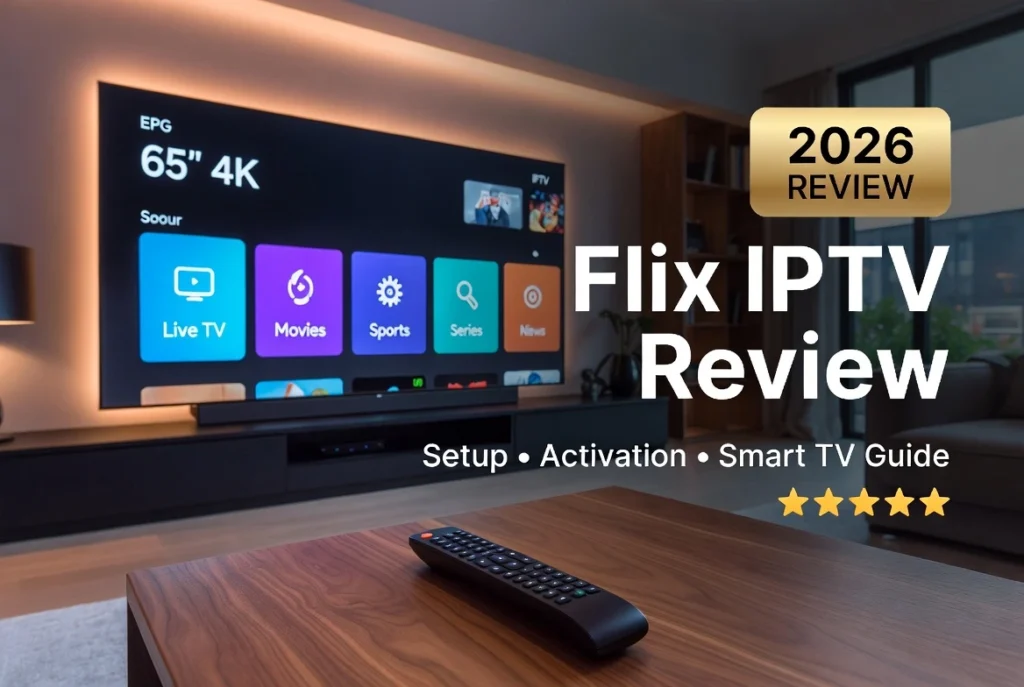
Flix IPTV has become one of the most popular IPTV players for Smart TVs thanks to its modern interface, smooth performance, and support for M3U playlists and Xtream Codes. In this Flix IPTV Review 2026, we’ll explain everything you need to know, including installation, activation, pricing, supported devices, setup, and comparisons with other popular IPTV players.
Important: Flix IPTV is an IPTV player only. It does not provide TV channels or IPTV subscriptions. You’ll need your own IPTV service to watch content.
What Is Flix IPTV?

Flix IPTV is a premium IPTV player designed for Smart TVs and streaming devices. It allows users to stream live TV, movies, and series using their IPTV provider’s credentials.
Supported login methods include:
- M3U Playlist URL
- Xtream Codes API
- XMLTV EPG
Compatible devices include:
- Samsung Smart TV (Tizen)
- LG WebOS
- Android TV
- Google TV
- Firestick
- Chromecast
- Android TV Box
- Sony TV
- Philips TV
- Hisense TV
Flix IPTV Features

Flix IPTV includes many premium features:
- Live TV streaming
- Movies & Series
- Electronic Program Guide (EPG)
- Favorites
- Subtitle support
- Multiple playlists
- Catch-up TV (provider dependent)
- Recording (provider dependent)
- External player support
- Fast channel switching
- Modern Smart TV interface
Flix IPTV Interface
The interface is designed for television screens with easy remote navigation.
You can quickly access:
- Live TV
- Movies
- Series
- Favorites
- TV Guide
- Search
- Settings
Flix IPTV EPG
Flix IPTV supports XMLTV EPG, allowing users to view:
- Current programs
- Upcoming broadcasts
- Channel schedules
- Program descriptions
Flix IPTV Favorites
Favorite channels can be organized into custom lists for faster access.
Flix IPTV Subtitles
Subtitle support is available for compatible IPTV streams and video-on-demand content.
Flix IPTV Parental Control
Parents can lock channels and categories with parental controls.
Flix IPTV Catch-up & Recording
When supported by your IPTV provider, Flix IPTV can access:
- Catch-up TV
- Recording features
Flix IPTV Multi Playlist
Users can add multiple IPTV subscriptions using:
- M3U Playlist URLs
- Xtream Codes API
Flix IPTV External Player
Compatible devices can use external media players for additional playback options.
Flix IPTV Price & License
Most users ask:
How much does Flix IPTV cost?
Flix IPTV generally offers a free trial for new users. After the trial period, you’ll typically need to purchase a one-time device license.
Pricing can change over time, so check the official Flix IPTV website for the latest activation fee.
Flix IPTV Free Trial
New users can usually test the application before purchasing a license.
Flix IPTV Lifetime License
Flix IPTV normally uses a one-time activation license tied to your device.
Supported Devices
- Samsung TV
- LG WebOS
- Android TV
- Firestick
- Fire TV
- Google TV
- Chromecast
- Android Box
- Sony TV
- Philips TV
- Hisense TV
How to Install Flix IPTV

Step 1
Install Flix IPTV on your compatible device.
Step 2
Open the application.
Step 3
Copy your device MAC Address.
Step 4
Complete the activation process.
Flix IPTV Activation Guide
To activate Flix IPTV:
- Open the app.
- Copy your MAC Address.
- Visit the activation portal.
- Activate your device.
- Restart the application.
How to Add an M3U Playlist to Flix IPTV

- Open Flix IPTV.
- Copy your MAC Address.
- Visit the playlist upload page.
- Paste your M3U Playlist URL or enter Xtream Codes credentials.
- Upload your playlist.
- Restart the application.

Flix IPTV on Samsung TV
Flix IPTV performs exceptionally well on Samsung Smart TVs running Tizen OS.
Flix IPTV on LG WebOS
LG users benefit from smooth navigation and excellent playback performance.
Flix IPTV on Firestick
Firestick users enjoy fast performance and easy remote navigation.
Flix IPTV on Android TV
Android TV provides:
- Fast interface
- Excellent EPG support
- Smooth HD & 4K playback
Flix IPTV vs IPTV Smarters Pro
| Feature | Flix IPTV | IPTV Smarters Pro |
|---|---|---|
| Samsung TV | ✅ | ✅ |
| LG WebOS | ✅ | ✅ |
| Firestick | ✅ | ✅ |
| Android TV | ✅ | ✅ |
| M3U Playlist | ✅ | ✅ |
| Xtream Codes | ✅ | ✅ |
| EPG | ✅ | ✅ |
Flix IPTV vs TiviMate
TiviMate offers advanced customization for Android TV, while Flix IPTV focuses on a polished Smart TV experience.
Flix IPTV vs IBO Player Pro
Both support Smart TVs, but each has its own licensing model and interface.
Flix IPTV vs SmartOne IPTV
Flix IPTV emphasizes ease of use, while SmartOne IPTV offers additional interface customization.
Flix IPTV vs Smart IPTV
Smart IPTV is a long-established player, while Flix IPTV provides a newer and more modern user interface.
Flix IPTV vs SET IPTV
Both are excellent Smart TV IPTV players with support for M3U playlists and EPG.
Flix IPTV vs Duplex IPTV
Duplex IPTV excels in multi-playlist management, while Flix IPTV offers a cleaner interface.
Flix IPTV vs Net IPTV
Net IPTV is lightweight, whereas Flix IPTV provides a richer interface and additional customization.
Best IPTV Service for Flix IPTV
For the best streaming experience, choose an IPTV provider that offers:
- Stable M3U playlists
- Xtream Codes API
- XMLTV EPG
- HD & 4K channels
- VOD library
- Catch-up TV
- Reliable servers
Pros and Cons
Pros
- Excellent Smart TV compatibility
- Clean modern interface
- M3U & Xtream Codes support
- EPG integration
- Favorites
- Subtitle support
- Multi-playlist support
- Smooth HD & 4K playback
Cons
- IPTV subscription not included
- Activation required after the trial
- Recording depends on provider support
Final Verdict
Flix IPTV is one of the best IPTV players for Samsung Smart TVs, LG WebOS TVs, Android TV, Firestick, Google TV, and other compatible devices. It offers an attractive interface, reliable playback, and excellent support for M3U playlists and Xtream Codes, making it a strong choice for Smart TV users.
Frequently Asked Questions (FAQ)
What is Flix IPTV?
Flix IPTV is an IPTV player that lets you stream live TV, movies, and series using your own IPTV subscription.
Is Flix IPTV free?
It usually includes a free trial. After the trial period, a one-time activation fee is generally required.
Does Flix IPTV include TV channels?
No. Flix IPTV is only a media player and does not include IPTV channels or subscriptions.
How do I activate Flix IPTV?
Open the app, copy your device’s MAC Address, visit the official activation portal, activate your device, and restart the app.
How do I add an M3U playlist to Flix IPTV?
Upload your M3U Playlist URL through the Flix IPTV upload portal using your device’s MAC Address.
Does Flix IPTV support Xtream Codes?
Yes. Flix IPTV supports both Xtream Codes API and M3U Playlist URLs.
Can I install Flix IPTV on Samsung Smart TV?
Yes. It supports many Samsung Smart TVs running Tizen OS.
Does Flix IPTV work on LG WebOS?
Yes. It is compatible with many LG Smart TVs running WebOS.
Which is better: Flix IPTV or TiviMate?
Flix IPTV is an excellent choice for Smart TV users seeking a polished interface, while TiviMate is ideal for Android TV users who want advanced customization.



One Response