
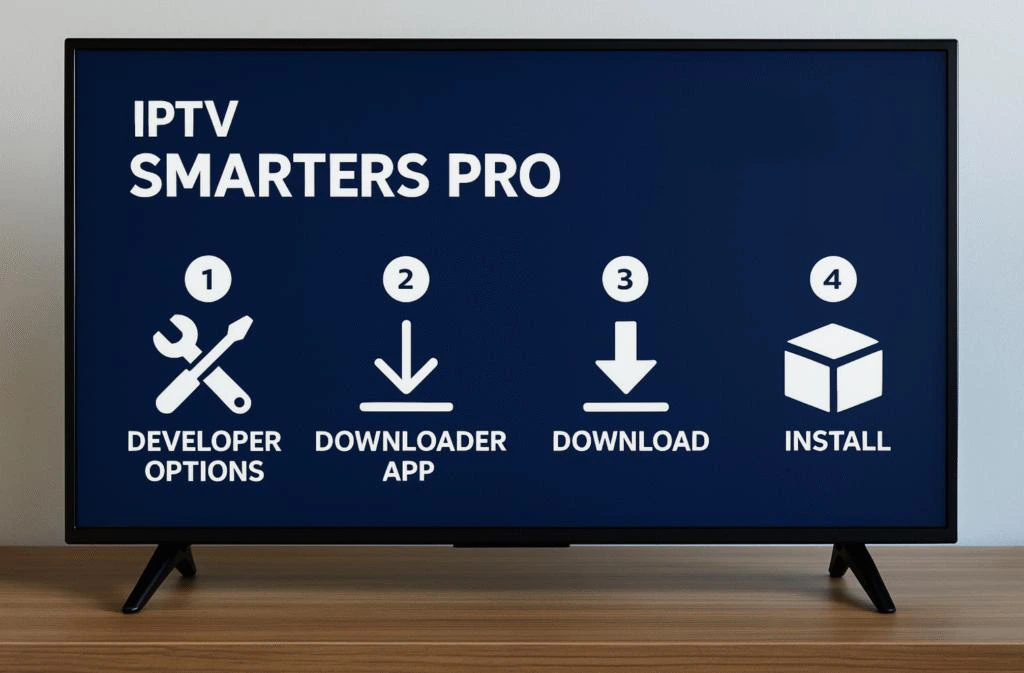
If you’re searching for a reliable IPTV app for your Firestick, Android TV, Smart TV, Windows PC, or Android Box, you’ve likely come across IPTV Smarters Pro. But is it worth using?
In this IPTV Smarters Pro Review, we’ll cover everything you need to know, including its features, pricing, premium version, ease of use, installation process, supported devices, and how it compares with TiviMate.
What Is IPTV Smarters Pro?
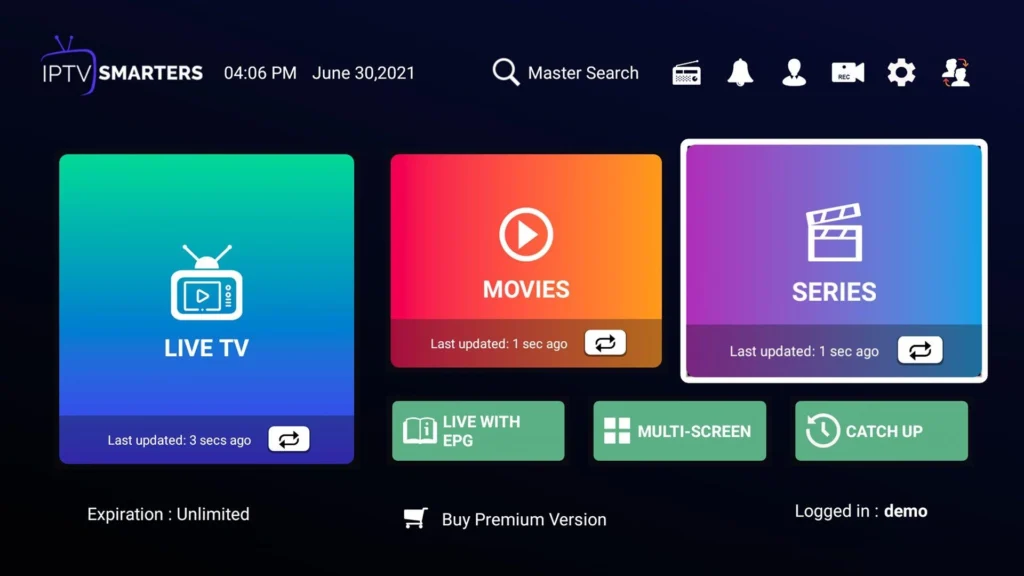
IPTV Smarters Pro is one of the most popular IPTV player applications available today. It doesn’t provide TV channels or IPTV subscriptions—instead, it lets users watch content from their own IPTV provider using:
- M3U Playlist URL
- Xtream Codes API
- Local Playlist
It is available on multiple platforms, making it one of the most flexible IPTV players.
Supported devices include:
- Android TV
- Google TV
- Amazon Firestick & Fire TV
- Android smartphones & tablets
- Windows PC
- macOS
- LG Smart TV (WebOS)
- Samsung Smart TV (Tizen)
IPTV Smarters Pro Features
One reason IPTV Smarters Pro has become so popular is its feature-rich interface.
Main Features
- Live TV streaming
- Movies & Series support
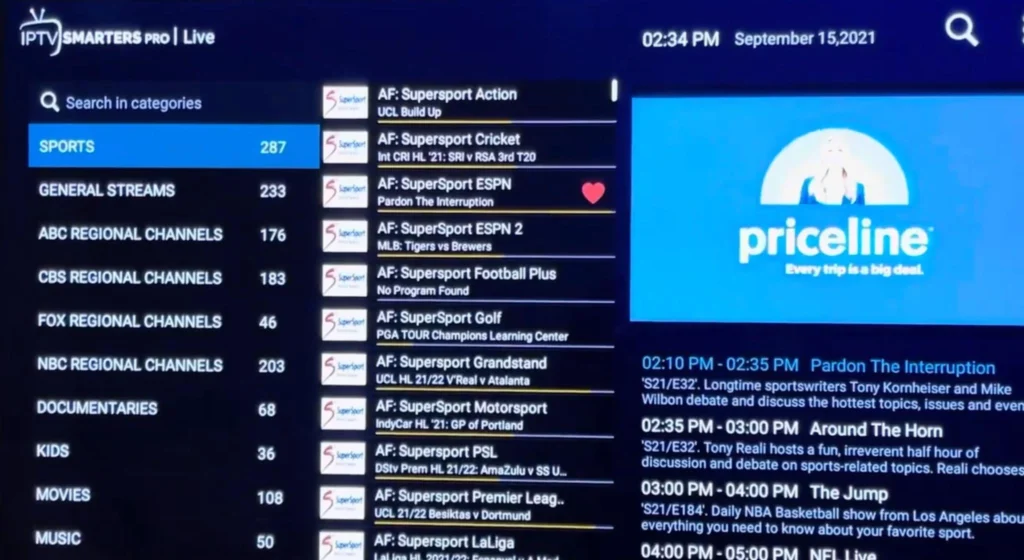
- Electronic Program Guide (EPG)
- Catch-up TV (provider dependent)
- Multi-screen viewing
- External player support
- Favorites list
- Parental controls
- Multi-user profiles
- Built-in video player
- Xtream Codes API login
- M3U playlist support
IPTV Smarters Pro Performance Review
Performance is one of the app’s strongest points.
During normal use, IPTV Smarters Pro offers:
- Fast channel loading
- Smooth navigation
- Stable playback
- Good compatibility with HD and 4K streams
- Responsive interface
Overall performance depends more on your IPTV provider and internet connection than the application itself.
Performance Rating: ⭐⭐⭐⭐⭐ (4.8/5)
IPTV Smarters Pro Pricing Details
One of the most searched topics is:
IPTV Smarters Pro Cost
The basic version is available for free, while some platforms offer Premium features or paid versions.
Pricing may vary depending on the platform and licensing model, so it’s best to check the official app store for the latest information.
IPTV Smarters Pro Features and Cost Breakdown
| Version | Features |
|---|---|
| Free | Basic IPTV playback, playlist support |
| Premium | Extra customization, advanced playback options, improved user experience (availability depends on platform) |
IPTV Smarters Pro Premium Review
Many users wonder whether the Premium version is worth paying for.
The Premium edition may include:
- Advanced customization
- Better media management
- Enhanced player controls
- Additional interface options
- Improved playback experience
For casual users, the free version is usually sufficient. Heavy IPTV users may appreciate the extra convenience offered by Premium features.
Does IPTV Smarters Pro Have a Lifetime License?
Depending on the platform, licensing options may differ.
Some stores have previously offered one-time purchases, while others focus on subscription-based upgrades.
Always verify licensing directly from the official source before purchasing.
Ease of Use: Is IPTV Smarters Pro Beginner-Friendly?
Ease of use is one of the biggest reasons users choose IPTV Smarters Pro.
The interface is clean, organized, and simple to navigate.
Even first-time IPTV users can quickly learn how to:
- Add playlists
- Browse channels
- Watch movies
- Use the TV guide
- Manage favorites
Ease of Use Rating: ⭐⭐⭐⭐⭐
IPTV Smarters Pro Setup
Setting up IPTV Smarters Pro only takes a few minutes.
Step-by-step Guide: IPTV Smarters Pro Installation
Step 1
Install IPTV Smarters Pro on your preferred device.
Supported devices include:
- Firestick
- Android TV
- Android Box
- Windows PC
- Smart TVs
Step 2
Open the application.
Step 3
Accept the terms and conditions.
Step 4
Choose your login method.
IPTV Smarters Pro Login Guide
There are three common login methods:
Xtream Codes API
Enter:
- Server URL
- Username
- Password
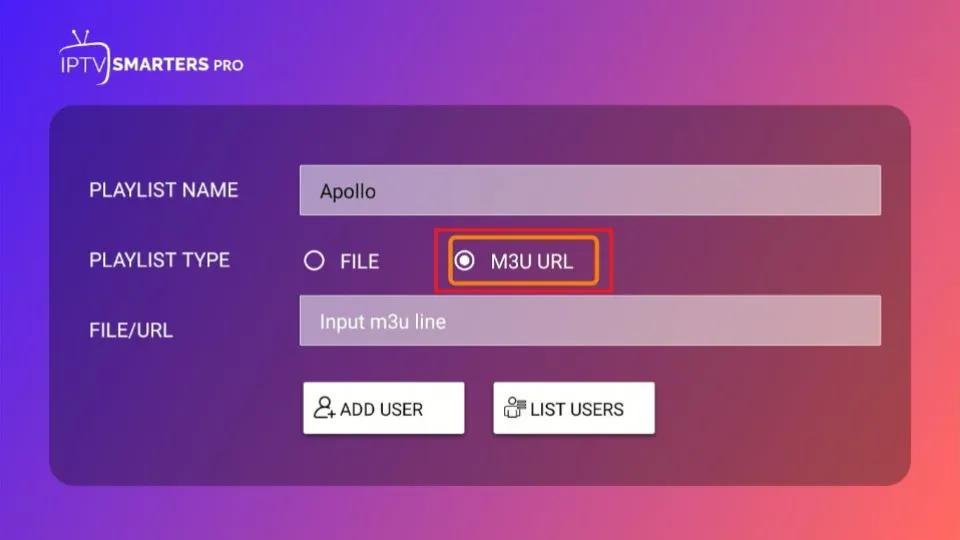
M3U Playlist URL
Paste your playlist URL provided by your IPTV provider.
Local Playlist
Import a playlist stored on your device.
After logging in, channels will load automatically.
How to Add Channels to IPTV Smarters Pro
Adding channels is simple.
- Open IPTV Smarters Pro
- Select Add User
- Choose M3U Playlist or Xtream Codes
- Enter your IPTV credentials
- Save
- Wait for channels to load
The application automatically organizes Live TV, Movies, and Series.
IPTV Smarters Pro Free Download
The application is available for several operating systems.
Always download IPTV Smarters Pro from trusted or official sources to ensure you receive the latest version and avoid modified copies.
Is IPTV Smarters Pro Safe to Use?
Yes, the application itself is generally considered safe when downloaded from trusted sources.
However, remember that IPTV Smarters Pro is only a media player.
Safety also depends on:
- Your IPTV provider
- The source of your playlists
- Downloading the app from legitimate sources
Using secure passwords and keeping the app updated is recommended.
IPTV Smarters Pro Pros and Cons
Pros
- Easy to use
- Excellent device compatibility
- Supports Xtream Codes & M3U
- Built-in media player
- Modern interface
- EPG support
- Multi-screen viewing
- Fast performance
Cons
- No IPTV channels included
- Performance depends on IPTV provider
- Some premium features vary by platform
Best IPTV Player: IPTV Smarters Pro vs TiviMate
| Feature | IPTV Smarters Pro | TiviMate |
|---|
| Android TV | ✅ | ✅ |
| Firestick | ✅ | ✅ |
| Windows | ✅ | ❌ |
| Smart TV | ✅ | Limited |
| Xtream Codes | ✅ | ✅ |
| M3U Support | ✅ | ✅ |
| Multi-screen | ✅ | ❌ |
| TV Guide (EPG) | ✅ | Excellent |
| Beginner Friendly | ⭐⭐⭐⭐⭐ | ⭐⭐⭐⭐☆ |
| Interface | Modern | Premium TV-style |
Which Is Better?
Choose IPTV Smarters Pro if you want:
- Cross-platform support
- Windows compatibility
- Easy setup
- Multi-screen playback
Choose TiviMate if you mainly use Android TV or Firestick and prefer a traditional cable TV-style interface with extensive customization.
Frequently Asked Questions (FAQ)
Is IPTV Smarters Pro free?
Yes. IPTV Smarters Pro offers a free version with essential features such as live TV streaming, playlist management, and EPG support. Some platforms may also offer premium features with additional functionality.
Is IPTV Smarters Pro safe to use?
Yes, IPTV Smarters Pro is generally safe when downloaded from its official website or trusted app stores. The app itself is only an IPTV player and does not provide TV channels or copyrighted content.
Does IPTV Smarters Pro provide IPTV channels?
No. IPTV Smarters Pro does not include TV channels, movies, or subscriptions. You must have your own IPTV service and use your provider’s M3U playlist or Xtream Codes credentials.
What devices support IPTV Smarters Pro?
IPTV Smarters Pro works on:
- Android TV
- Google TV
- Amazon Firestick & Fire TV
- Android smartphones
- Android TV Boxes
- Windows PC
- macOS
- LG Smart TVs (WebOS)
- Samsung Smart TVs (Tizen)
How much does IPTV Smarters Pro cost?
The basic version is free. Premium pricing depends on the platform and licensing model. Check the official IPTV Smarters website or your device’s app store for the latest pricing details.
Does IPTV Smarters Pro have a lifetime license?
Depending on the platform, IPTV Smarters Pro may offer one-time purchases or subscription-based premium plans. Availability can change, so always verify current licensing before purchasing.
How do I install IPTV Smarters Pro on Firestick?
- Install IPTV Smarters Pro from a trusted source.
- Launch the app.
- Accept the terms.
- Choose your login method (Xtream Codes, M3U Playlist, or Local Playlist).
- Enter your IPTV provider’s credentials.
- Wait for the playlist to load.
How do I add channels to IPTV Smarters Pro?
To add channels:
- Open IPTV Smarters Pro.
- Select Add User.
- Choose Xtream Codes API or M3U Playlist.
- Enter your IPTV provider’s information.
- Save the settings.
- The app will automatically import your channels, movies, and series.
Which is better: IPTV Smarters Pro or TiviMate?
Both are excellent IPTV players.
- IPTV Smarters Pro is ideal if you want support for Firestick, Smart TVs, Windows PCs, Android phones, and multiple platforms.
- TiviMate is often preferred by Android TV and Firestick users who want a premium TV-like interface with advanced customization.
Does IPTV Smarters Pro support EPG?
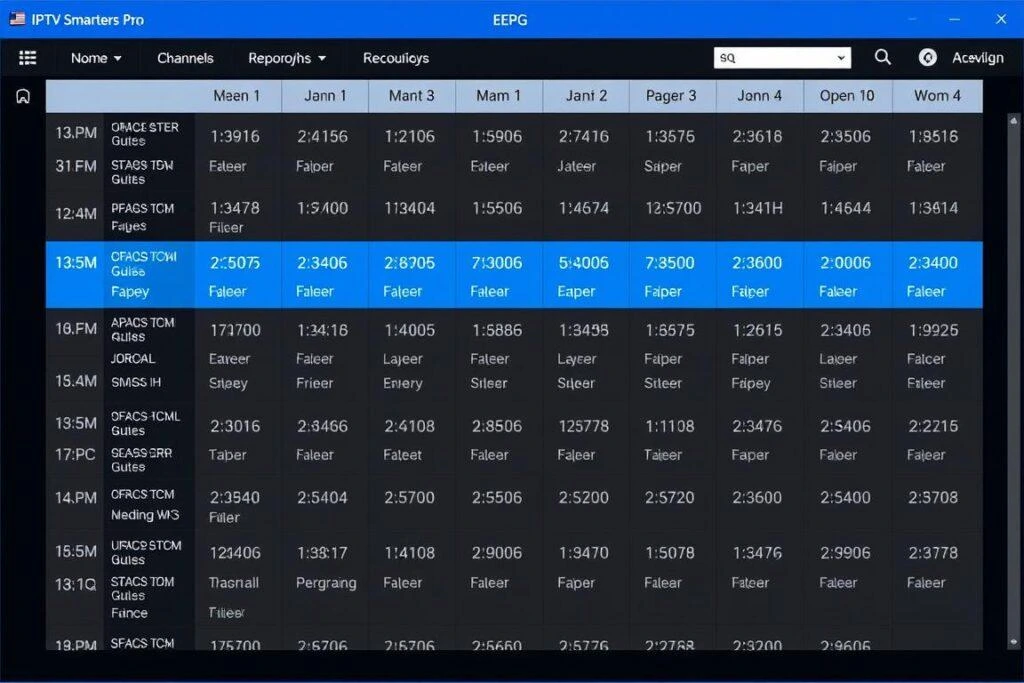
Yes. IPTV Smarters Pro supports Electronic Program Guide (EPG), allowing you to view TV schedules, current programs, and upcoming shows, provided your IPTV provider supplies EPG data.
Can I use IPTV Smarters Pro on multiple devices?
Yes. You can install IPTV Smarters Pro on multiple compatible devices. Whether you can use the same IPTV account on several devices simultaneously depends on your IPTV provider’s subscription policy.
Why are channels buffering on IPTV Smarters Pro?
Buffering is usually not caused by IPTV Smarters Pro itself. Common reasons include:
- Slow internet connection
- Overloaded IPTV servers
- Poor Wi-Fi signal
- ISP throttling
- Low-performance streaming device
Using a stable high-speed connection and a reliable IPTV provider usually provides the best viewing experience.
Is IPTV Smarters Pro the best IPTV player?
IPTV Smarters Pro is considered one of the best IPTV players thanks to its easy setup, wide device compatibility, intuitive interface, and support for Xtream Codes, M3U playlists, and EPG. However, the best choice depends on your device and personal preferences. For Android TV users focused on customization, TiviMate is another top contender.
Final Verdict
IPTV Smarters Pro continues to be one of the most versatile IPTV players available. Its support for Firestick, Android TV, Smart TVs, Windows PCs, and Android devices makes it a great option for users who want a consistent experience across multiple platforms.
It offers an intuitive interface, strong performance, EPG support, multiple login methods, and excellent compatibility with IPTV providers. While the free version is sufficient for many users, Premium features may be worthwhile for those seeking additional customization and convenience.



One Response