
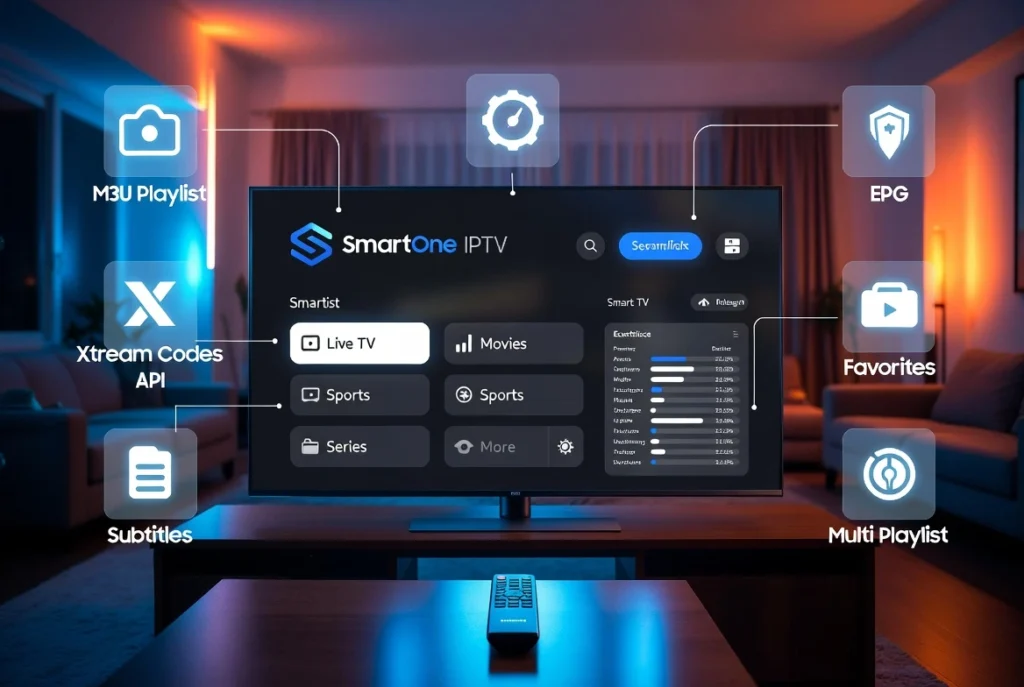
If you’re searching for an honest SmartOne IPTV review, you’ve come to the right place. SmartOne IPTV has become one of the most popular IPTV players for Samsung Smart TVs, LG WebOS, Android TV, Firestick, and Google TV thanks to its modern interface, fast performance, and support for both M3U playlists and Xtream Codes. But is it really worth using in 2026?
In this complete SmartOne IPTV review, you’ll learn what SmartOne IPTV is, its key features, pricing, activation process, and how to install and set up the app on different devices. We’ll also compare it with other popular IPTV players like IPTV Smarters Pro, IBO Player Pro, TiviMate, and SET IPTV to help you decide which option best fits your streaming needs.
Whether you’re a beginner looking for an easy SmartOne IPTV setup or an experienced user wanting to upload an M3U playlist, log in with Xtream Codes, or explore its advanced features, this guide covers everything you need to know before getting started.
What Is SmartOne IPTV?

If you’re looking for a modern IPTV player for your Smart TV, this SmartOne IPTV review will help you decide whether it’s the right choice.
SmartOne IPTV is an IPTV player—not an IPTV service. It does not include TV channels or movies. Instead, it allows you to stream content from your own IPTV provider using an M3U playlist or Xtream Codes API.
The app is available for Samsung Tizen, LG WebOS, Android TV, Google TV, Fire TV, Firestick, Chromecast with Google TV, and Android TV boxes.
SmartOne IPTV Features

SmartOne IPTV includes many features designed for a smooth streaming experience.
Main Features
- M3U Playlist support
- Xtream Codes API login
- Electronic Program Guide (EPG)
- Multi-playlist management
- Favorites list
- Fast channel loading
- Modern user interface
- Subtitle support
- Parental controls
- Catch-up TV (provider dependent)
- Multiple language support
- External video player compatibility
These features make SmartOne IPTV one of the best IPTV players for Smart TVs.
Supported Devices
SmartOne IPTV is compatible with:
- Samsung Smart TV (Tizen)
- LG Smart TV (WebOS)
- Android TV
- Google TV
- Firestick
- Fire TV
- Chromecast with Google TV
- Android TV Box
Whether you’re using SmartOne IPTV Samsung TV or SmartOne IPTV LG WebOS, the setup process is straightforward.
How to Install SmartOne IPTV

Installing SmartOne IPTV only takes a few minutes.
Samsung Smart TV
- Open the Samsung App Store.
- Search for SmartOne IPTV.
- Install the application.
- Launch the app.
LG WebOS
- Open LG Content Store.
- Search SmartOne IPTV.
- Install the app.
- Open SmartOne IPTV.
Android TV & Google TV
Download the app from Google Play Store and install it like any other application.
Firestick
Install SmartOne IPTV using the official installation method if it is available for your device.
SmartOne IPTV Setup Guide
After installing the app, complete the SmartOne IPTV setup.
Option 1: M3U Playlist
- Open SmartOne IPTV.
- Select Upload Playlist.
- Paste your M3U Playlist URL.
- Save your playlist.
- Refresh channels.
Option 2: Xtream Codes Login
Enter:
- Server URL
- Username
- Password
Press Login to load your channels automatically.
SmartOne IPTV Activation
Most SmartOne IPTV installations require activation.
The application usually displays:
- Device ID
- Activation Code
Follow the activation instructions provided within the app. Depending on the version, a one-time license or activation fee may apply.
SmartOne IPTV Interface
The interface is clean and easy to navigate.
Highlights include:
- Live TV
- Movies
- TV Series
- Favorites
- Search
- Recent Channels
- EPG Guide
Everything is organized for quick access.
SmartOne IPTV Price
SmartOne IPTV generally requires a lifetime license after any available trial period.
Pricing and activation options may change over time, so check the official activation page inside the app for the latest information.
SmartOne IPTV Pros & Cons
Pros
- Easy installation
- Supports M3U and Xtream Codes
- Fast interface
- Excellent Smart TV compatibility
- EPG support
- Multiple playlists
- Modern design
- Stable playback
Cons
- Does not include IPTV channels
- Requires an IPTV subscription
- Activation fee may apply
- Some advanced features depend on your IPTV provider
SmartOne IPTV vs IPTV Smarters Pro
| Feature | SmartOne IPTV | IPTV Smarters Pro |
|---|---|---|
| M3U Support | ✅ | ✅ |
| Xtream Codes | ✅ | ✅ |
| Samsung TV | ✅ | Limited |
| LG WebOS | ✅ | Yes |
| EPG | ✅ | ✅ |
| Favorites | ✅ | ✅ |
| Modern Interface | ⭐⭐⭐⭐⭐ | ⭐⭐⭐⭐ |
SmartOne IPTV vs IBO Player Pro
Both apps support:
- M3U playlists
- Xtream Codes
- Smart TVs
- EPG
SmartOne IPTV offers a streamlined interface, while IBO Player Pro provides additional customization options.
Frequently Asked Questions
Is SmartOne IPTV free?
The app may offer a trial period, but continued use typically requires activation.
Does SmartOne IPTV include channels?
No. You must provide your own IPTV subscription.
Does SmartOne IPTV support M3U?
Yes. You can upload any compatible M3U playlist.
Does SmartOne IPTV support Xtream Codes?
Yes. It supports login using the Xtream Codes API.
Can I use SmartOne IPTV on Samsung and LG TVs?
Yes. It works on Samsung Tizen and LG WebOS Smart TVs.
Final Verdict
In this SmartOne IPTV review, the app stands out as an excellent IPTV player for users who already have an IPTV subscription. It supports both M3U playlists and Xtream Codes, works across major Smart TV platforms, and offers a modern interface with useful features such as EPG, favorites, subtitles, and multi-playlist support.
If you’re looking for a reliable IPTV player for Samsung, LG, Android TV, or Fire TV, SmartOne IPTV is a strong choice. Just remember that it is an IPTV player, not an IPTV service, so you’ll need a compatible IPTV provider to access live TV and on-demand content.


