
If you are looking for the best IPTV player to watch live TV channels, movies, and series on your Android TV, Fire TV Stick, or Android Box, you have probably heard about TiviMate IPTV Player.
In this TiviMate review, we will explain what is TiviMate used for, its main features, pricing, differences between free and premium versions, and why many IPTV users consider it one of the best IPTV apps available today.
What Is TiviMate IPTV Player?
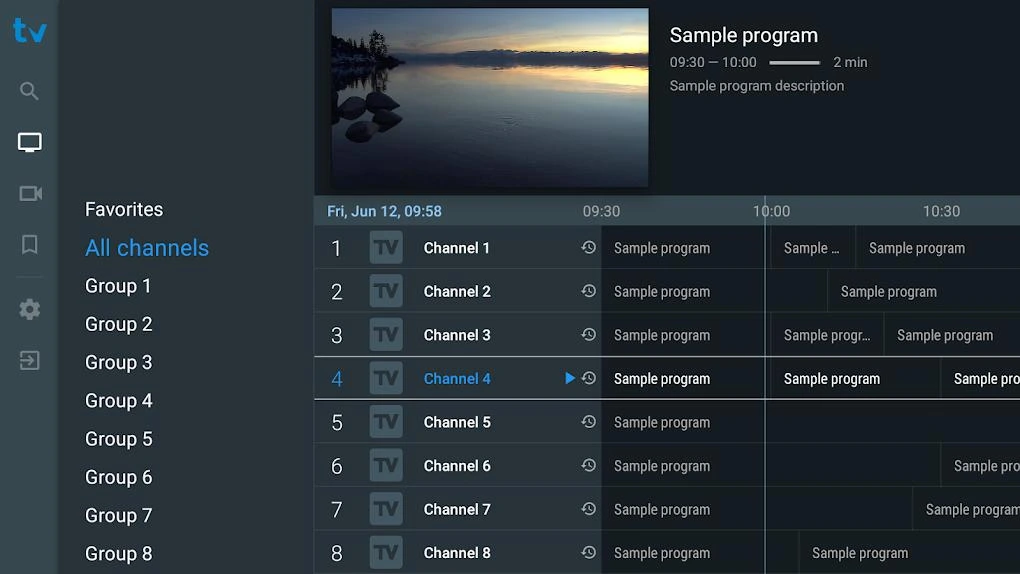
TiviMate is an IPTV player application designed for Android-based devices. It allows users to stream IPTV content using their own IPTV subscription through an M3U playlist URL or Xtream Codes login.
Unlike IPTV services that provide channels, TiviMate works as a media player. You need an IPTV subscription from a provider to access live TV channels, movies, and VOD content.
What is TiviMate used for?
TiviMate is mainly used for:
- Watching live IPTV channels
- Organizing IPTV playlists
- Viewing electronic program guides (TiviMate EPG)
- Creating favorite channel lists
- Recording live TV (Premium feature)
- Managing multiple IPTV subscriptions
- Enjoying a cable TV-style interface
TiviMate Features Review
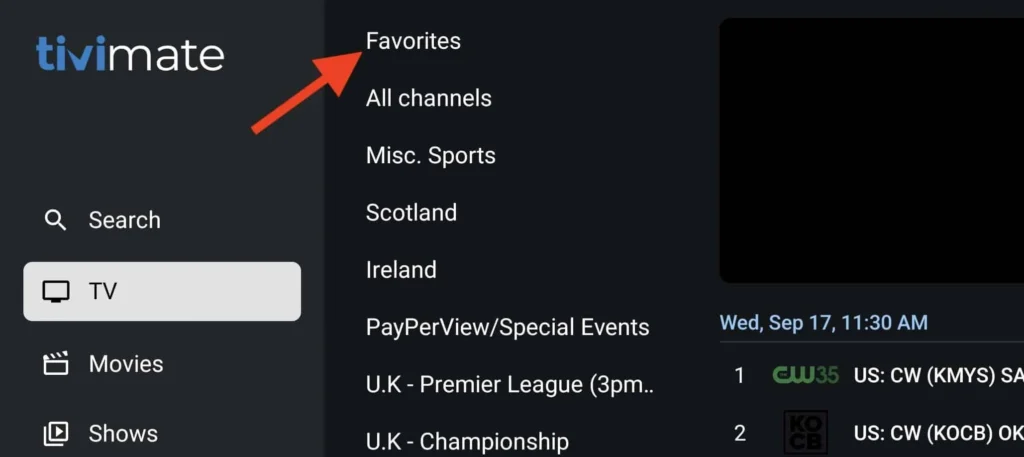
After testing its features, TiviMate stands out because of its clean interface and advanced IPTV management tools.
1. Modern TV Interface
One of the biggest advantages of TiviMate is its familiar TV guide design. The interface looks similar to traditional cable or satellite receivers.
Users can easily:
- Browse channels
- Check schedules
- Switch categories
- Add favorites
- Search content
2. TiviMate EPG Guide
The TiviMate EPG feature provides a complete TV program guide.
With EPG, users can see:
- Current programs
- Upcoming shows
- Channel schedules
- Program descriptions
This makes IPTV navigation much easier and improves the overall viewing experience.
3. Multiple IPTV Playlist Support
TiviMate allows users to add multiple IPTV accounts.
You can manage:
- Different IPTV subscriptions
- Multiple M3U playlists
- Xtream Codes accounts
This is useful for users who want to combine different IPTV sources in one application.
TiviMate Free vs Premium: Which One Should You Choose?
Let’s compare TiviMate free vs premium.
| Feature | Free Version | Premium Version |
|---|---|---|
| Add IPTV playlist | ✅ | ✅ |
| Live TV channels | ✅ | ✅ |
| EPG support | Limited | ✅ Advanced |
| Favorites | Limited | ✅ |
| Multiple playlists | ❌ | ✅ |
| Recording | ❌ | ✅ |
| Catch-up support | Limited | ✅ |
| Customization options | Basic | Advanced |
For serious IPTV users, the premium version offers much more flexibility.
TiviMate Premium Review: Is It Worth Buying?
The TiviMate Premium review from many IPTV users is generally positive because it transforms the app into a complete IPTV management system.
Premium features include:
✅ Unlimited playlists
✅ Recording feature
✅ Better EPG management
✅ Multiple device support
✅ Advanced customization
✅ Channel sorting options
If you watch IPTV regularly, TiviMate Premium is usually considered a better investment compared to using basic IPTV players.
How Much Is TiviMate Premium?
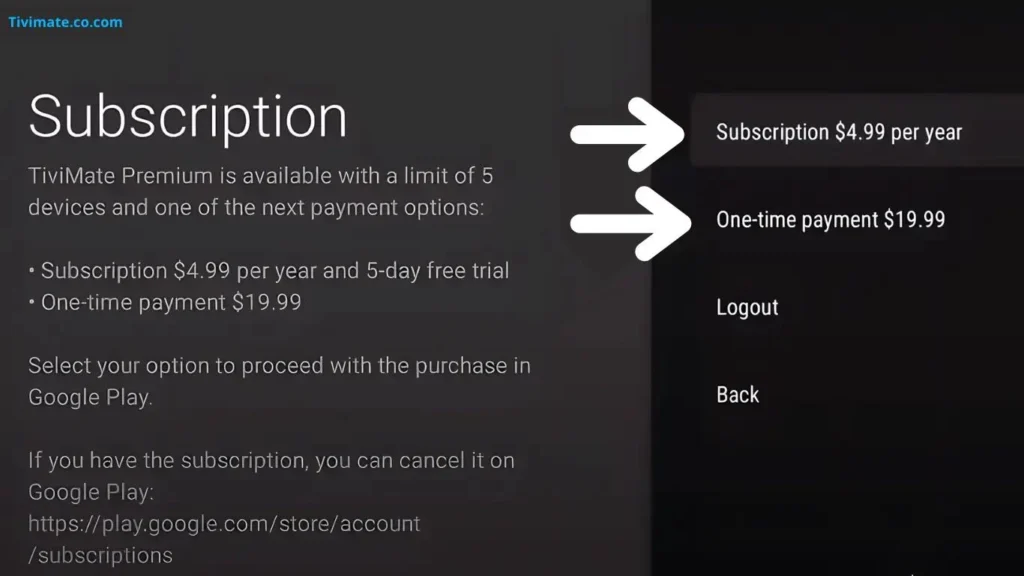
A frequently searched question is:
How much is TiviMate Premium?
The price can vary depending on the subscription option available. Generally, TiviMate Premium is offered as:
- Annual subscription
- Lifetime purchase option (when available)
The cost is usually affordable compared to traditional cable TV services.
Before purchasing, users should check the official pricing inside the TiviMate Companion app.
What Is TiviMate Companion?
Many users ask:
What is TiviMate Companion?
TiviMate Companion is the application used to manage your TiviMate Premium account.
It allows you to:
- Purchase Premium access
- Activate your account
- Manage devices
- Control subscriptions
The Companion app is mainly used for account management rather than watching IPTV channels.
TiviMate Account: How Does It Work?
A TiviMate account is required for Premium activation.
After purchasing Premium:
- Create your TiviMate account
- Activate your Premium subscription
- Connect supported devices
- Unlock advanced features
Your IPTV playlist information remains separate from your TiviMate account.
TiviMate App Review: Pros and Cons
Advantages of TiviMate
✅ Professional TV interface
✅ Excellent EPG system
✅ Fast channel navigation
✅ Supports Xtream Codes and M3U
✅ Great for Android TV devices
✅ Regular improvements
Disadvantages
❌ Only available for Android-based devices
❌ Premium features require payment
❌ Beginners may need time to learn all options
TiviMate vs Other IPTV Players
When asking:
“What is the best IPTV player?”
There are several popular IPTV apps, including:
- TiviMate
- IPTV Smarters Pro
- Flix IPTV
- Smart IPTV
- OTTPlayer
However, many advanced IPTV users consider TiviMate one of the best choices because of its professional interface and powerful EPG features.
TiviMate Reviews: What Users Say
Many TiviMate reviews from IPTV communities, including discussions on platforms like Reddit, highlight:
Positive feedback:
- Smooth performance
- Easy channel organization
- Excellent TV guide
- Premium features
Some users mention:
- Initial setup can be confusing
- Premium activation requires extra steps
Overall, the majority of experienced IPTV users rate TiviMate highly.
TiviMate Reddit Opinions
Searching for Tivimate Reddit discussions shows that many IPTV enthusiasts recommend TiviMate for Android TV devices.
Common recommendations include:
- Using Premium version
- Setting up EPG correctly
- Using a good IPTV provider
- Optimizing device performance
How to Install and Setup TiviMate IPTV Player
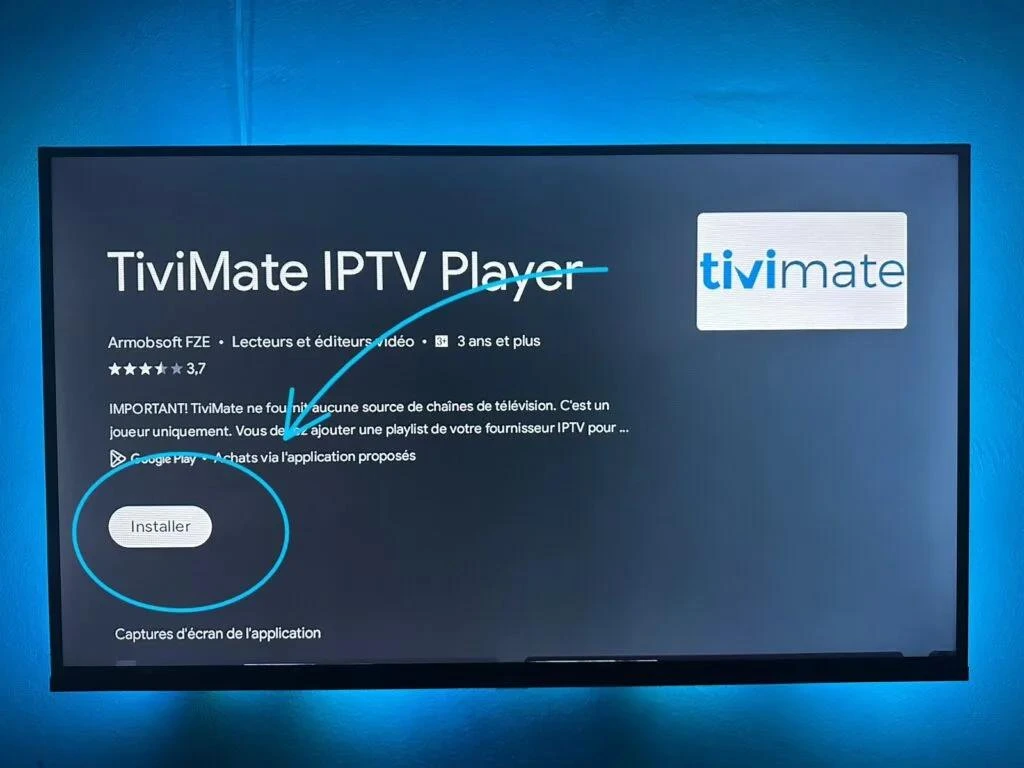
Step 1: Install TiviMate
Download TiviMate from a trusted source and install it on your Android TV, Firestick, or Android Box.
Step 2: Add IPTV Playlist
Choose:
- Add playlist
- Select M3U URL or Xtream Codes
- Enter your IPTV details
Step 3: Configure EPG
Add your EPG URL provided by your IPTV service.
Step 4: Customize Channels
You can:
- Create favorites
- Hide unwanted channels
- Change channel order
Final Verdict: Is TiviMate the Best IPTV Player?
After this TiviMate IPTV Player review, we can say that TiviMate is one of the strongest IPTV applications for Android TV users.
Its professional interface, powerful TiviMate EPG, playlist management, and Premium features make it a top choice for IPTV enthusiasts.
If you want a simple IPTV player, the free version may be enough. But if you want the best experience, TiviMate Premium is the recommended option.



2 Responses