
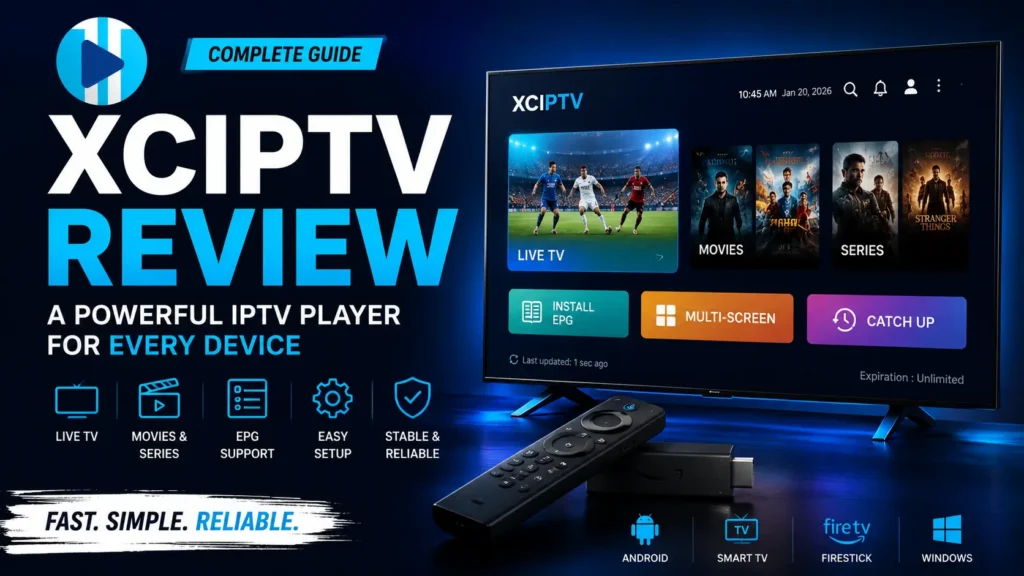
If you’re looking for a reliable IPTV player for Firestick, Android TV, Smart TVs, or Android phones, you’ve probably heard of XCIPTV Player.
In this XCIPTV Review, we’ll cover everything you need to know, including its features, installation process, supported devices, ease of use, performance, and how it compares with IPTV Smarters Pro and TiviMate.
Note: XCIPTV is an IPTV player only. It does not include TV channels or an IPTV subscription. You’ll need your own IPTV service to watch live TV and on-demand content.
What Is XCIPTV Player?
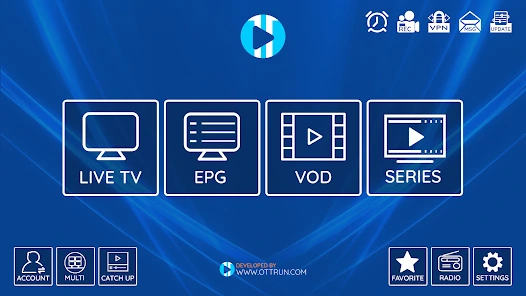
XCIPTV Player is an IPTV player designed for Android-based devices. It supports multiple login methods, including:
- Xtream Codes API
- M3U Playlist URL
The app offers a modern interface that makes it easy to organize and watch live TV, movies, series, and catch-up content.
XCIPTV Features
XCIPTV includes many features that make it a popular choice among IPTV users.
Main Features
- Live TV streaming
- Movies & TV series
- Electronic Program Guide (EPG)
- Catch-up TV support
- External player support (VLC & MX Player)
- Xtream Codes API login
- M3U Playlist support
- Favorites management
- Built-in media player
- Multi-screen support (depending on provider)
- Fast channel switching
- User-friendly interface
XCIPTV Performance Review
XCIPTV delivers a smooth viewing experience on most modern Android devices.
Performance Highlights
- Fast startup
- Quick playlist loading
- Smooth HD and 4K playback
- Stable navigation
- Responsive interface
- Low resource usage
The overall performance depends mainly on your IPTV provider and internet speed rather than the app itself.
Performance Rating: ⭐⭐⭐⭐⭐ (4.8/5)
XCIPTV Interface & Ease of Use
One of XCIPTV’s strengths is its simple and intuitive design.
Even beginners can quickly learn how to:
- Add an IPTV playlist
- Browse Live TV
- Watch Movies & Series
- Access the TV Guide (EPG)
- Manage Favorites
The clean layout makes navigation easy on both TVs and streaming devices.
Ease of Use: ⭐⭐⭐⭐⭐
XCIPTV Supported Devices
XCIPTV works on many Android-based devices, including:
- Android TV
- Google TV
- Firestick & Fire TV
- Android smartphones
- Android tablets
- Android TV Boxes
- Nvidia Shield
It performs especially well on Android TV and Firestick because of its TV-friendly interface.
How to Install XCIPTV
Installing XCIPTV is straightforward.
Step 1
Download the latest XCIPTV APK from a trusted source.
Step 2
Install the application on your Android TV, Firestick, or Android device.
Step 3
Launch the app.
Step 4
Accept the permissions if prompted.
XCIPTV Login Guide
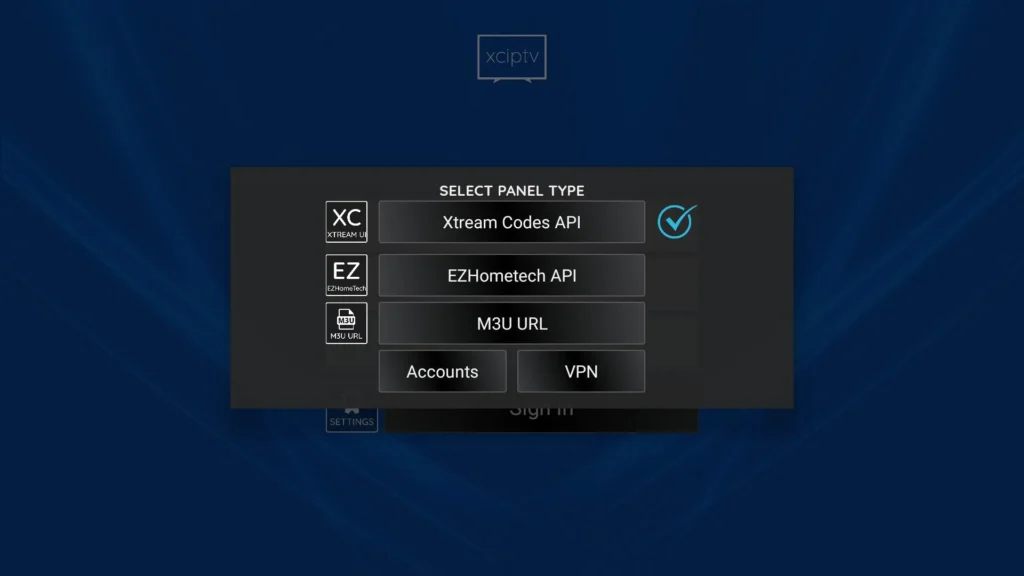
XCIPTV supports two common login methods.
Xtream Codes API
Enter:
- Server URL
- Username
- Password
M3U Playlist
Paste your M3U playlist URL provided by your IPTV service.
Once completed, your channels, movies, and TV shows will load automatically.
How to Add Channels to XCIPTV
Adding channels only takes a few minutes.
- Open XCIPTV.
- Select Add Playlist.
- Choose Xtream Codes or M3U Playlist.
- Enter your IPTV credentials.
- Save your settings.
- Wait for the content to load.
The app will organize Live TV, Movies, and Series automatically.
XCIPTV EPG Setup
XCIPTV supports Electronic Program Guide (EPG), allowing users to:
- View current programs
- Check upcoming shows
- Browse TV schedules
- Improve channel navigation
Most IPTV providers include an EPG URL that can be added during setup.
Is XCIPTV Safe to Use?
Yes, XCIPTV is generally considered safe when downloaded from a trusted source.
Keep in mind:
- XCIPTV does not provide IPTV content.
- It only acts as an IPTV player.
- Always use a reputable IPTV provider.
- Keep the app updated for the latest improvements.
XCIPTV Pros and Cons
Pros
- Clean and modern interface
- Easy to configure
- Supports Xtream Codes & M3U
- EPG support
- External player compatibility
- Fast performance
- Great for Firestick and Android TV
Cons
Some advanced features depend on your IPTV provider
No built-in IPTV subscription
Android-based devices only
XCIPTV vs IPTV Smarters Pro
| Feature | XCIPTV | IPTV Smarters Pro |
|---|---|---|
| Android TV | ✅ | ✅ |
| Firestick | ✅ | ✅ |
| Smart Interface | ⭐⭐⭐⭐⭐ | ⭐⭐⭐⭐☆ |
| Xtream Codes | ✅ | ✅ |
| M3U Playlist | ✅ | ✅ |
| External Player | ✅ | ✅ |
| EPG | ✅ | ✅ |
| Ease of Use | ⭐⭐⭐⭐⭐ | ⭐⭐⭐⭐⭐ |
Which One Should You Choose?
Choose XCIPTV if you want a lightweight app with a clean interface and quick navigation.
Choose IPTV Smarters Pro if you need broader platform support, including Windows, macOS, and Smart TVs.
XCIPTV vs TiviMate
| Feature | XCIPTV | TiviMate |
|---|---|---|
| Android TV | ✅ | ✅ |
| Firestick | ✅ | ✅ |
| TV-style Interface | ⭐⭐⭐⭐☆ | ⭐⭐⭐⭐⭐ |
| Customization | Good | Excellent |
| EPG | Excellent | Excellent |
| Multiple Playlists | ✅ | ✅ |
TiviMate is ideal for users who want maximum customization, while XCIPTV focuses on simplicity and ease of use.
Final Verdict
XCIPTV is one of the best IPTV players for Android-based devices. Its fast performance, modern interface, EPG support, and compatibility with Xtream Codes and M3U playlists make it an excellent choice for beginners and experienced IPTV users alike.
If you’re looking for a reliable IPTV player for Firestick or Android TV, XCIPTV is definitely worth trying.
Frequently Asked Questions (FAQ)
Is XCIPTV free?
Yes. XCIPTV is free to download and use. However, you’ll need your own IPTV subscription to watch content.
Is XCIPTV safe?
Yes, as long as you download it from a trusted source and use a legitimate IPTV provider.
Does XCIPTV provide TV channels?
No. XCIPTV is only an IPTV player and does not include live TV channels or movies.
Can I install XCIPTV on Firestick?
Yes. XCIPTV works well on Amazon Firestick and Fire TV devices.
Does XCIPTV support Xtream Codes?
Yes. XCIPTV supports Xtream Codes API and M3U playlists.
Does XCIPTV support EPG?
Yes. You can add an EPG URL provided by your IPTV service to display TV schedules.
Which is better: XCIPTV or IPTV Smarters Pro?
Both are excellent IPTV players. XCIPTV is known for its lightweight design and simple interface, while IPTV Smarters Pro offers wider platform compatibility.
Can I use XCIPTV on Android TV?
Yes. XCIPTV is fully optimized for Android TV, Google TV, Android Boxes, and Nvidia Shield devices.


