
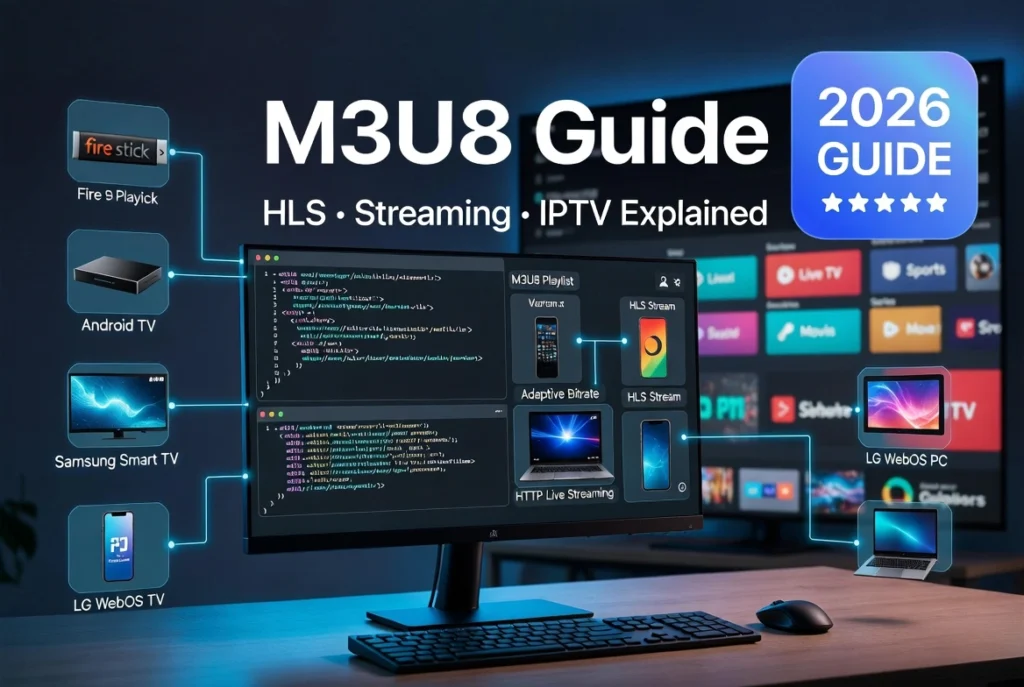
If you’ve ever searched for IPTV playlists, live streaming links, or online video streaming, you’ve probably come across the term M3U8. Whether you’re using TiviMate, IPTV Smarters Pro, OTT Navigator, VLC, or another IPTV player, there’s a good chance you’ve already used an M3U8 playlist without realizing it. Today, M3U8 has become one of the most important technologies behind live video streaming, powering everything from IPTV services and sports broadcasts to news channels and video-on-demand platforms.
What Is M3U8?
M3U8 is a UTF-8 encoded playlist format used primarily by HTTP Live Streaming (HLS). Instead of containing video files, an M3U8 file contains links to media segments that are streamed over the internet.
Today, M3U8 has become the industry standard for live streaming and IPTV because it supports adaptive bitrate streaming, allowing video quality to change automatically based on your internet speed.
Note: An M3U8 file is not a video. It is simply a playlist that points to video segments stored on a streaming server.
What Is an M3U8 File?
An M3U8 file is a text-based playlist that contains:
- Video segment locations
- Stream information
- Resolution options
- Audio tracks
- Subtitle tracks
- Streaming metadata
Most IPTV providers and live streaming platforms use M3U8 files to deliver content efficiently.
How Does M3U8 Work?
The streaming process is simple:
- A player requests the M3U8 URL.
- The server returns the playlist (manifest).
- The player downloads small video segments (.ts or .m4s).
- Segments play continuously.
- The player switches quality automatically if your connection changes.
This technology is known as HLS (HTTP Live Streaming).
M3U vs M3U8
| M3U | M3U8 |
|---|---|
| Standard playlist | UTF-8 encoded playlist |
| Older format | Modern standard |
| Limited Unicode support | Full Unicode support |
| Often used locally | Common for IPTV and HLS |
| Static playlists | Live streaming compatible |
For modern IPTV services, M3U8 is generally preferred.
M3U8 vs HLS
Many users think these are different technologies, but they are closely related.
- HLS is Apple’s streaming protocol.
- M3U8 is the playlist format used by HLS.
Without an M3U8 playlist, an HLS stream cannot function.
M3U8 vs MP4
| M3U8 | MP4 |
|---|---|
| Playlist | Video file |
| Streams content | Stores content |
| Supports live TV | Mainly on-demand |
| Adaptive bitrate | Fixed bitrate |
| Uses multiple segments | Single file |
M3U8 vs Xtream Codes
| M3U8 | Xtream Codes |
|---|---|
| Playlist URL | Login API |
| Direct stream | Username & Password |
| Easy to share | More secure |
| Supported by most players | Supported by IPTV players |
Both methods ultimately provide access to the same IPTV content.
What Is an M3U8 URL?
An M3U8 URL is the web address pointing to an HLS playlist.
Example:
https://example.com/live/channel/index.m3u8The player downloads this playlist and begins streaming automatically.
Types of M3U8 Playlists
Master Playlist
Contains multiple stream qualities.
Example:
- 480p
- 720p
- 1080p
- 4K
The player automatically selects the best quality.
Media Playlist
Contains the actual video segments.
These segments are downloaded continuously while watching.
M3U8 Playlist Structure
Common tags include:
- EXTM3U
- EXTINF
- EXT-X-STREAM-INF
- EXT-X-TARGETDURATION
- EXT-X-MEDIA-SEQUENCE
- EXT-X-ENDLIST
These tags define how the player loads and manages the stream.
Devices That Support M3U8
Most IPTV players support M3U8, including:
- Android TV
- Google TV
- Firestick
- Fire TV
- Samsung Smart TV
- LG WebOS
- Windows
- macOS
- Linux
- iPhone
- iPad
- Chromecast
Popular IPTV apps include:
- TiviMate
- IPTV Smarters Pro
- OTT Navigator
- Televizo
- Smart IPTV
- SmartOne IPTV
- ELK Player
- IBO Player
- Flix IPTV
- Duplex IPTV
- Net IPTV
- SET IPTV
How to Open an M3U8 File
You can open an M3U8 playlist using:
- VLC Media Player
- Kodi
- IPTV Smarters Pro
- TiviMate
- OTT Navigator
- Televizo
- Video.js
- HLS.js
Simply paste the M3U8 URL or load the playlist file into your preferred player.
How to Play M3U8 on VLC
- Open VLC.
- Click Media → Open Network Stream.
- Paste the M3U8 URL.
- Click Play.
VLC will automatically begin streaming if the URL is valid.
Can You Convert M3U8 to MP4?
Yes.
Many users convert M3U8 streams into MP4 for offline viewing.
Common tools include:
- FFmpeg
- VLC
- Dedicated M3U8 downloaders
Only download or convert content when you have permission to do so.
Common M3U8 Problems
M3U8 URL Not Working
Possible causes:
- Invalid URL
- Expired playlist
- Server offline
- Authentication failure
Buffering
Solutions:
- Use a faster internet connection.
- Lower the video quality.
- Use Ethernet instead of Wi-Fi.
- Restart the IPTV player.
Playback Failed
Usually caused by:
- Unsupported codec
- Invalid manifest
- Server maintenance
Black Screen
Often caused by:
- DRM protection
- Unsupported player
- Corrupted playlist
M3U8 Security
Professional IPTV providers often protect M3U8 streams using:
- AES-128 Encryption
- Tokenized URLs
- Secure Authentication
- DRM
- CDN Protection
- HTTPS
These technologies help prevent unauthorized access.
Benefits of M3U8
- Fast streaming
- Adaptive bitrate
- Excellent IPTV compatibility
- Supports live TV
- Works on nearly every device
- Easy playlist updates
- Reliable over HTTP/HTTPS
- Ideal for CDN delivery
Is M3U8 Safe?
Yes. The M3U8 format itself is safe because it is simply a playlist file. However, safety depends on the source of the playlist. Always use trusted IPTV providers and reputable streaming services, and avoid unknown links that could lead to malicious websites or unauthorized content.
Frequently Asked Questions
What is M3U8?
M3U8 is a UTF-8 encoded playlist format used by HLS streaming to deliver live and on-demand video over the internet.
What is the difference between M3U and M3U8?
M3U8 is the Unicode (UTF-8) version of the M3U playlist format and is the standard for modern HLS streaming.
What is HLS M3U8?
HLS (HTTP Live Streaming) is Apple’s streaming protocol, and M3U8 is the playlist format it uses to organize and deliver media segments.
Can VLC play M3U8 files?
Yes. VLC supports both local M3U8 files and remote M3U8 URLs.
Can Firestick play M3U8?
Yes. IPTV apps such as TiviMate, IPTV Smarters Pro, OTT Navigator, and Televizo support M3U8 playlists on Firestick.
Can I use M3U8 on Smart TVs?
Yes. Many IPTV players for Samsung Tizen, LG webOS, Android TV, and Google TV support M3U8 streaming.
Is M3U8 better than MP4?
For live streaming, yes. M3U8 supports adaptive bitrate streaming, while MP4 is better suited for downloading or local playback.
Why does my M3U8 stream keep buffering?
Buffering is commonly caused by slow internet speeds, server congestion, Wi-Fi issues, or high bitrate streams.
Does M3U8 support subtitles and multiple audio tracks?
Yes. HLS playlists can include subtitles, multiple audio languages, and alternate video qualities.
Is M3U8 the best format for IPTV?
For live IPTV streaming, M3U8 is one of the most widely supported and efficient formats because it works with HLS and adaptive bitrate streaming.
Conclusion
M3U8 is the foundation of modern HLS streaming and is widely used by IPTV providers, streaming platforms, and media applications. By understanding how M3U8 playlists, URLs, and manifests work, you can troubleshoot playback issues, choose compatible players, and enjoy smoother streaming across Firestick, Android TV, Smart TVs, Windows, macOS, and mobile devices. Whether you’re using an IPTV player or building a streaming solution, mastering M3U8 is essential for reliable, high-quality video delivery.


